

Pick your balance before jumping back in
Want to return to Stealth Master with a bigger cash balance? Finish the first floor, open Customise in the app and enter the amount you want. Apply & reload brings you back into the game with that balance.
Requires the Windows app and the Bytonian Mods browser extension for Chrome or Edge. Browser setup guide

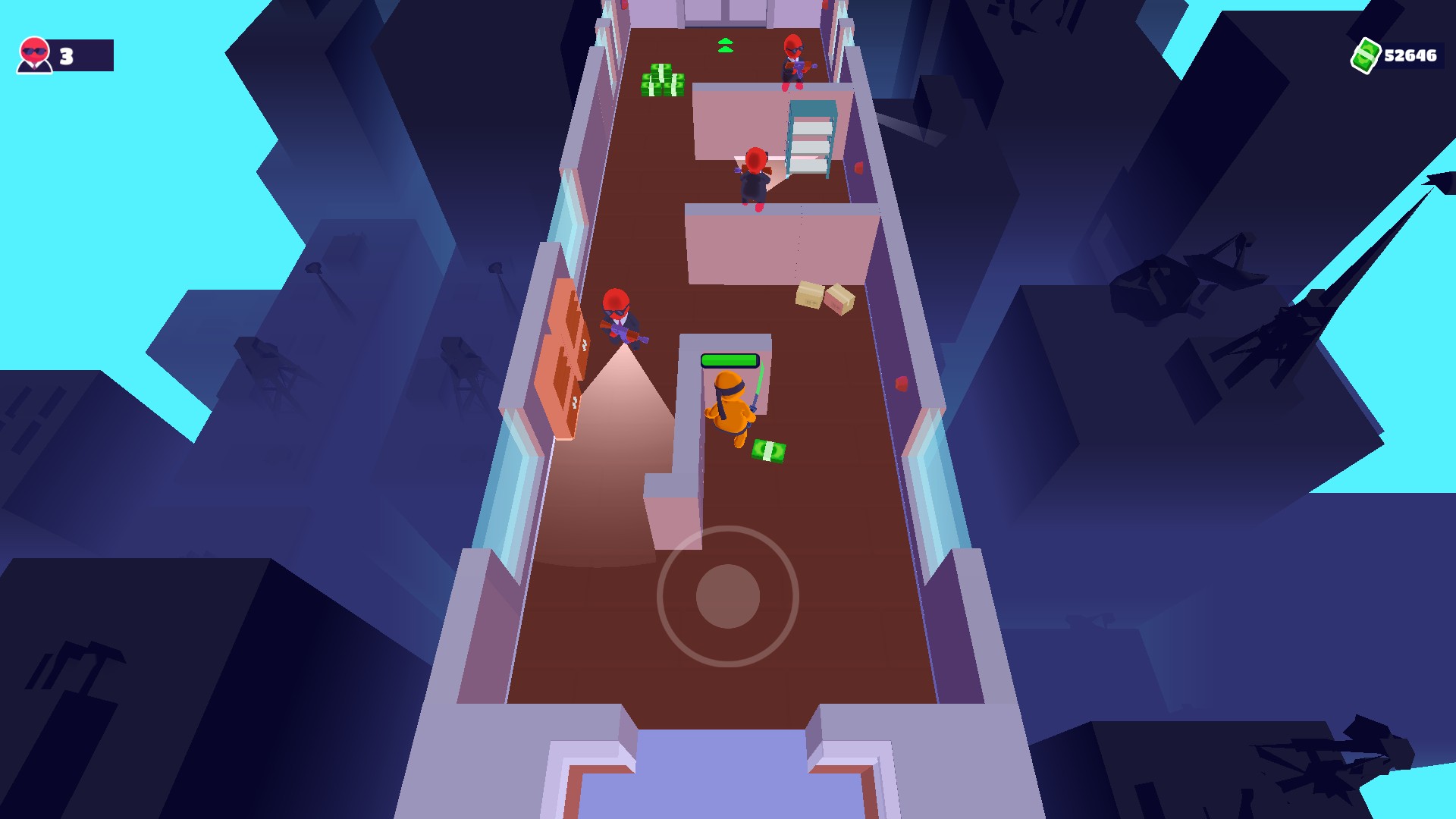
Start the next floor with more cash
Choose your balance in Customise and get back to your run. Here, the counter shows more than 52,000 cash.
Available customisation options
CashFree
Choose the cash balance you'll have after Apply & reload.
Complete the first floor before using this free option.
Whole amounts from 0 to 1,000,000.
More ways to customise Stealth Master
- Stealth Master resources
Change cash in your current game without restarting.
- Stealth Master stat modifiers
Adjust speed, restore health or armour, or enable damage protection.
Questions about customisation options
- Why isn't Cash available at the very start?
- Stealth Master starts tracking this balance after the first floor. Complete that floor first, then open Customise again. The option accepts whole amounts from 0 to 1,000,000.
- How is this different from the Resources tab?
- Customise applies your choice when the game reloads. The free Cash package in Resources changes the balance in the game you're already playing.
Using these features
Connect your game, then open Customise in the Windows app. Choose an option, check its available values and follow its instructions. Each option lists its own requirements and limits.
Setup for Stealth Master →