

Adjust your household budget or an individual need
A household budget can shape the home you build and the purchases you make. The Paradimes option lets you choose your current household's money balance, whether you want more room for a project or a smaller starting budget.

Choose a balance that fits your plans
Use a larger amount when money is holding up a home project, or reduce it when you want to plan purchases more carefully. This changes household funds; it does not remove other purchase requirements.
Adjust a single need
Choose a household Para and bind the need you want to adjust. You can fill Hunger before sending a Para to work while leaving Sleep and Hygiene where they are.
Available resources
ParadimesFree
Set the current household's Paradimes balance. Add money for your plans or lower the amount for a stricter budget.
Open the household you want to change and choose the desired Paradimes amount.
Changes the current household's money, rather than every household's funds.
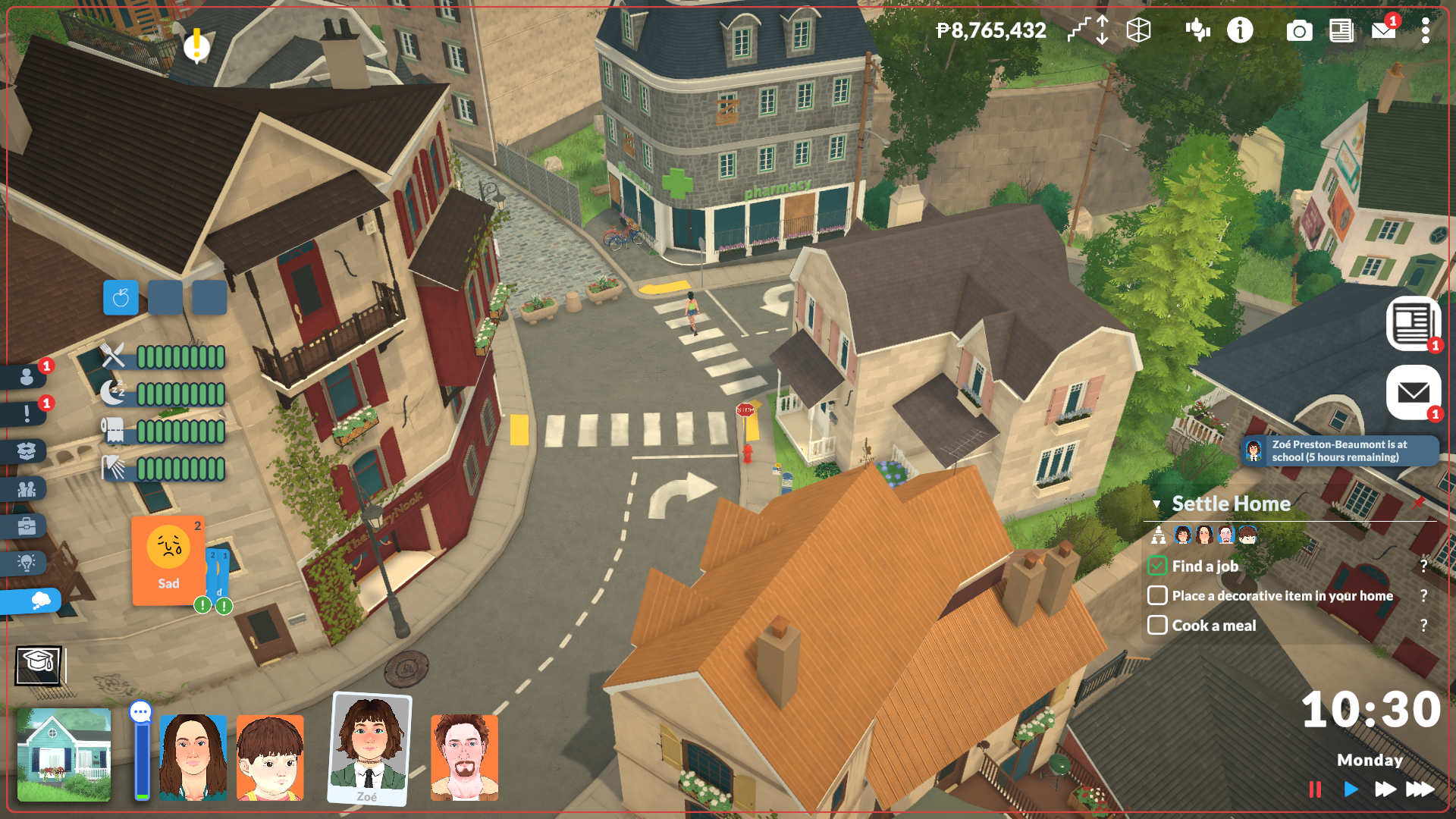
More Paradimes for your household
Set your household funds with the Paradimes mod. This household has 8,765,432 Paradimes.
Selected NeedFree
Set a chosen need on one selected household Para.
Choose a Para and a need, then bind the target before reading or setting the percentage. Bind again when switching targets.
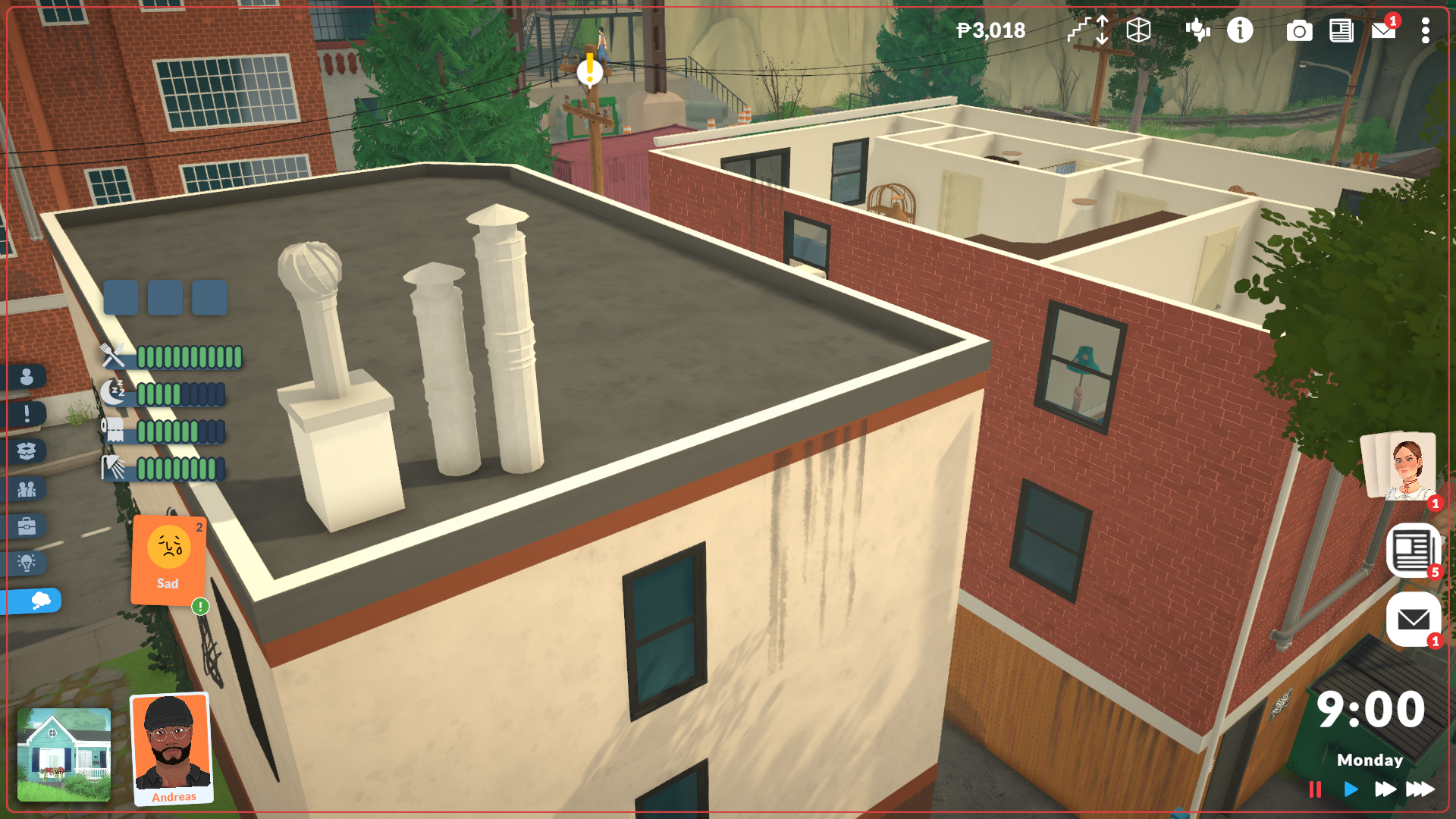
Fill a Selected Need in Paralives
Bind one of your Para’s needs and adjust it as a percentage. Here, Hunger rose from 45% to 100%, and the other needs kept their earlier values.
More ways to customise Paralives
- Paralives stat modifiers
Set an available skill to an allowed level for the selected household Para.
- Paralives rule modifiers
Use household appliances during billing outages while normal bills and usage charges continue.
- Paralives presentation modifiers
Hide simple Paramaker hover hints while editing a Para.
- Paralives game actions
Find actions for needs relief, repairs and cleaning, work schedules, active wants and Para recovery.
- Paralives progression systems
Prepare the selected character's next personality level-up.
Using these features
Choose the feature in the Windows app after connecting your game. Check its requirements before making a change.
Setup for Paralives →