
Ability Modifiers
1 optionRise above camp and explore the forest with Fly.
View ability modifiers →Choose food, money, crafting wood and campfire fuel before exploring, or fly above the camp for a wider view. Gather logs and keep an eye on supplies as you head into the forest.
Requires the Windows app and the Bytonian Mods browser extension for Chrome or Edge. Browser setup guide

Start with free mods
Download Bytonian Mods for Windows and try these free features. Choose one to see how it works and any requirements.
Choose your food level before heading out from camp.
Food continues to decrease as you play.
Fly above camp and travel through the forest at your own pace.
Turn on Fly, then use the movement controls to travel, rise or descend. Adjust cruising and faster flight speeds in the card.
Choose your food level, money balance, crafting wood and campfire fuel. Food and fuel still decrease during ordinary play, so keep an eye on their meters as you explore.
Fly lifts your character above camp and lets you travel through the forest. Food and Fly are Free; Money, Crafting wood and Campfire fuel are Premium.
Open 92 Nights in the Forest 3D through Bytonian Mods. Choose your resource values and apply them before continuing. Turn on the Fly card when you are ready to take to the air.
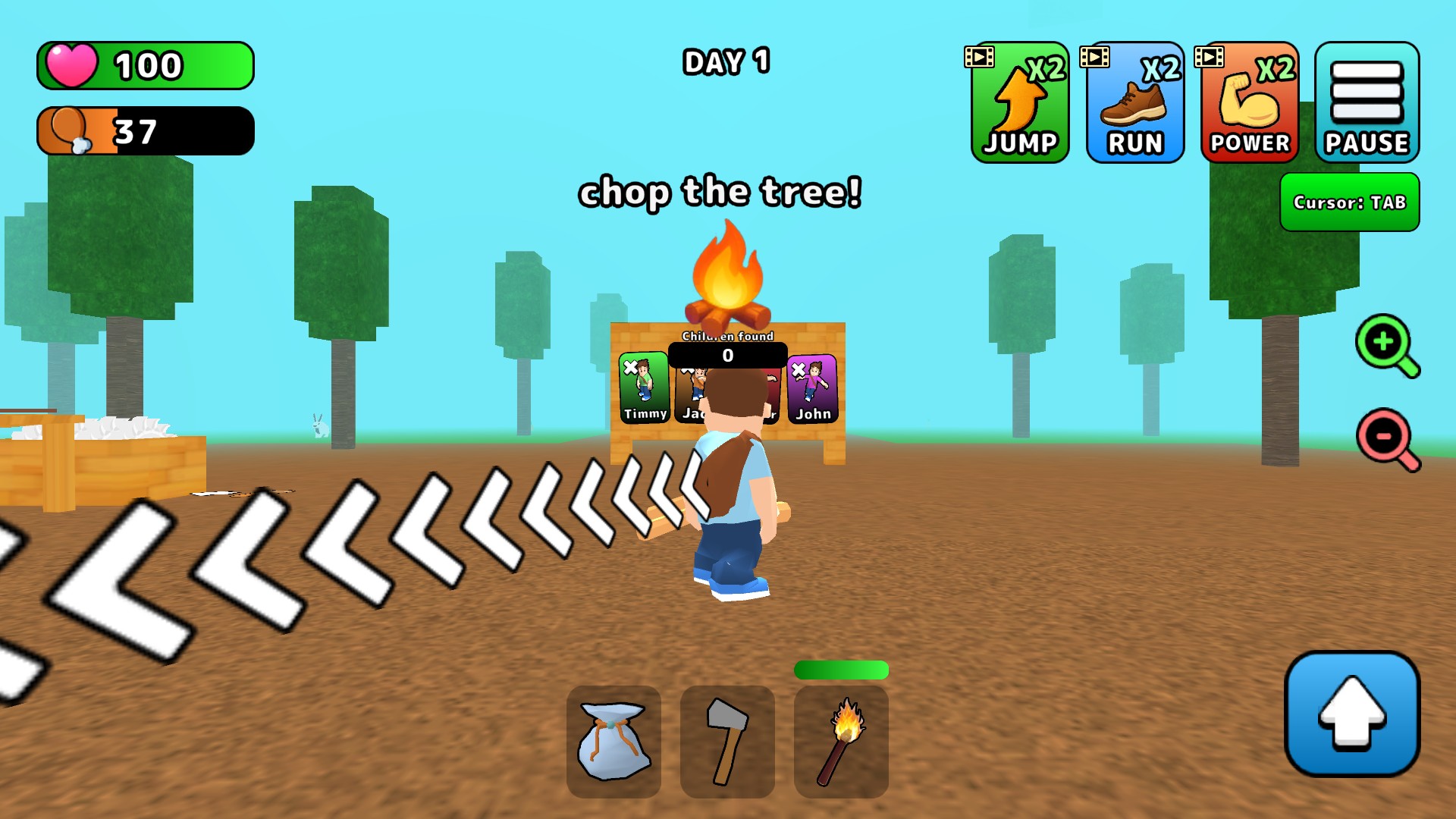
Your camp in the forest
Keep track of food and health as you explore beyond camp in 92 Nights in the Forest 3D.
Rise above camp and explore the forest with Fly.
View ability modifiers →Choose food, money, crafting wood and campfire fuel.
View all customisation options →Download the Windows app and follow the setup prompts.
Set up the browser extension in Chrome or Edge, then open the supported YouTube Playable. Follow the connection guide if the game is already running.
Review the available options in the app and choose the ones that suit how you play.