
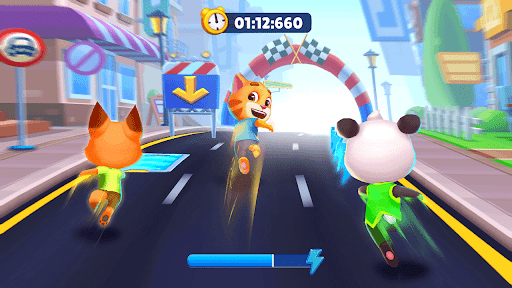
Stat Modifiers
1 optionSet the forward running pace from 50% to 250%.
View stat modifiers →Choose the pace and jump height that suit your next run. These controls help you change how the cat moves through obstacles while you collect coins and work toward decorating the room.
Requires the Windows app and the Bytonian Mods browser extension for Chrome or Edge. Browser setup guide

Start with free mods
Download Bytonian Mods for Windows and try these free features. Choose one to see how it works and any requirements.
Set forward running speed from 50% to 250%. The default 150% setting gives a noticeably faster pace, while 100% keeps the normal value.
Enable the control and choose a percentage. Turn it off to restore the speed captured when it was enabled.
Temporary speed boosts or scene changes may replace the active value; toggle the control again if that happens.
Run Speed changes the forward pace, while Jump Boost changes the height of normal jumps. Each control uses a percentage, so 100% keeps the normal value and higher or lower settings let you shape the feel of the run.
Try Run Speed when you want a faster challenge or a calmer pace. Choose Jump Boost when you want more height for ordinary jumps. Start near 100%, then adjust in small steps until the movement feels comfortable.
Turn a control off to restore the value captured when it was enabled. Temporary boosts, special jumps or a scene change may replace an active setting, so switch the control off and on again if the game takes over that value.
Set the forward running pace from 50% to 250%.
View stat modifiers →Set normal jump height from 50% to 300%.
View ability modifiers →Download the Windows app and follow the setup prompts.
Set up the browser extension in Chrome or Edge, then open the supported YouTube Playable. Follow the connection guide if the game is already running.
Review the available options in the app and choose the ones that suit how you play.