

Customise
1 optionThe free RF Points control lets you set a whole-number balance up to 1,000,000.
View customisation options →Set your RF Points balance to buy classic teams or change the colour of the goal nets in Bonus Content. Choose your team and take it onto the pitch.
Requires the Windows app and the Bytonian Mods browser extension for Chrome or Edge. Browser setup guide

Start with free mods
Download Bytonian Mods for Windows and try these free features. Choose one to see how it works and any requirements.
Set RF Points to buy goal-net colors and classic teams in Bonus Content.
Apply your chosen balance, then open Reward and Bonus Content to make your purchases.
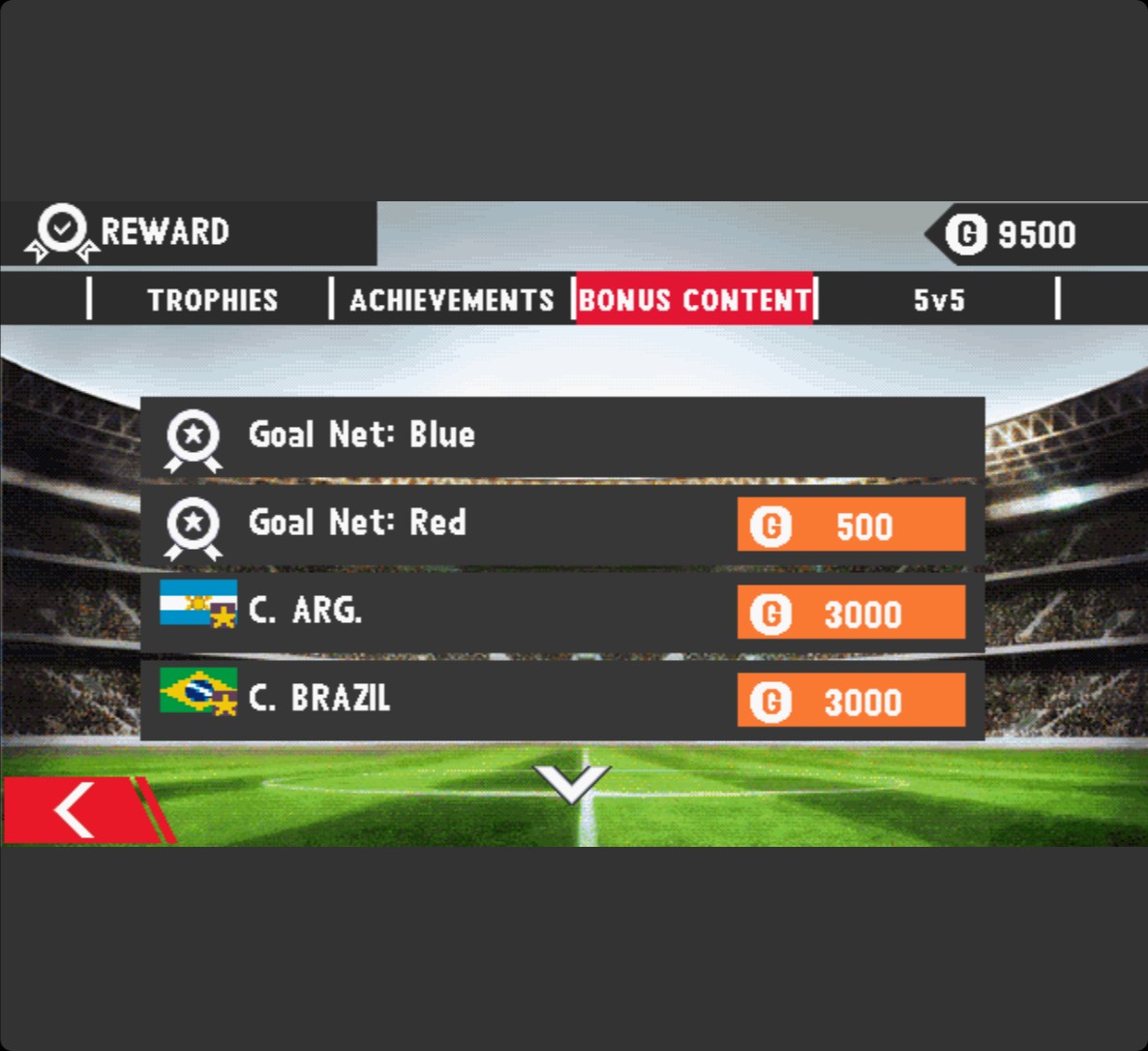
Choose your Real Football bonus content
Spend RF Points in Bonus Content. This shop shows the purchased blue goal net and 9,500 points remaining.
Real Football offers friendly matches, seasons, penalties and training. The Bonus Content menu adds goal-net colors and classic teams to your choices.
Set your RF Points, reopen the game and visit Reward, then Bonus Content. Buy the items you want through the usual shop.
The free RF Points control lets you set a whole-number balance up to 1,000,000.
View customisation options →Download the Windows app and follow the setup prompts.
Set up the browser extension in Chrome or Edge, then open the supported YouTube Playable. Follow the connection guide if the game is already running.
Open Customise in Bytonian Mods, choose an option and follow its instructions. Check the available values and any limits before making your change.