

Choose your coins before playing
Start the next round with a coin balance you choose. Enter an amount in Customize and use Apply & reload. The coin option is free, with a range of 0 to 1,000,000.
Requires the Windows app and the Bytonian Mods browser extension for Chrome or Edge. Browser setup guide

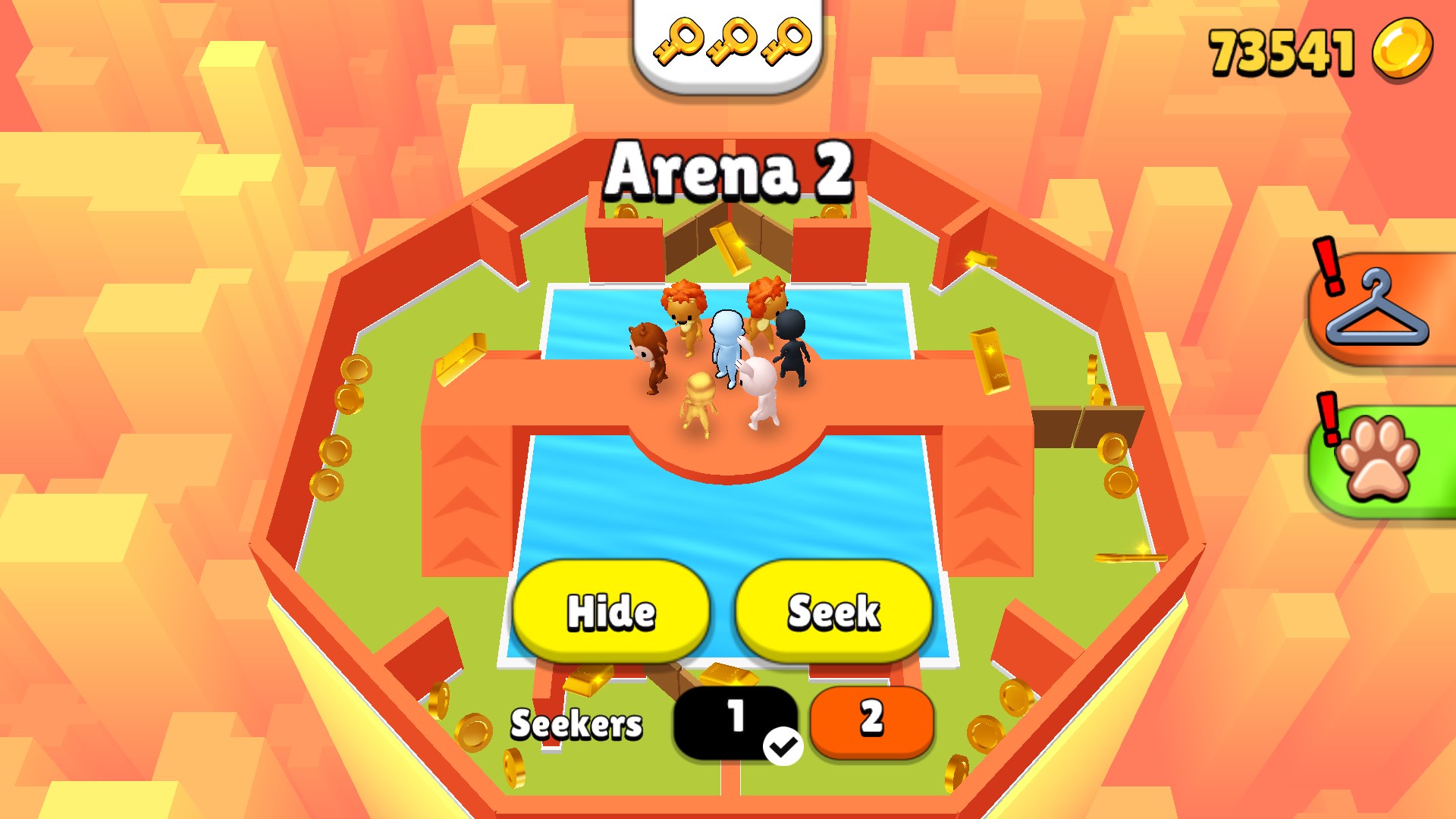
More coins for your next round
A 73,541-coin balance after choosing 73,521 coins and finishing a round.
Available customisation options
CoinsFree
Choose a coin balance before your next round. This free option supports whole amounts from 0 to 1,000,000.
Enter your balance, then Apply & reload.
Finish a round before closing or reloading so the game can keep the change.
More ways to customise Hide N Seek
- Hide N Seek resources
Change coins while playing or choose up to three keys.
- Hide N Seek game actions
Use 30-second invisibility or X-ray vision, with separate Stop controls.
Questions about customisation options
- How do I keep the coin change?
- Finish a round after applying it, so the game has a chance to keep your new balance. Reloading immediately can bring back the previous amount.
Using these features
Connect your game, then open Customise in the Windows app. Choose an option, check its available values and follow its instructions. Each option lists its own requirements and limits.
Setup for Hide N Seek →