
Game Actions
3 optionsComb the whole hairstyle, give it a fresh color or hide the falling snow.
View game actions →Comb a seated customer's whole hairstyle in one press, give it a fresh color, or hide falling snow for a clearer styling view. Pick a customer and use the salon's washing, cutting and styling tools alongside these controls.
Requires the Windows app and the Bytonian Mods browser extension for Chrome or Edge. Browser setup guide
Start with free mods
Download Bytonian Mods for Windows and try these free features. Choose one to see how it works and any requirements.
Comb the current customer's hair strands together in one press.
Choose a salon customer, then press Comb All Hair to apply the game's comb treatment across their hairstyle.
The comb direction follows the game's styling; there is no direction selector.
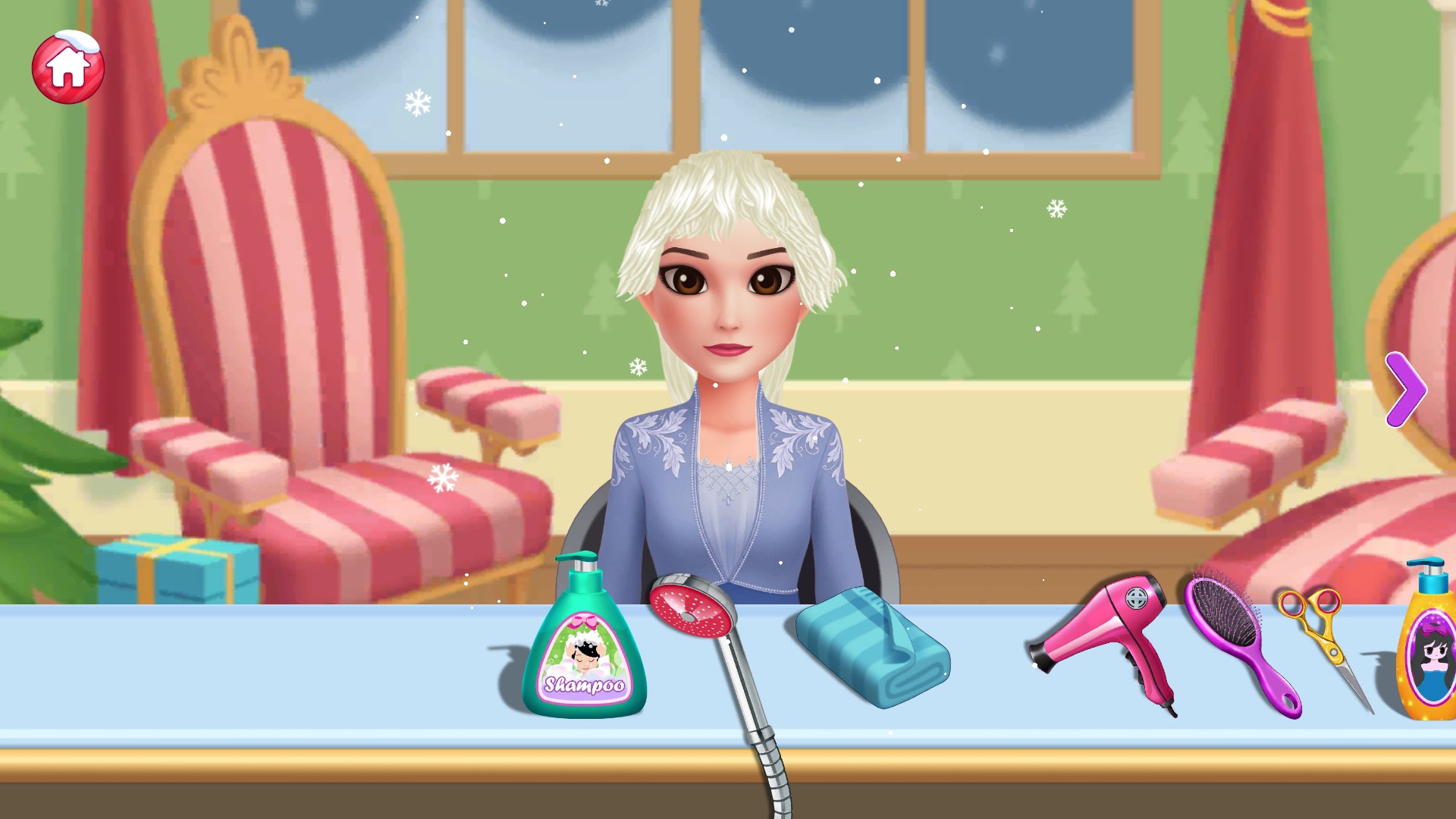
The salon lets you work directly on a customer's hair with tools such as shampoo, a shower, scissors and a brush. The available mods add a few whole-hair shortcuts alongside that hands-on styling.
Open the supported YouTube Playable in your connected browser and choose a customer before using a styling control. Comb All Hair is free; Recolor All Hair and Hide Salon Snow are premium options.
Comb and recolor work on the customer in the chair. Hide Salon Snow clears the falling flakes without changing the winter room.
A new look starts in the salon
Choose a customer and experiment with washing, cutting, coloring and styling their hair using the tools arranged across the salon table.
Comb the whole hairstyle, give it a fresh color or hide the falling snow.
View game actions →Download the Windows app and follow the setup prompts.
Set up the browser extension in Chrome or Edge, then open the supported YouTube Playable. Follow the connection guide if the game is already running.
Review the available options in the app and choose the ones that suit how you play.