
Customise
1 optionChoose your balance and spend it on Store palettes.
View customisation options →Set coins for a new colour theme in the Store. Connect matching dots with paths and work through grids of increasing size.
Requires the Windows app and the Bytonian Mods browser extension for Chrome or Edge. Browser setup guide
Start with free mods
Download Bytonian Mods for Windows and try these free features. Choose one to see how it works and any requirements.
Choose your coin balance for color theme purchases.
Open the Store from the main menu, buy a palette and equip it.
Choose a fresh color theme
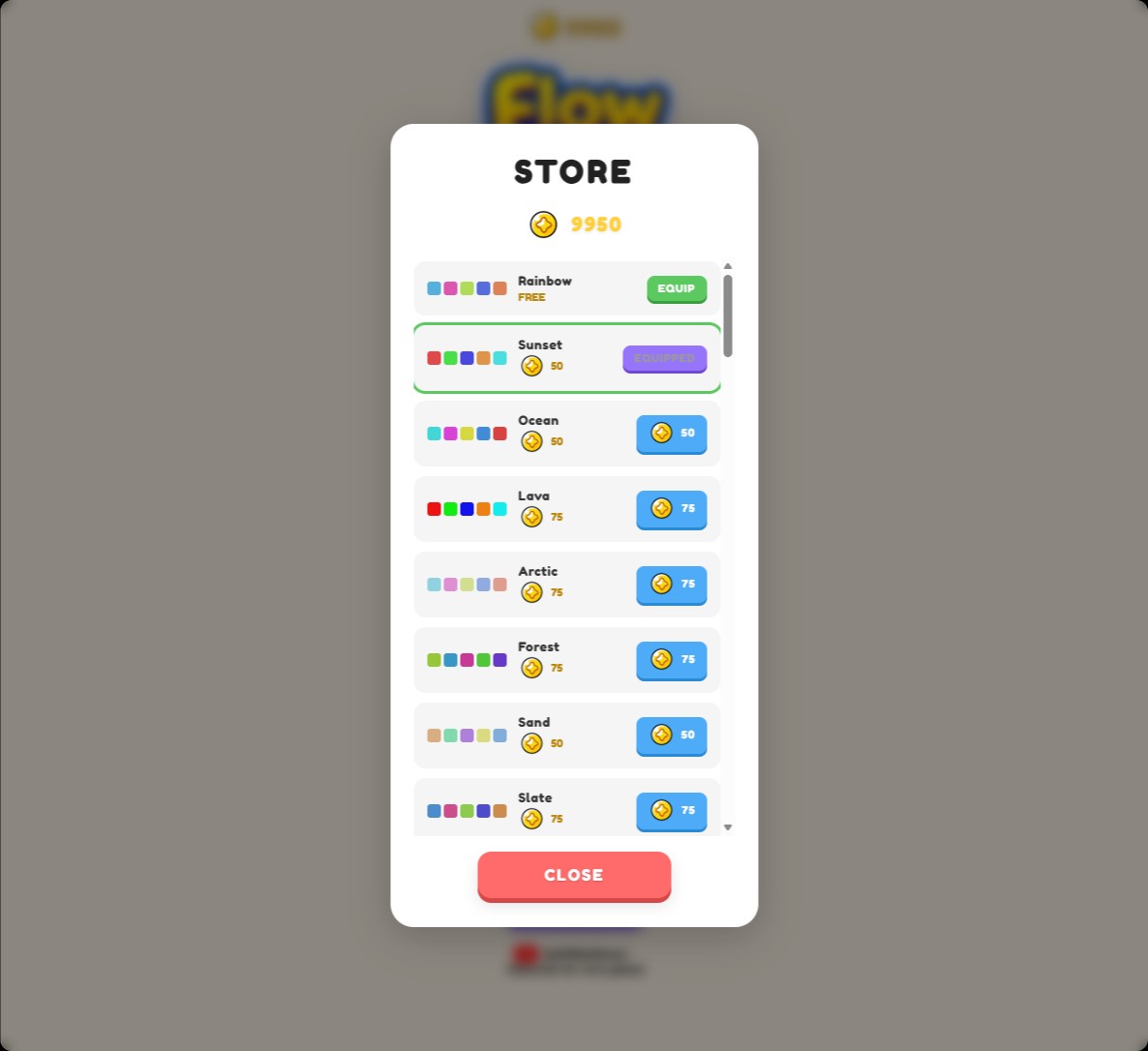
Buy color themes from the Store and equip a new palette. Sunset is equipped here, with 9,950 coins left after its 50-coin purchase.
Open Customization to choose your coin balance, then visit the in-game Store. Buy a theme such as Sunset or Ocean and equip its palette for your next puzzle.
Choose your balance and spend it on Store palettes.
View customisation options →Download the Windows app and follow the setup prompts.
Set up the browser extension in Chrome or Edge, then open the supported YouTube Playable. Follow the connection guide if the game is already running.
Open Customise in Bytonian Mods, choose an option and follow its instructions. Check the available values and any limits before making your change.