
Perspective Modifiers
1 optionAdjust the map view from a wider overview to a closer look.
View perspective modifiers →Build tile-based puzzles with a view that suits your workspace in Chuck's Challenge 3D 2020. Centre your map with one action or adjust the editor zoom for a wider overview or a closer look.
Start with free mods
Download Bytonian Mods for Windows and try these free features. Choose one to see how it works and any requirements.
Bring the current map back to the centre of the level-editor view.
Choose Create, then press Center editor view while the editor camera controls are available.
Use the standard desktop editor view. Finish or cancel an open editor dialog first.
Bring the map back to the middle of the screen when you lose your place, or change its scale to see the whole layout or focus on individual tiles. Center Editor View is free; Editor Zoom requires Premium.
Install Bytonian Mods for Windows, start the game and connect to it in the app. Choose Create in the game, then use the editor controls on the Mods page. These camera controls require the standard desktop editor view.
A clear view for building puzzles
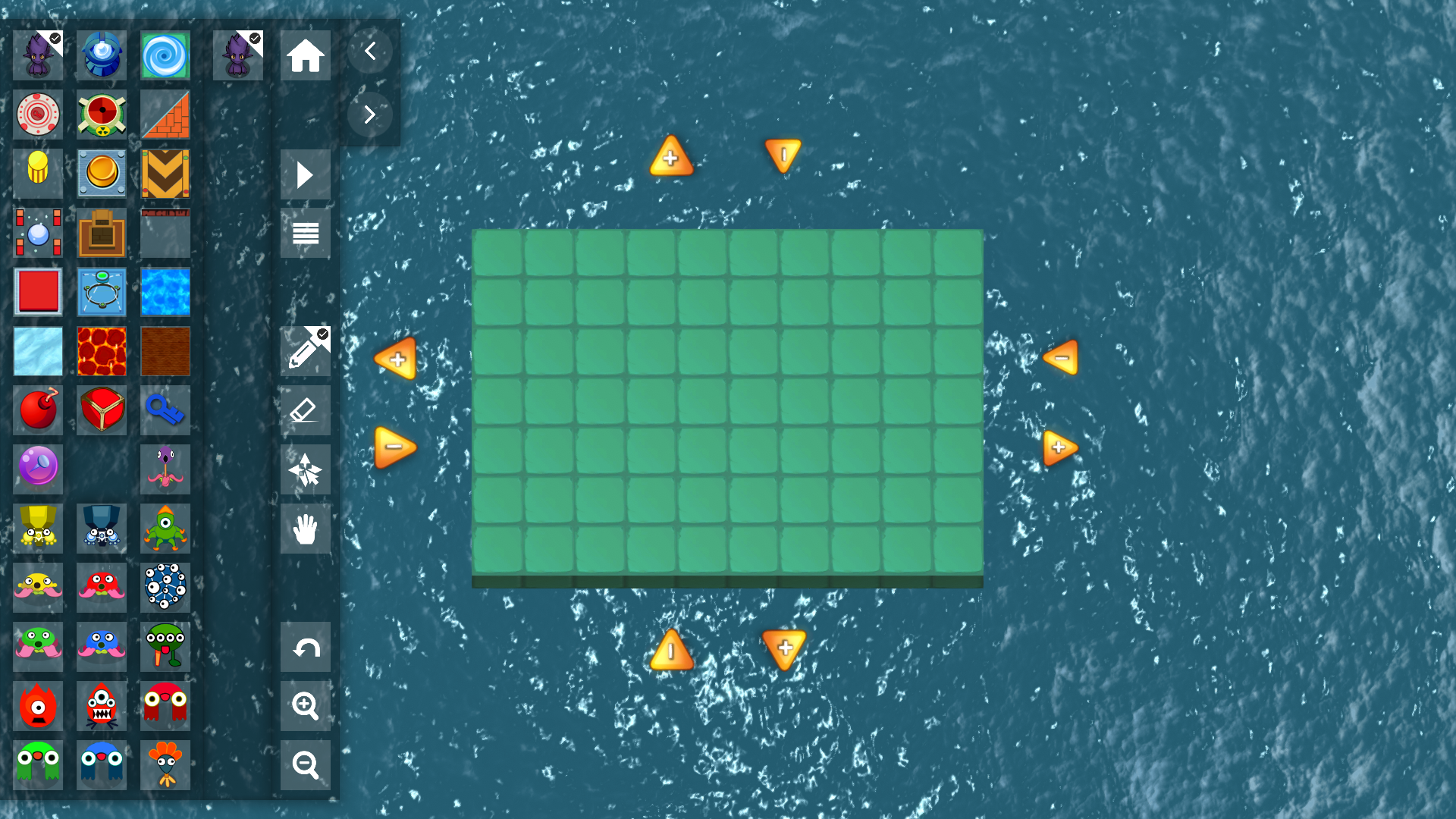
Adjust your view while creating a level in Chuck's Challenge 3D 2020.
Adjust the map view from a wider overview to a closer look.
View perspective modifiers →Centre the current level-editor map with one action.
View game actions →Browse the Steam achievement names and descriptions for Chuck's Challenge 3D 2020. Choose and unlock achievements for free with Bytonian Mods in the Windows app.
View all achievements →Download the Windows app and follow the setup prompts.
Open Chuck's Challenge 3D 2020 and select it in Bytonian Mods. Follow the app’s connection prompts.
Review the available options in the app and choose the ones that suit how you play.