

Choose your loadout silver
Put more silver toward the unlocks you want to try next. This free control changes your balance before a run, so you can buy through the familiar loadout menu.

Normal purchases, your chosen balance
Set an exact balance, top it up or subtract an amount. Purchased unlocks still cost their normal silver price. Silver changes are available at the ready loadout screen before you start the run.
Available resources
SilverFree
Choose the silver balance for your next loadout, then buy unlocks through the normal menu.
At the loadout before a run, refresh Silver and set, add or subtract a whole amount from 0 to 1,000,000.
Available before a run at the ready loadout screen. Close settings and other menus before changing the balance.
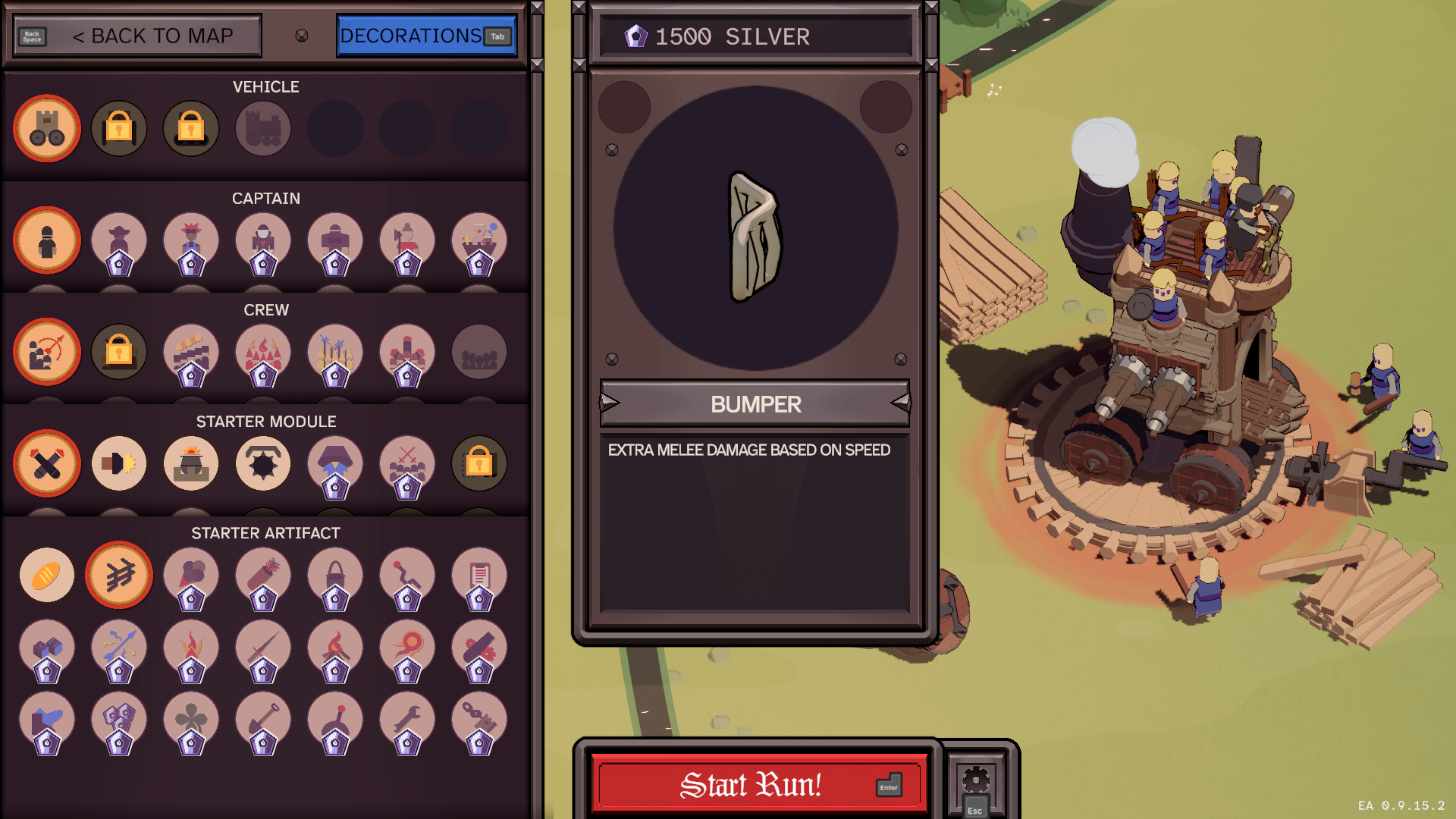
Silver for your next loadout
Choose your silver balance before a run and buy unlocks through the normal loadout menu. Bumper is unlocked here, with 1,500 silver left after its 500-silver purchase.
Questions about resources
- When can I change silver?
- Use the loadout screen before starting a run. Close settings and other menus, refresh the card and choose your amount.
Using these features
Choose the feature in the Windows app after connecting your game. Check its requirements before making a change.
Setup for Wanderburg →