
Customise
5 optionsSet coins and booster supplies, or open the Level 4 cow puzzle.
View all customisation options →Stock up on screw-sorting boosters, set coins for normal purchases or jump to Level 4's cow-shaped board. Remove screws from layered shapes and sort the colours while keeping room in the temporary holes.
Requires the Windows app and the Bytonian Mods browser extension for Chrome or Edge. Browser setup guide
Start with free mods
Download Bytonian Mods for Windows and try these free features. Choose one to see how it works and any requirements.
Set your supply of extra hole boosters. Use one in a puzzle to add a temporary screw hole.
Apply your amount, enter a puzzle and press the +1 booster when you need more working room.
Available from Level 2. A hole can be added only while the puzzle has remaining hole capacity.
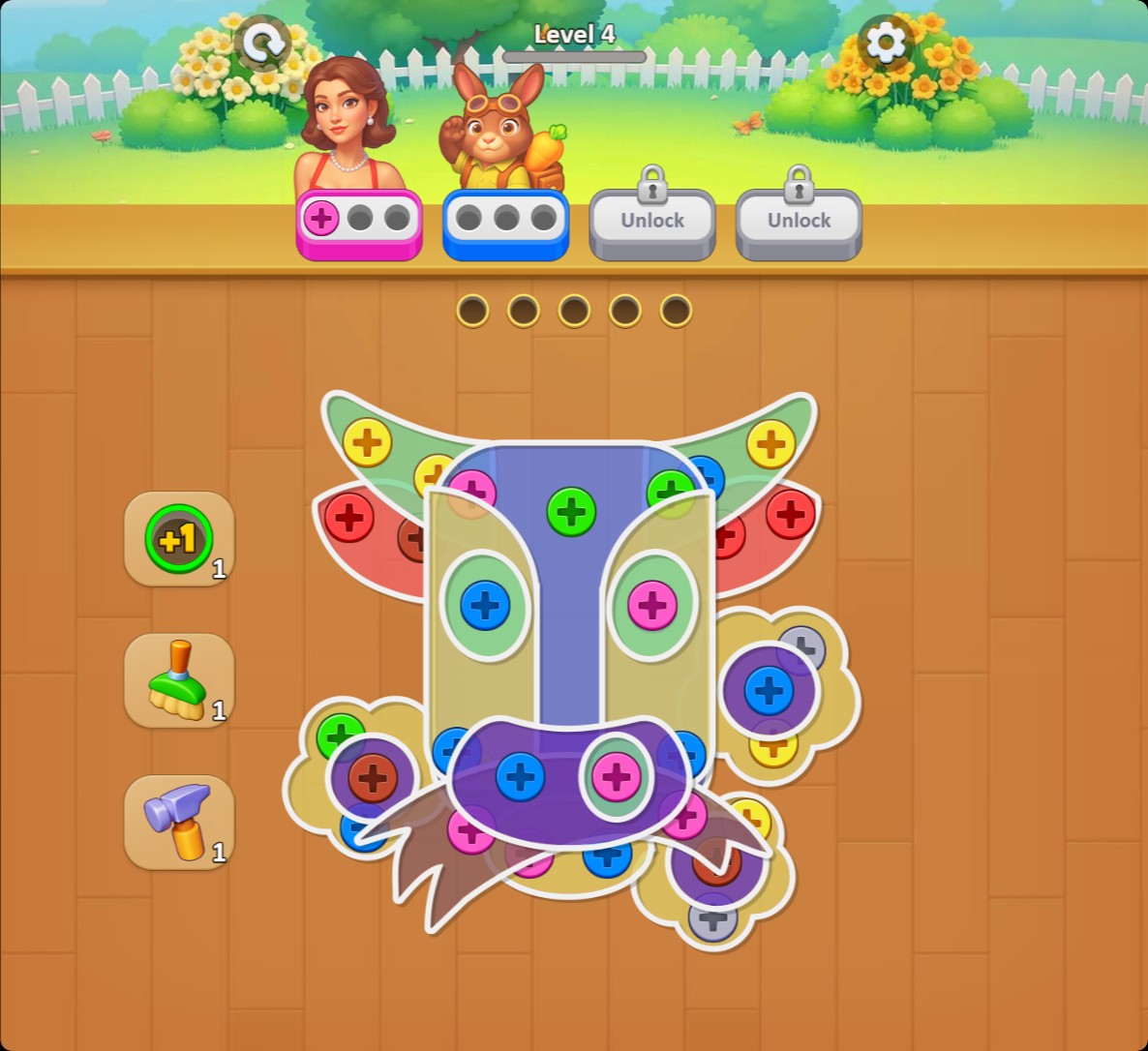
Jump to the cow-shaped Level 4 puzzle, where all three booster types are available.
Choose Start Level 4 and apply the change. Dismiss or collect any daily bonus, then enter the puzzle from the Level button.
Start Level 4
Jump to Level 4 and start sorting screws on the cow-shaped puzzle.
Open another sorting box with coins, or use an extra hole booster to make room for an unmatched screw. More working space gives you more choices as you clear the layered shape.
Clearing boosters remove screws from occupied temporary holes. Hammers break a board with a tap, exposing the pieces underneath. Set each supply separately so you can refill the item you need.
The free Start Level 4 control opens the cow-shaped puzzle, the first level where all three booster types are available. Use the separate supply controls when you need more items.
Open Unscrew it! on YouTube Playables and start a puzzle once. Choose and apply your changes in Bytonian Mods, then return to the game. Dismiss or collect any daily bonus before pressing the Level button to enter your puzzle.
Set coins and booster supplies, or open the Level 4 cow puzzle.
View all customisation options →Download the Windows app and follow the setup prompts.
Set up the browser extension in Chrome or Edge, then open the supported YouTube Playable. Follow the connection guide if the game is already running.
Open Customise in Bytonian Mods, choose an option and follow its instructions. Check the available values and any limits before making your change.