
Choose Your Island Coins
Set the Coins value, apply your choice, and return to the game with your chosen balance in the coin counter.
Requires the Windows app and the Bytonian Mods browser extension for Chrome or Edge. Browser setup guide

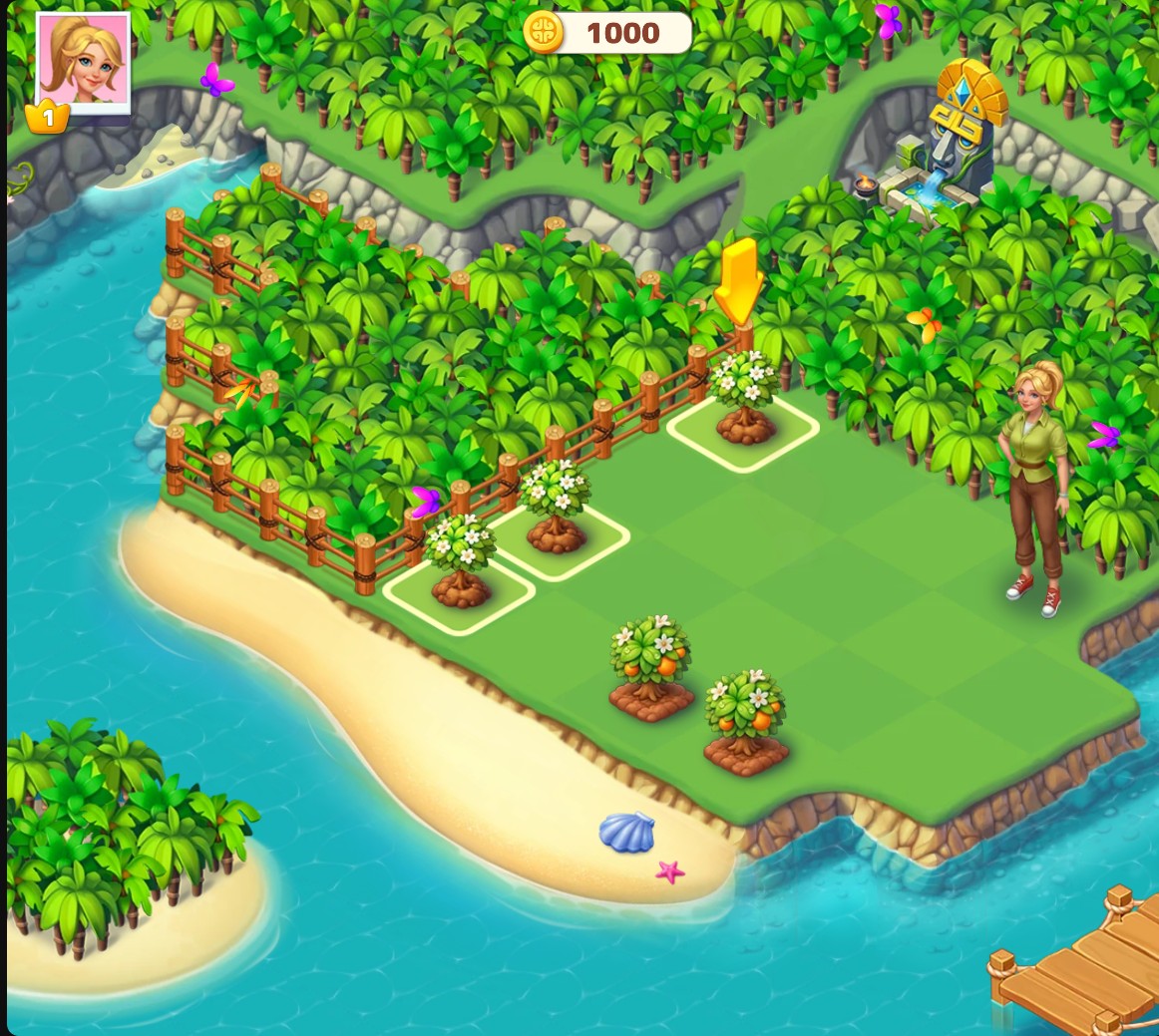
Start with 1,000 Coins
Choose your coin balance for the island. This view shows 1,000 coins while the opening merge tutorial continues.
Set the Balance You Want
Enter your preferred Coins value and apply it. The coin counter at the top of the game shows the selected balance once the island HUD is visible.
Continue Building Normally
Coins do not finish the merge tutorial or open land automatically. Keep combining the requested pieces and completing the island's normal tasks.
Available customisation options
CoinsFree
Choose the coin balance shown for your island.
Set the Coins value, apply your choice, and return to the game's coin counter.
Merge tasks and land progression still use the normal game rules.
Questions about customisation options
- Does this complete the opening merge tasks?
- No. The opening tasks still need to be completed through the normal game controls.
- Is the coin setting Free?
- Yes. Coins is a Free customization option.
Using these features
Connect your game, then open Customise in the Windows app. Choose an option, check its available values and follow its instructions. Each option lists its own requirements and limits.
Setup for Tropical Merge →