

Coins for hidden-object hints
Set the coin balance you want before returning to the search. Each normal hint uses 100 coins to point out an object, helping you move past a tricky detail without changing the scene's targets.
Requires the Windows app and the Bytonian Mods browser extension for Chrome or Edge. Browser setup guide

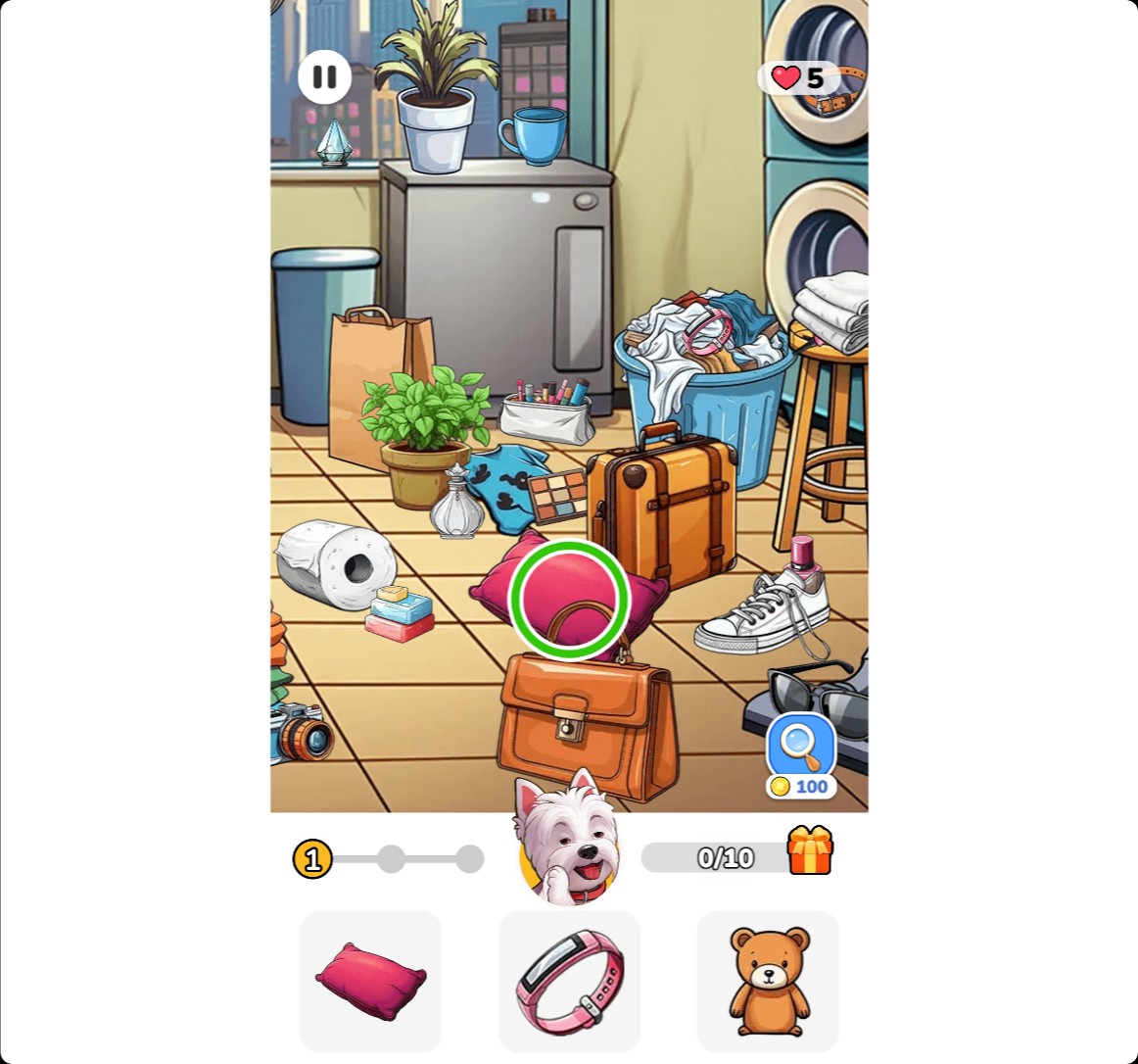
Find a hidden object with a hint
Use coins for a hint that zooms in and circles an object in the scene.
Choose an amount for your search
The Coins control accepts whole numbers from 0 to 100,000. Use the magnifying-glass button in a puzzle to spend 100 coins on a hint, then tap the circled object to collect it.
Available customisation options
CoinsFree
Set your coins for hints that zoom toward and circle a hidden object.
Choose a whole-number balance, apply it, enter a puzzle and tap the normal 100-coin hint button. Tap the highlighted object to collect it.
Questions about customisation options
- How many coins does a hint cost?
- The normal hint button costs 100 coins.
Using these features
Connect your game, then open Customise in the Windows app. Choose an option, check its available values and follow its instructions. Each option lists its own requirements and limits.
Setup for Tidy Master®: Find Hidden Objects →