

Choose your savings for character hires
Choose your savings balance, apply it and open employee selection. Select Hire on the paid avatar you want to use for your next shift.
Requires the Windows app and the Bytonian Mods browser extension for Chrome or Edge. Browser setup guide

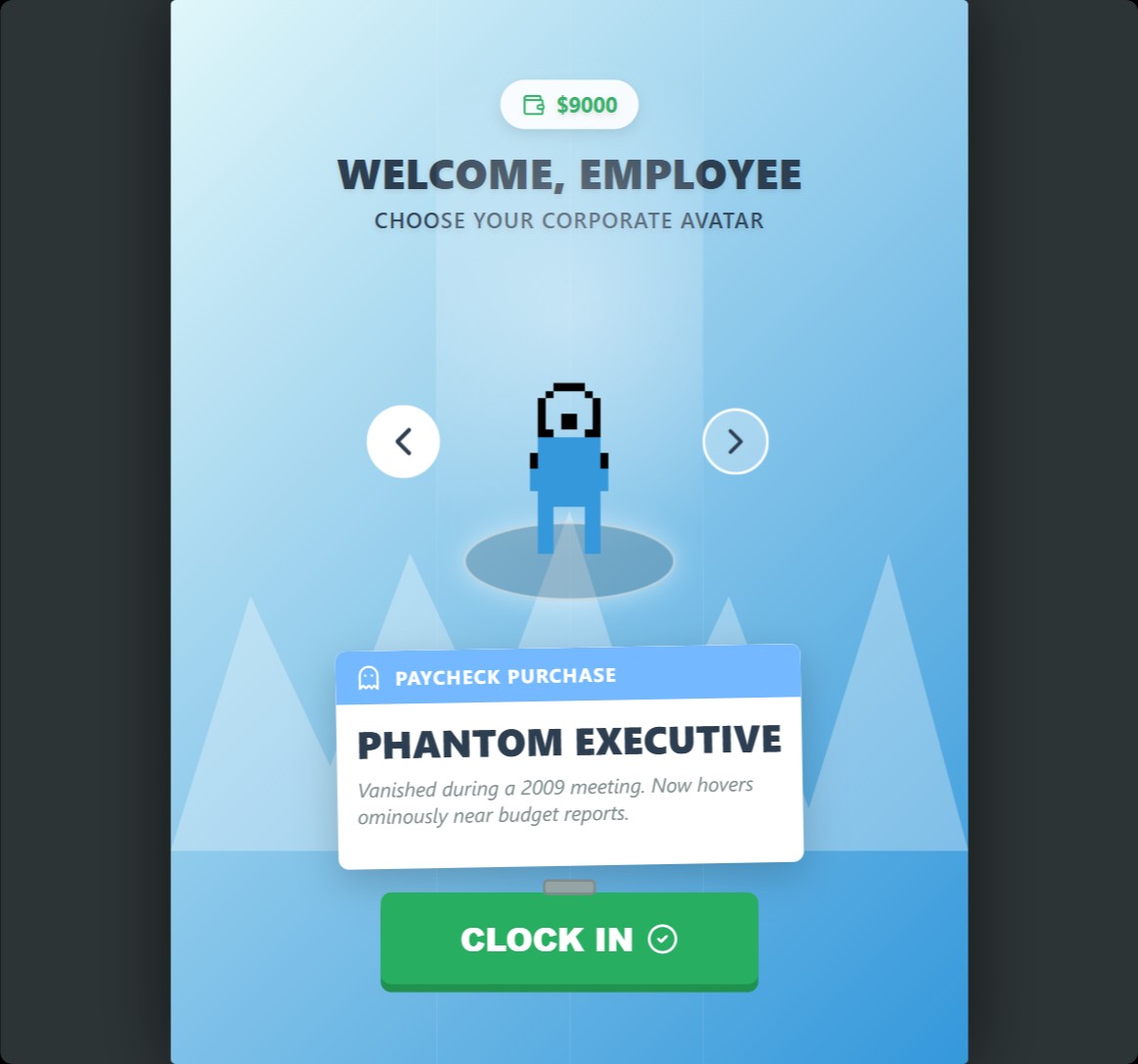
Hire Phantom Executive
Use Money to hire paid corporate avatars through the normal character menu. Phantom Executive is unlocked here after a $1,000 purchase.
Spend savings through the employee menu
Choose a Money balance, apply and press Clock In to open employee selection. Browse to the avatar you want and use Hire. Phantom Executive costs $1,000.
Clock in with your new hire
A successful hire unlocks the avatar and replaces its Hire button with Clock In. Press Clock In to use that employee in the office run. Other normal character unlock requirements remain part of the game.
Available customisation options
MoneyFree
Choose your savings balance to hire paid corporate avatars.
Apply Money, open the employee menu, browse to a paid avatar and press Hire. Then press Clock In to use them.
Questions about customisation options
- Does this automatically hire every character?
- No. Choose and hire paid avatars through the normal employee menu.
- Does Money remove office hazards?
- Money is for character hires. You still play the office run normally.
Using these features
Connect your game, then open Customise in the Windows app. Choose an option, check its available values and follow its instructions. Each option lists its own requirements and limits.
Setup for Survive 9 to 5 →