
Customise
1 optionChoose coins for normal garage car purchases.
View customisation options →Stunts 4 Cash puts a stunt car on winding roads and jumps. Hold to accelerate, keep holding in the air to flip, and let go to level the car for a landing.
Requires the Windows app and the Bytonian Mods browser extension for Chrome or Edge. Browser setup guide
Start with free mods
Download Bytonian Mods for Windows and try these free features. Choose one to see how it works and any requirements.
Set the coin balance used to buy cars in the garage.
Choose a whole coin amount, apply it, then select a car with the garage arrows and use UNLOCK.
Garage purchases spend their displayed coin prices.
Cars have different handling and speed tiers. Open Customization to choose a coin balance, then use the garage arrows to find a car and buy it at its displayed price.
Open Stunts 4 Cash with Bytonian Mods connected, choose Customization and apply your coin amount. Return to the garage to make your purchase and start the next level.
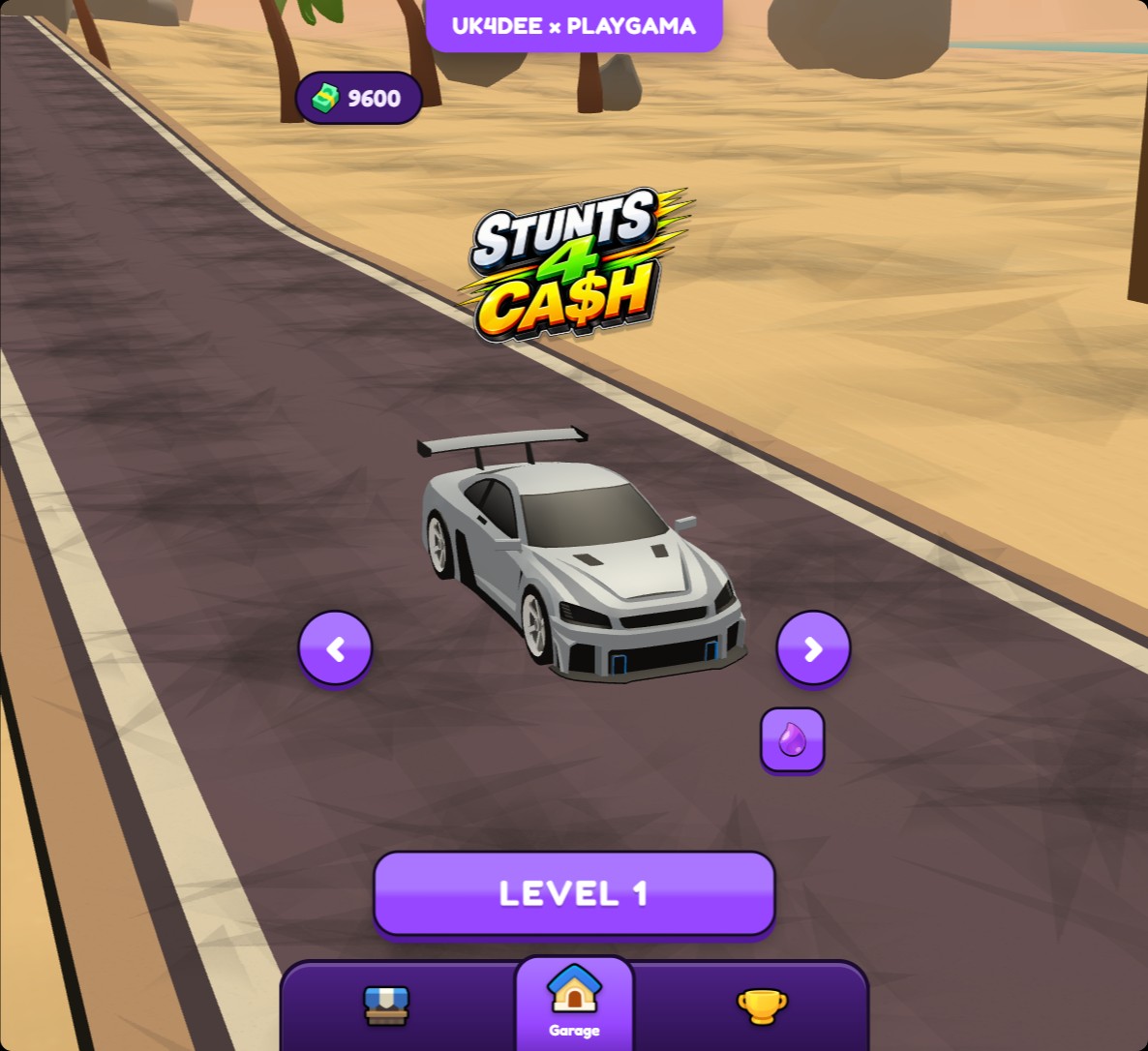
Stunts 4 Cash garage
Browse the garage and choose a car for your next drive. This car is ready for Level 1 after a normal garage purchase.
Choose coins for normal garage car purchases.
View customisation options →Download the Windows app and follow the setup prompts.
Set up the browser extension in Chrome or Edge, then open the supported YouTube Playable. Follow the connection guide if the game is already running.
Open Customise in Bytonian Mods, choose an option and follow its instructions. Check the available values and any limits before making your change.