

Choose your coin balance
Set the number of coins you want for the ball shop. Return to the start screen, open the shopping cart and choose your next ball color.
Requires the Windows app and the Bytonian Mods browser extension for Chrome or Edge. Browser setup guide

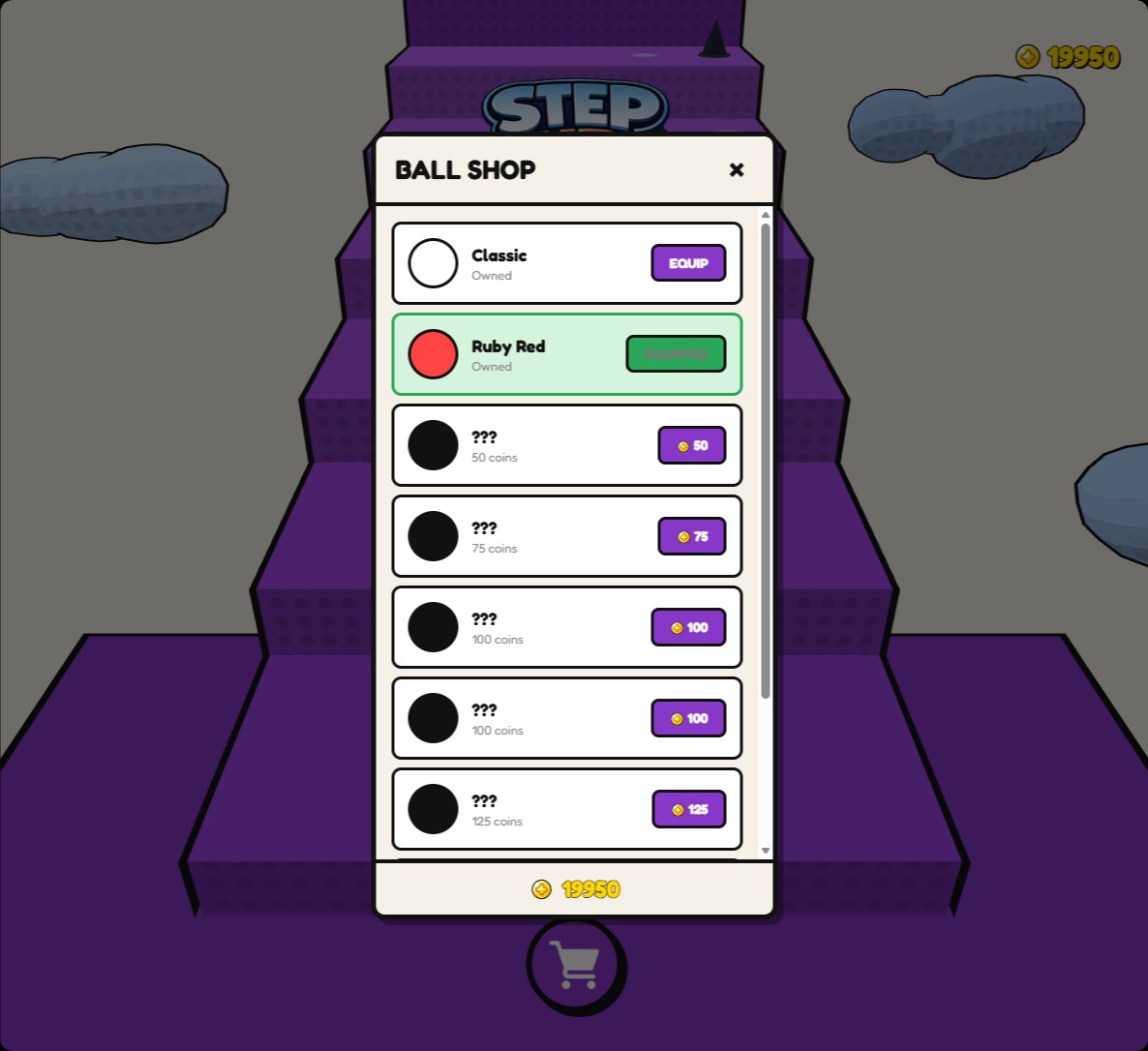
Coins for the ball shop
Set your coins and shop for a new look. Ruby Red is equipped here, with 19,950 coins remaining.
Shop for a new color
Ball colors have their own coin prices. Ruby Red costs 50 coins, and buying it equips the new color. You can switch back to a ball you already own from the same shop.
Available customisation options
CoinsFree
Choose your coin balance and spend it on ball colors in the shop.
Set your coins, then open the shopping cart on the start screen to buy or equip a ball.
Questions about customisation options
- Does changing coins select a ball for me?
- Choose the ball yourself in the shop. The coin control sets your balance; the shop handles buying and equipping.
Using these features
Connect your game, then open Customise in the Windows app. Choose an option, check its available values and follow its instructions. Each option lists its own requirements and limits.
Setup for Step Up →