
Choose cash for Slice It All! knives and trails
Choose a cash balance before returning to the knife course. Spend it in the normal shop to pick a different knife or trail.
Requires the Windows app and the Bytonian Mods browser extension for Chrome or Edge. Browser setup guide
Cash for a new knife
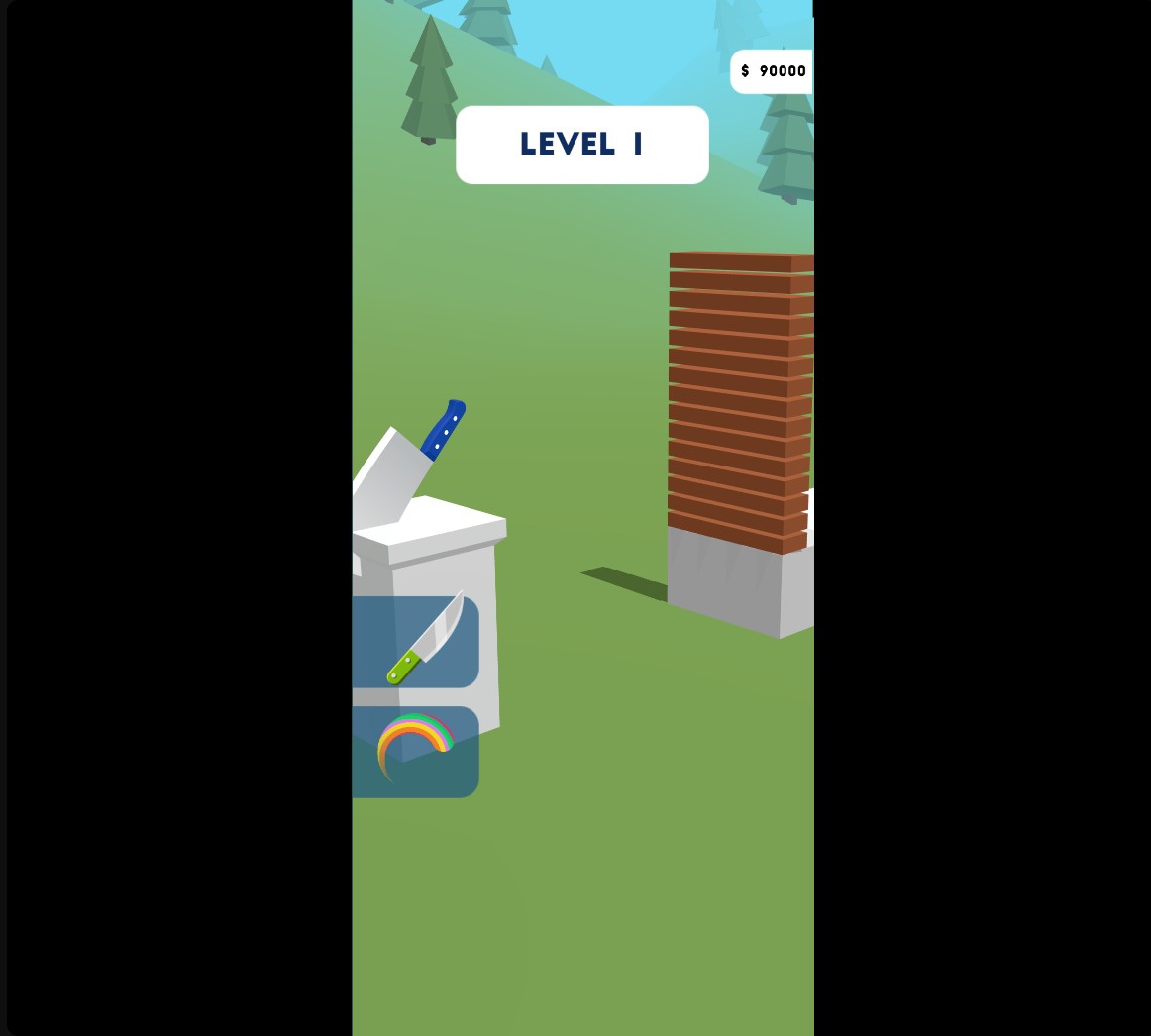
A blue cleaver bought in the shop with edited cash, with 90,000 remaining for more choices.
Buy through the normal shop
Enter your cash amount and apply the customization. Open the shop and select a purchase as usual. If the balance still shows the old amount, a purchase or reload refreshes the display.
Available customisation options
MoneyFree
Set your cash balance to buy knives and trails from the normal shop.
Choose a whole cash amount from 0 to 1,000,000, apply it and open the shop to make your purchase.
If the displayed balance has not refreshed, make a purchase or reload the game.
Questions about customisation options
- Can I choose the exact cash amount?
- Yes. Money accepts whole amounts from 0 to 1,000,000.
- Will this change my level?
- The Money customization changes cash. Your course progress and knife controls remain yours to play.
Using these features
Connect your game, then open Customise in the Windows app. Choose an option, check its available values and follow its instructions. Each option lists its own requirements and limits.
Setup for Slice It All! →