

Keep valuable objects intact
Protect Items prevents supported valuable-item damage, while Protect Orbs keeps enemy reward orbs from being destroyed. These are separate controls, so you can choose the protection your run needs.
Choose what to protect
Turn on item protection before handling fragile valuables. Enable orb protection when you want to preserve enemy rewards. Shared protection requires the host.
Choose how holding and tumbling feel
Stable Grip separates damping from pulling stiffness so you can tune held-object response. Tumble Protection prevents forced tumbles for your player while leaving deliberate tumbles available. Both stay off in the Disposal Arena.
Change the pace of the run
Enemy Pace changes enemy navigation speed when you host. Lower it for more time to react or increase it for a faster pursuit. Game Pace changes the whole singleplayer simulation, from 25% to 200% speed. These controls are unavailable in the Disposal Arena.
Available rule modifiers
Enemy pacePremium
Slow down or speed up enemy navigation while hosting a private run.
Hosting is required. The Disposal Arena is excluded.
Game pacePremium
Play singleplayer in slow motion or at a faster pace, from 25% to 200% of normal speed.
Singleplayer only.
Items can no longer be damagedPremium
Protect supported valuable items from damage in your hosted run.
Orbs can no longer be smashedFree
Keep enemy reward orbs intact by preventing their destruction in your hosted run.
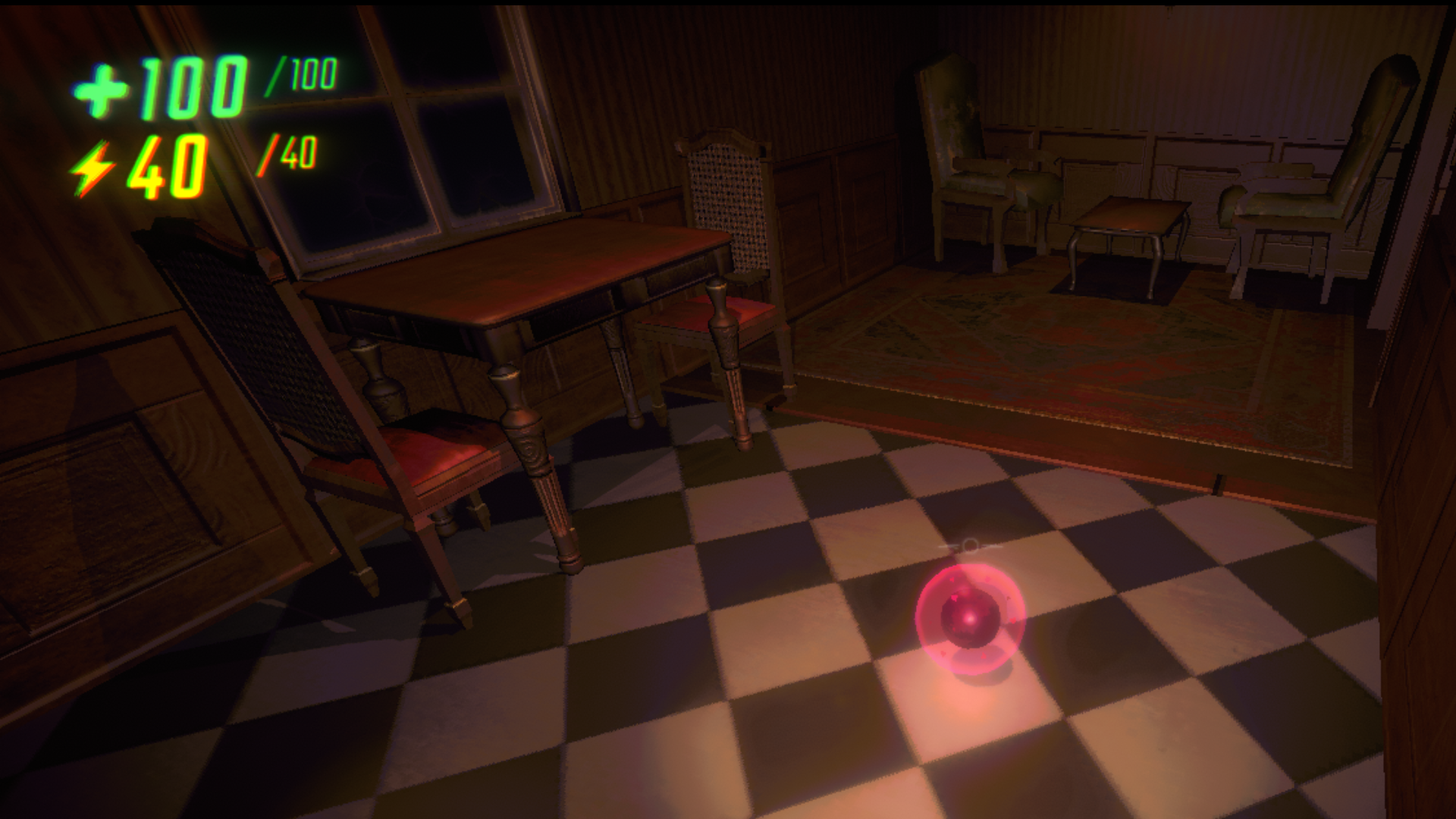
Keep enemy orbs intact
Protect enemy orbs from being smashed in your hosted game. This orb stayed intact with protection enabled. See in the Dark is also enabled here to make it easier to see.
Stable gripPremium
Tune how held objects respond by adjusting grip damping and pulling stiffness.
The Disposal Arena is excluded.
Tumble protectionPremium
Prevent forced tumbles for your player while keeping deliberate tumble input available.
The Disposal Arena is excluded.
More ways to customise R.E.P.O.
- R.E.P.O. resources
Adjust run currency and keep supported tools charged.
- R.E.P.O. unlocks
Add or clear cosmetic tokens, or unlock character cosmetics.
- R.E.P.O. stat modifiers
Adjust health, stamina and thirteen upgrade totals.
- R.E.P.O. ability modifiers
Explore with Fly, Free Walk or Board.
- R.E.P.O. perspective modifiers
Choose camera motion, flashlight settings, distance markers and a comfortable view.
- R.E.P.O. game actions
Spawn objects and control extraction while hosting.
Using these features
Choose the feature in the Windows app after connecting your game. Check its requirements before making a change.
Setup for R.E.P.O. →