
Resources
7 optionsSeparate cards for shots, credits and round assists.
View all resources →Play a round of golf with more control over your credits, round assists, shots and movement. Choose your settings or fly around the course.

Start with free mods
Download Bytonian Mods for Windows and try these free features. Choose one to see how it works and any requirements.
Fly around the course and adjust your speed.
Enable Fly while walking and use your movement controls to explore.
Adjust the power applied to your golf shots.
Refresh the card, then set your preferred power.
Set mulligans for the current regular round and the starting allowance for later rounds.
Refresh the card, set the amount, then reopen the round options.
Choose your current credit balance.
Refresh the Credits card, then set a value or add an amount.
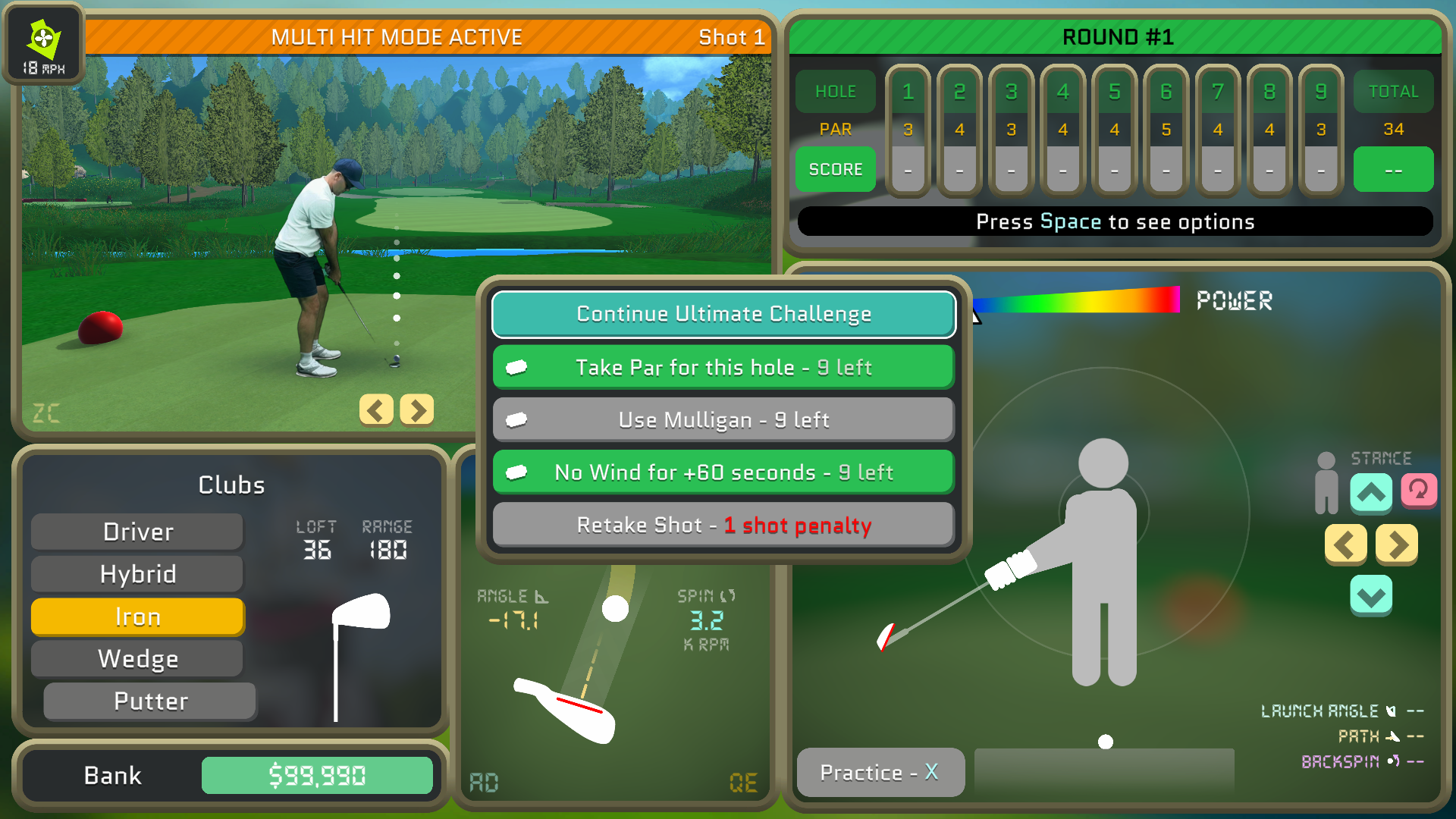
Play a regular golf round
Manage your credits and choose round assists as you play.
Refresh the Credits card to see your current balance, then set the amount you want while you play.
Choose how many mulligans, no-wind uses and hole skips you have in a regular golf round. Each card sets the current count and the starting allowance for later rounds.
Adjust shot power and spin separately to change how you play.
Enable Fly to move around the course from the air and adjust your flight speed.
Adjust your walking speed to travel around the course at your own pace.
Set your sprint speed or enable jumping and choose its strength and jump count.
Open Normal Golf Game and select it in Bytonian Mods. Start a regular round, enable the controls you want and refresh each card before making a change. Reopen the round options to see newly enabled assists.
Separate cards for shots, credits and round assists.
View all resources →Adjust sprint speed and jump settings for exploring the course.
View stat modifiers →Fly over the course or enable jumping while walking.
View ability modifiers →Browse the Steam achievement names and descriptions for Normal Golf Game. Choose and unlock achievements for free with Bytonian Mods in the Windows app.
View all achievements →Download the Windows app and follow the setup prompts.
Open Normal Golf Game and select it in Bytonian Mods. Follow the app’s connection prompts.
Review the available options in the app and choose the ones that suit how you play.