
Set LP and experience to suit your room
Use separate controls for your LP budget and stored experience. Refresh the current value, then set a new amount or add or subtract what you need. Each control supports values from 0 to 1,000,000.
Spend LP through the normal wardrobe
Changing LP gives you a different budget for in-game cosmetics. After editing the balance, choose and buy items through the normal wardrobe. The LP control does not unlock cosmetics on its own.
Use experience with Level Up
Experience builds progress toward the next level. Set an amount, then use the normal Level Up button when it becomes available. Reducing stored experience does not reduce earned levels.
Return to the normal solo view
Finish first-run setup and enter your solo room before editing. Switch out of Mini Mode and let room changes finish before refreshing the value.
Available resources
ExperiencePremium
Set, add or subtract stored experience for normal level-ups.
In your solo room's normal view, refresh experience and set a value from 0 to 1,000,000. Use the normal Level Up button when it is ready.
Changing experience does not reduce earned levels. Finish setup, return from Mini Mode and let room transitions finish before editing.
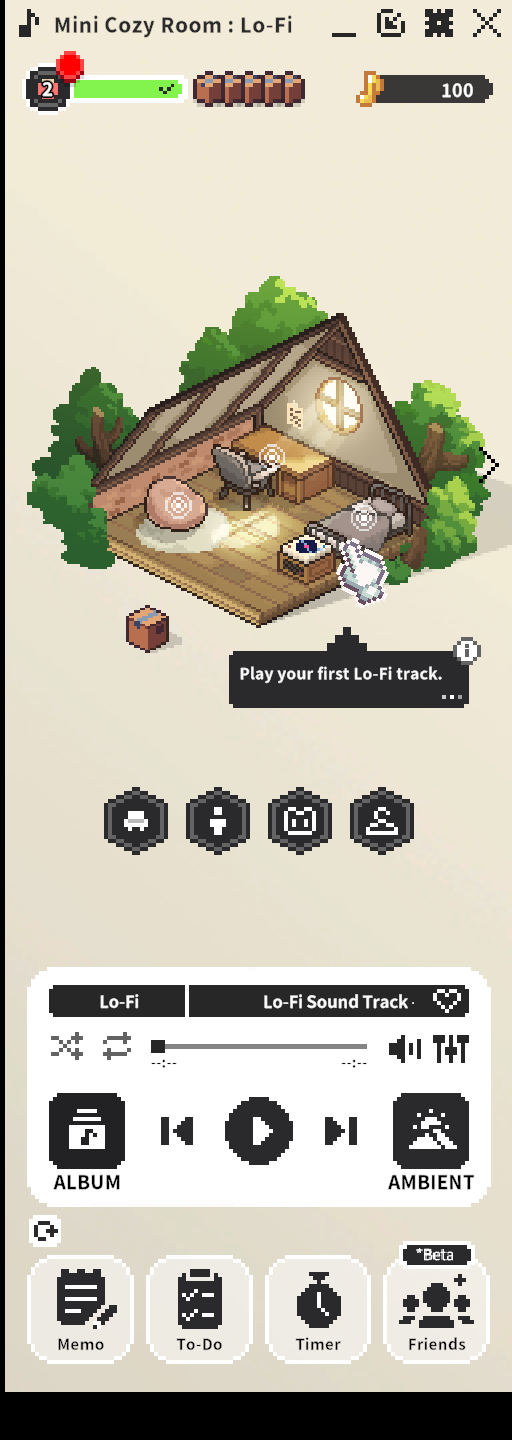
Get ready for your next level
Set, add or subtract experience, then use the normal Level Up button. The room is at level 2 with a full experience bar ready for another level.
LPFree
Set, add or subtract LP for ordinary cosmetic purchases.
In your solo room's normal view, refresh the balance and set a value from 0 to 1,000,000. Buy items through the normal wardrobe.
Finish setup, return from Mini Mode and let room transitions finish before editing.
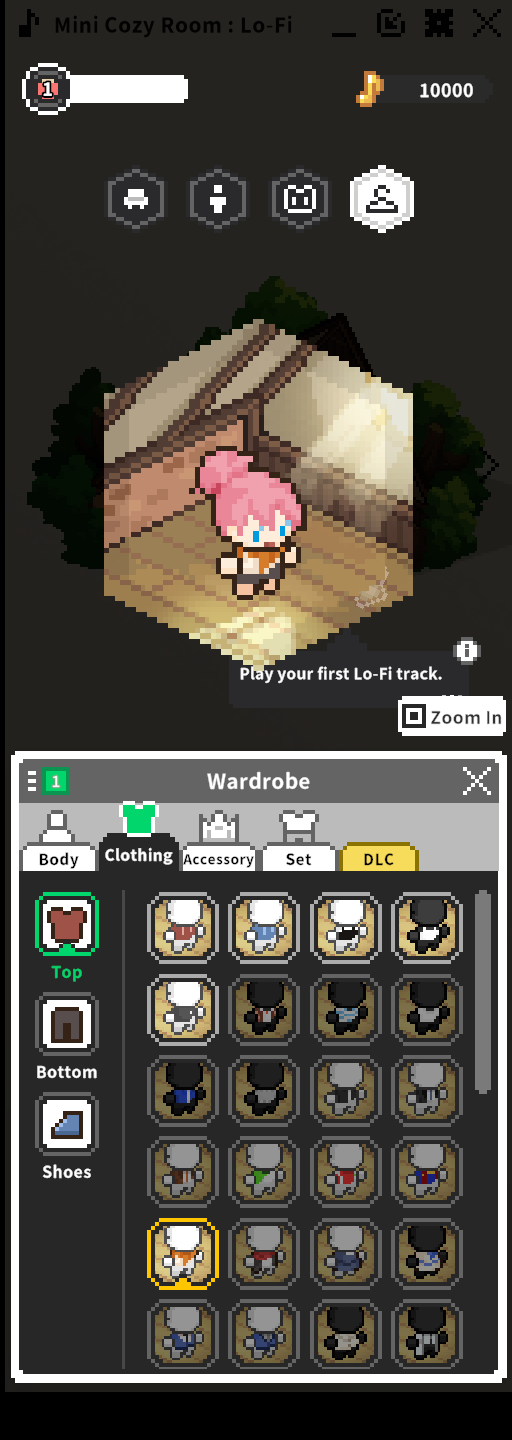
Choose your wardrobe budget
Set, add or subtract LP, then spend it through the normal wardrobe. The wallet shows 10,000 LP after using the control.
Using these features
Choose the feature in the Windows app after connecting your game. Check its requirements before making a change.
Setup for Mini Cozy Room: Lo-Fi →