
Resources
2 optionsSet LP and stored experience separately in your solo room.
View resources →Choose an LP budget for your next wardrobe purchase or build up experience for your next level. Mini Cozy Room: Lo-Fi combines room decoration and music with a personal workspace.
Start with free mods
Download Bytonian Mods for Windows and try these free features. Choose one to see how it works and any requirements.
Set, add or subtract LP for ordinary cosmetic purchases.
In your solo room's normal view, refresh the balance and set a value from 0 to 1,000,000. Buy items through the normal wardrobe.
Finish setup, return from Mini Mode and let room transitions finish before editing.
Set, add or subtract LP, then buy cosmetics through the normal wardrobe. LP is available as a free control.
Adjust stored experience and use the game's Level Up button when you are ready. Lowering experience leaves levels you have already earned in place.
Finish setup and use the normal game view. Return from Mini Mode, leave multiplayer and let room transitions finish before refreshing a value.
Shape your cozy-room progress
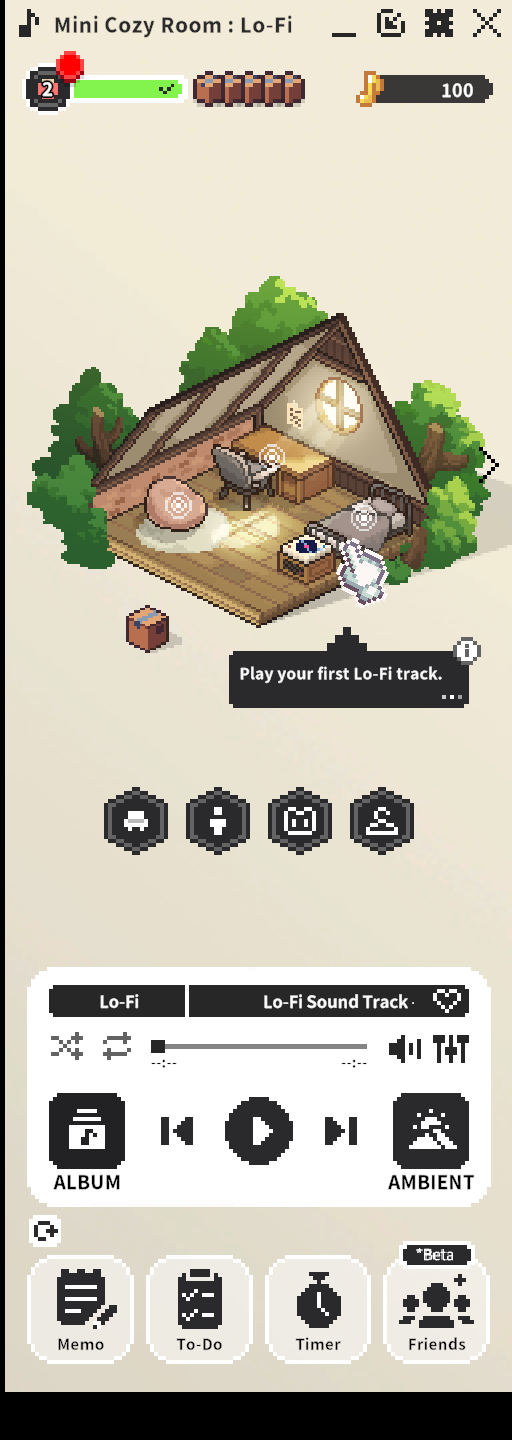
Choose your LP budget for cosmetics or add experience for normal level-ups. Here, the room is at level 2 with a full experience bar.
Set LP and stored experience separately in your solo room.
View resources →Browse the Steam achievement names and descriptions for Mini Cozy Room: Lo-Fi. Choose and unlock achievements for free with Bytonian Mods in the Windows app.
View all achievements →Download the Windows app and follow the setup prompts.
Open Mini Cozy Room: Lo-Fi and select it in Bytonian Mods. Follow the app’s connection prompts.
Review the available options in the app and choose the ones that suit how you play.