
Choose gold and the next recruit prices
Set a gold balance for recruiting units, or choose one next price for both archer and dinosaur purchases. Return to the game and use the normal recruit buttons to add units to your board.
Requires the Windows app and the Bytonian Mods browser extension for Chrome or Edge. Browser setup guide

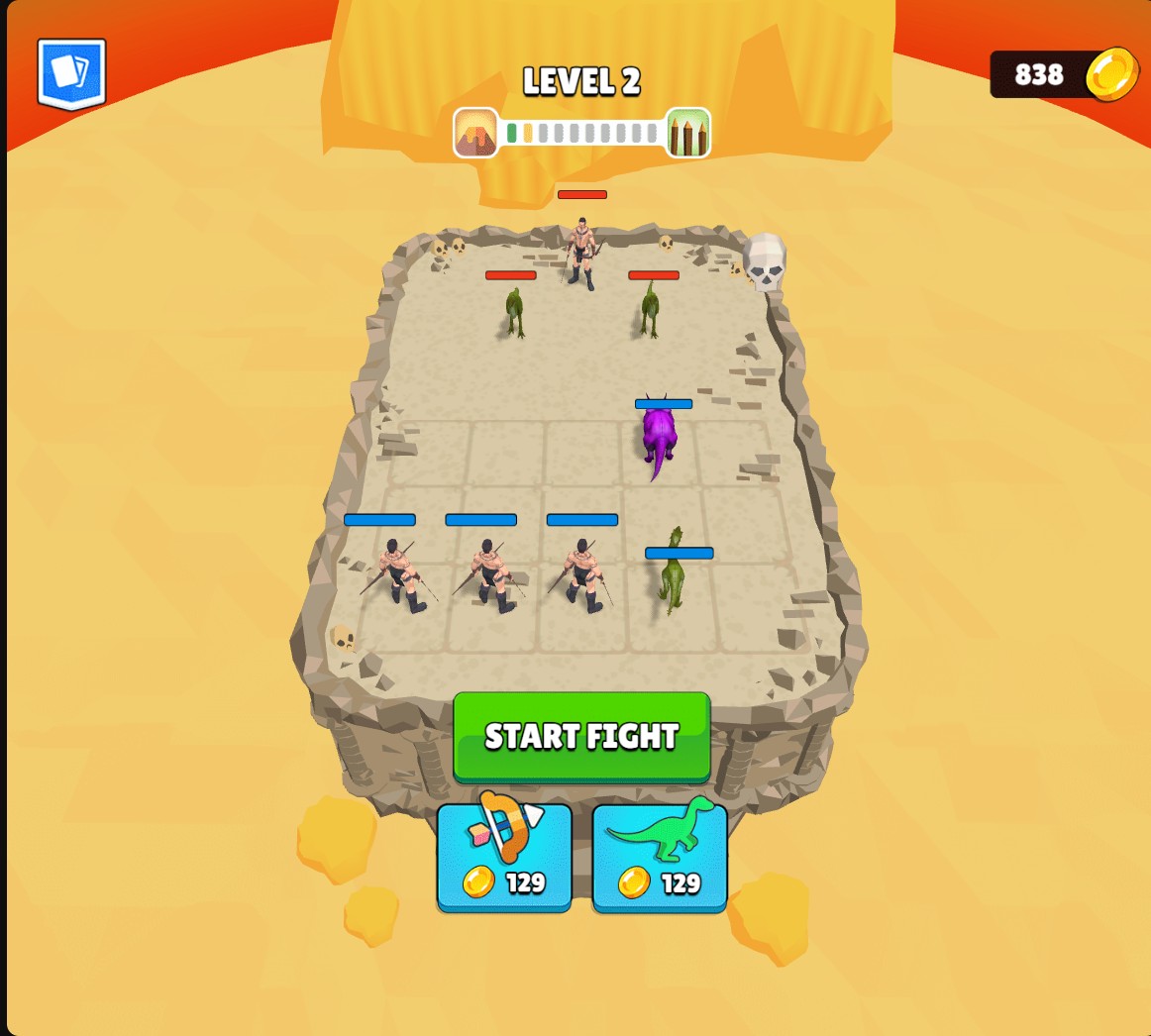
Recruit units for your next fight
Set gold and the next recruitment prices, then buy archers and dinosaurs with the normal buttons. Prices can rise again after a purchase.
Set the balance you want
Gold replaces the current balance with your chosen amount. It does not add that amount on top. Spend it on recruits through the game’s normal buttons.
Plan the next two recruit types
Recruitment cost applies the same selected price to the next archer and next dinosaur. After a purchase, that type’s price can rise again. Merge and place the recruits yourself before starting the fight.
Available customisation options
GoldFree
Set your gold balance for recruiting archers and dinosaurs.
Choose the balance you want, apply it, then use the normal recruit buttons. The chosen amount replaces your existing balance.
Recruitment costPremium
Set the next archer and dinosaur purchase prices together.
Choose a price, apply it, then buy either recruit type with its normal button.
Prices can rise normally after a purchase. This sets the next price for each type.
Questions about customisation options
- Does setting gold add units automatically?
- No. Buy archers and dinosaurs with the normal buttons, then merge and place them on your board.
Using these features
Connect your game, then open Customise in the Windows app. Choose an option, check its available values and follow its instructions. Each option lists its own requirements and limits.
Setup for Merge Master →