
Saved Coins Balance
Choose how many Coins you have available for character skins. Apply your balance, then spend Coins in the Skins menu as usual.
Requires the Windows app and the Bytonian Mods browser extension for Chrome or Edge. Browser setup guide

Use Coins in the Skins menu
Set the balance you want and apply it before opening Skins. Skin prices are shown on their tiles, and buying one reduces your Coins balance.
Available customisation options
Saved CoinsFree
Choose your Coins balance for character skins.
Set the balance, apply it, then open Skins and choose a character you can afford.
This control changes Coins, while your level and owned skins stay as they were.
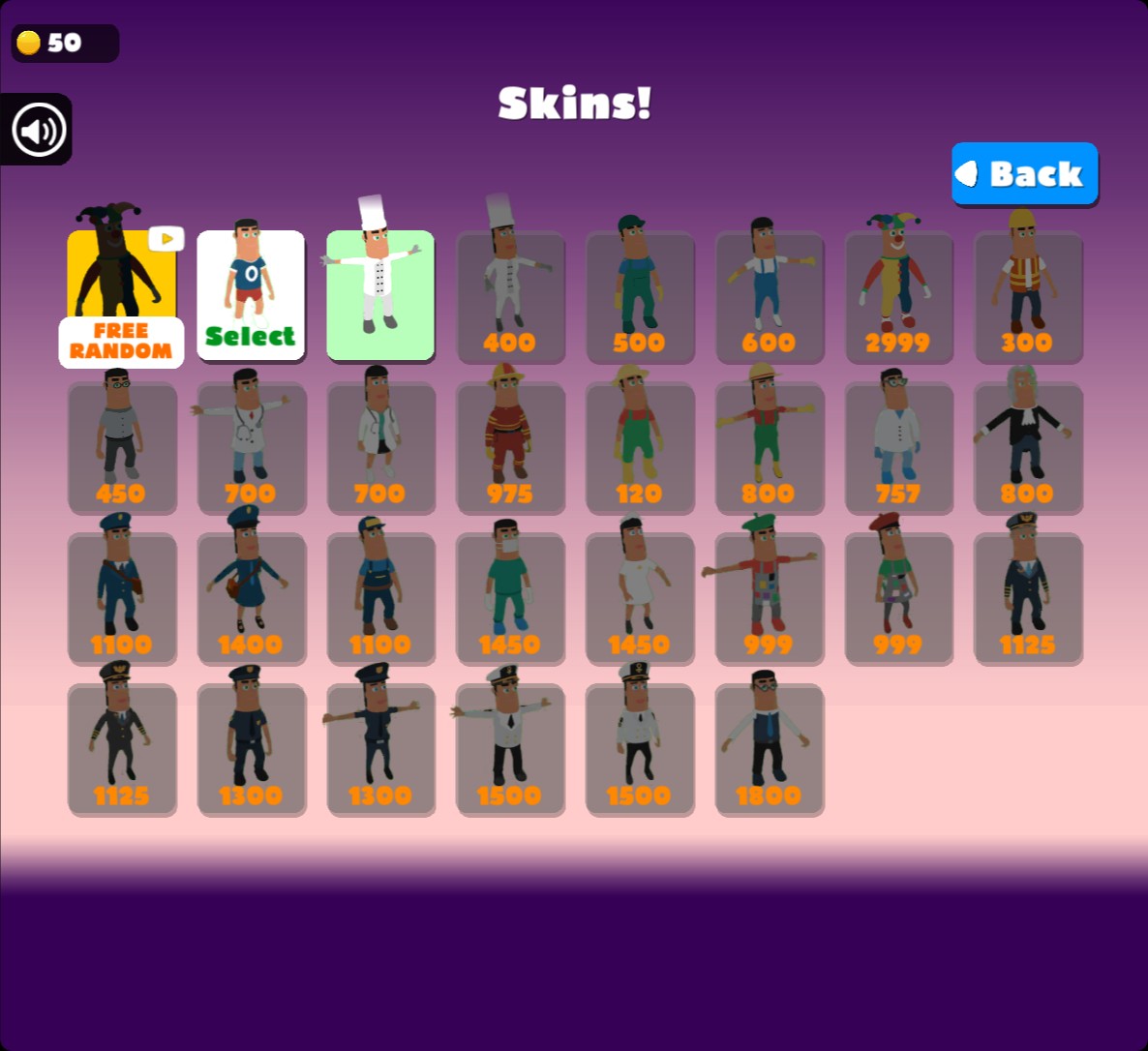
Saved Coins in the Skins menu
The Skins menu shows the chef skin selected and 50 Coins left after the 200-Coin purchase.
Using these features
Connect your game, then open Customise in the Windows app. Choose an option, check its available values and follow its instructions. Each option lists its own requirements and limits.
Setup for Layers Roll →