
Customise
1 optionUse Gems to fund normal gold-menu purchases.
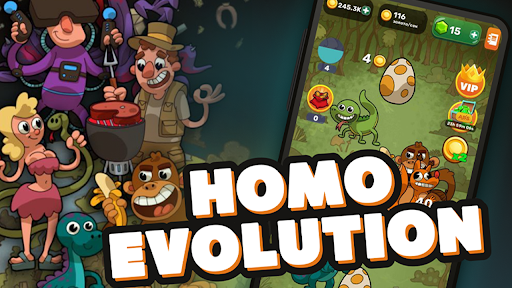
View customisation options →Choose your gem balance in Homo Evolution and spend gems on gold bundles through the gold menu. Hatch eggs and merge matching creatures as you build your collection.
Requires the Windows app and the Bytonian Mods browser extension for Chrome or Edge. Browser setup guide

Start with free mods
Download Bytonian Mods for Windows and try these free features. Choose one to see how it works and any requirements.
Choose your gem balance for gold-menu purchases.
Set a value, apply the change, then press the plus beside your gold balance to buy a gold bundle.
Combine matching creatures to discover the next species, from lizards to dinosaurs and ostriches. Your creatures keep earning gold as you play.
Choose a gem balance, apply it and open the gold menu using the plus beside your gold balance. Pick a bundle and pay its displayed gem price.
Use Gems to fund normal gold-menu purchases.
View customisation options →Download the Windows app and follow the setup prompts.
Set up the browser extension in Chrome or Edge, then open the supported YouTube Playable. Follow the connection guide if the game is already running.
Open Customise in Bytonian Mods, choose an option and follow its instructions. Check the available values and any limits before making your change.