
Open up the Head Ball 2 character collection
Give yourself more choice before kickoff. Unlock the remaining characters, then pick a new look from the game's character menu.
Requires the Windows app and the Bytonian Mods browser extension for Chrome or Edge. Browser setup guide

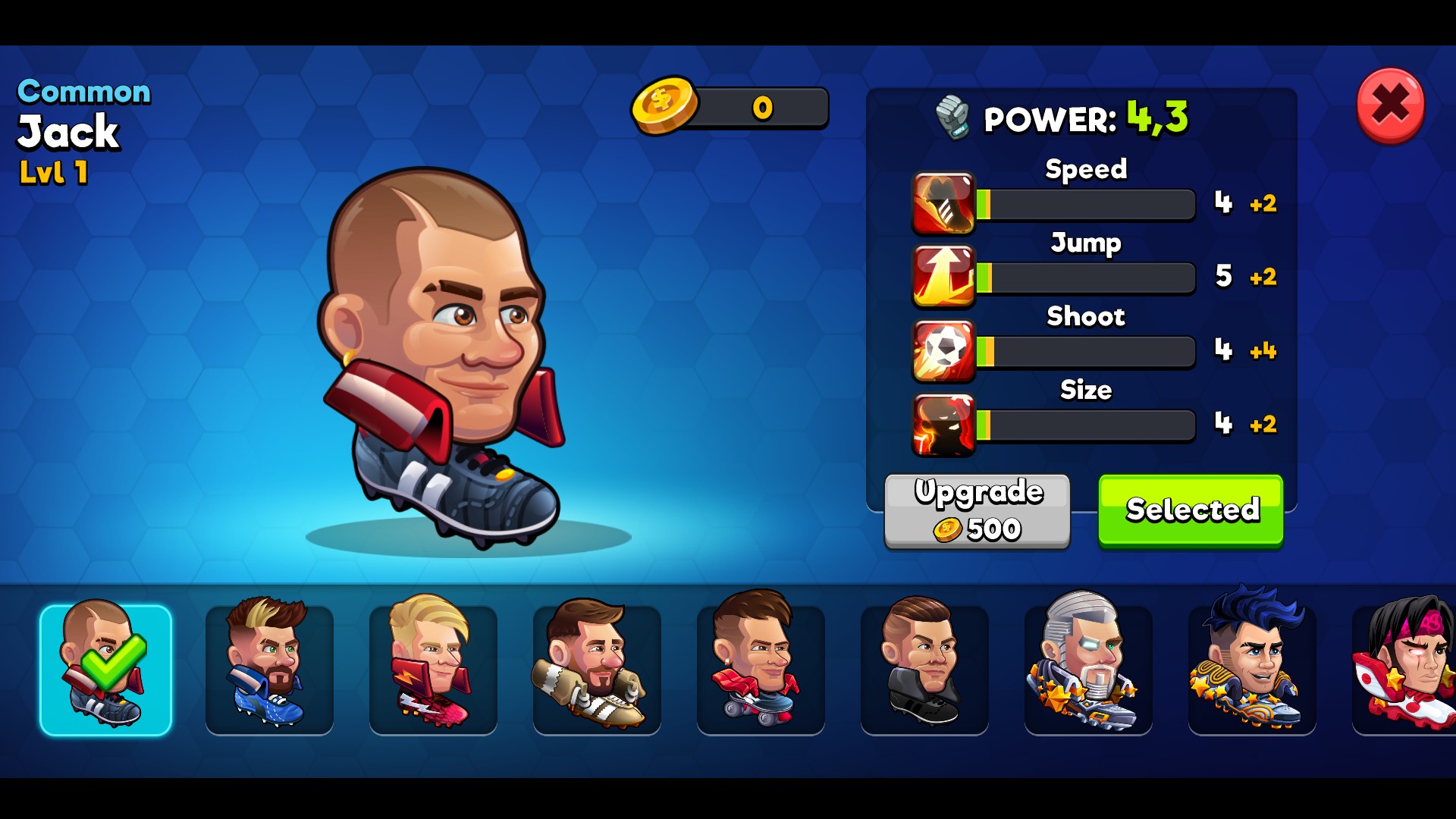
Unlock your character collection
Open up the roster and choose a new look for your next match.
More looks for your next match
Open the character menu, then use Unlock characters to make the remaining roster available. Browse the collection and select the player you want.
Character choices and upgrades
Unlocking the collection adds character choices while keeping your existing character levels.
Available unlocks
Unlock charactersPremium
Unlock the remaining characters so you can choose a new look for your next match.
Open the game's character menu, use Unlock characters, then pick a character from the roster.
More ways to customise Head Ball 2
- Head Ball 2 resources
Set your coin balance to the amount you choose.
Questions about unlocks
- How do I use Unlock characters?
- Open the game's character menu first, use Unlock characters, then choose a character from the roster.
- Does unlocking the collection upgrade every character?
- No. It makes the characters available to choose; upgrades remain separate.
Using these features
Choose the feature in the Windows app after connecting your game. Check its requirements before making a change.
Setup for Head Ball 2 →