
Customise
4 optionsSet first-world coins and choose three independent upgrade levels.
View all customisation options →Build your first-world golf setup with coins and separate Strength, Speed and Bounce upgrade controls. Choose the upgrades you want, then get back to timing your swing and chasing a better distance.
Requires the Windows app and the Bytonian Mods browser extension for Chrome or Edge. Browser setup guide

Start with free mods
Download Bytonian Mods for Windows and try these free features. Choose one to see how it works and any requirements.
Choose your first-world coin balance and spend it on normal golf upgrades.
Set the coin amount you want, apply your changes and use the game's upgrade buttons.
Give your first-world coin balance a boost and spend it on the game's normal upgrades. Strength, ball Speed and Bounce also have their own level controls, so you can adjust each part of your setup separately.
Golf Orbit turns one well-timed swing into a distance challenge. Watch the moving arrow, aim for the green band and collect coins after your shot. Your upgrade setup helps shape how you play, while the swing remains in your hands.
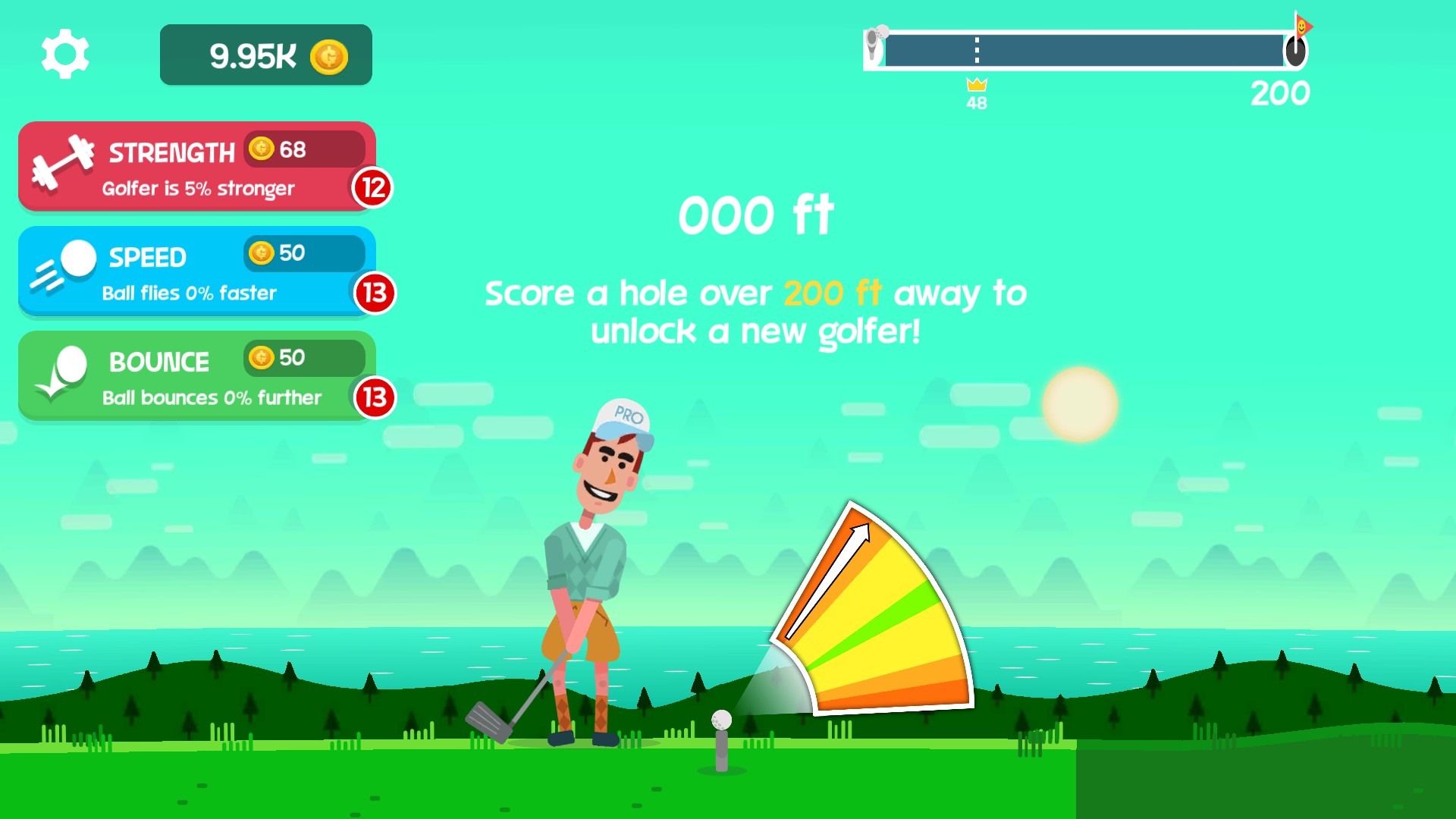
Coins for your next golf upgrade
Give your first-world upgrade budget a boost and spend coins on Strength, Speed or Bounce.
Set first-world coins and choose three independent upgrade levels.
View all customisation options →Download the Windows app and follow the setup prompts.
Set up the browser extension in Chrome or Edge, then open the supported YouTube Playable. Follow the connection guide if the game is already running.
Open Customise in Bytonian Mods, choose an option and follow its instructions. Check the available values and any limits before making your change.