
Choose your Star Fruit balance
Set your Star Fruit balance for a new blade, then buy it through the normal Sensei's Swag shop controls.
Requires the Windows app and the Bytonian Mods browser extension for Chrome or Edge. Browser setup guide

Buy a new blade with Star Fruit
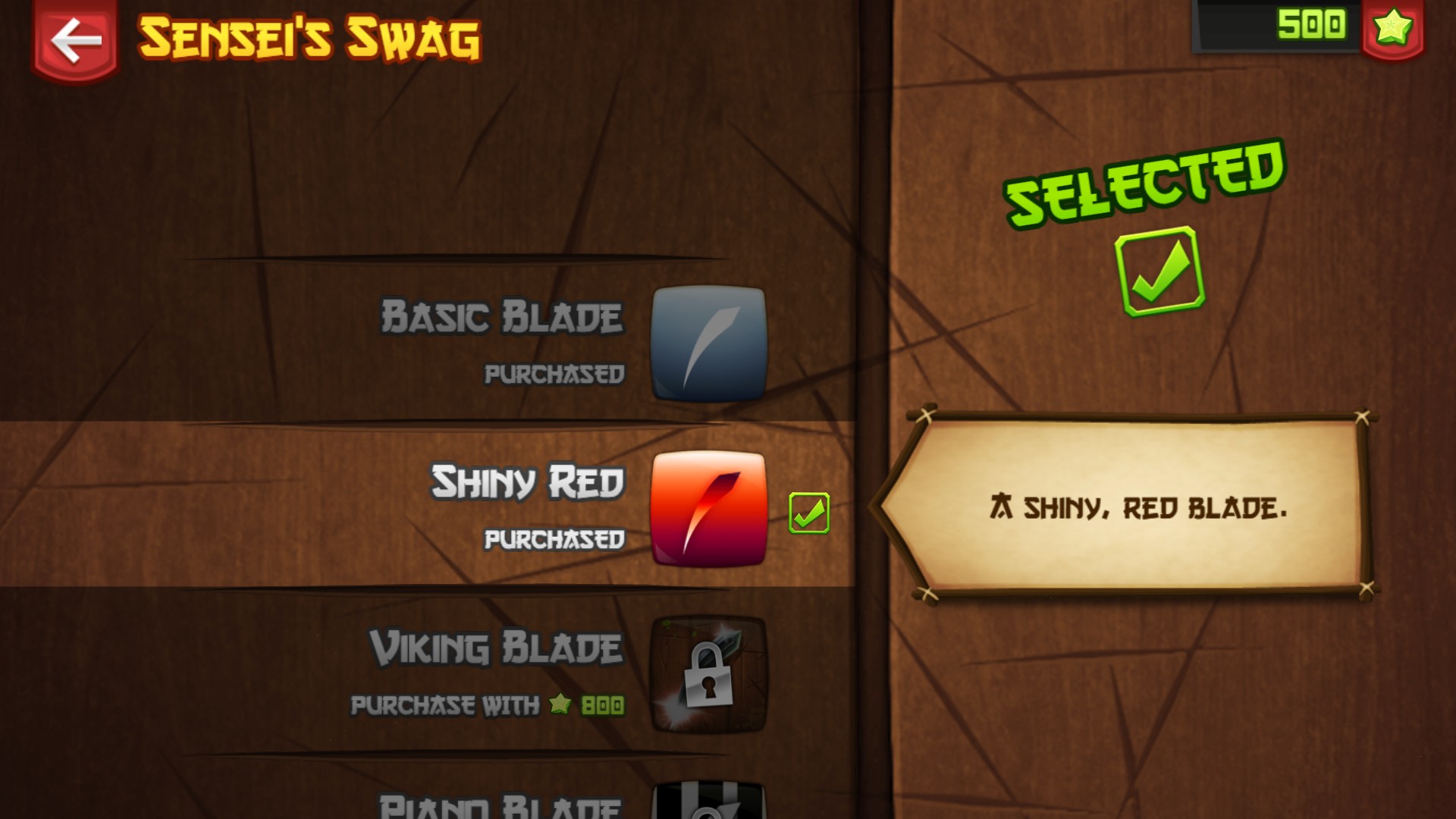
Choose your Star Fruit balance, then purchase cosmetics in Sensei's Swag. Shiny Red is purchased and selected here, with 500 Star Fruit left.
Buy through Sensei's Swag
Apply a whole-number balance, open Sensei's Swag and scroll the list until your chosen cosmetic is highlighted. Slice the Purchase fruit to buy it. Shiny Red becomes purchased and selected after buying it.
Available customisation options
Star FruitFree
Choose your Star Fruit balance for cosmetic purchases.
Enter a whole number from 0 to 100,000 and apply it. Open Sensei's Swag, scroll to a cosmetic and slice Purchase.
Cosmetics still need to be purchased through Sensei's Swag.
Questions about customisation options
- Does this unlock every blade automatically?
- No. This changes your Star Fruit balance. Purchase cosmetics through Sensei's Swag.
Using these features
Connect your game, then open Customise in the Windows app. Choose an option, check its available values and follow its instructions. Each option lists its own requirements and limits.
Setup for Fruit Ninja →