
Customise
1 optionChoose a puzzle from levels 1 to 50 and solve it yourself.
View customisation options →Choose a Fork N Sausage level from 1 to 50 when you want to revisit an earlier platform-and-obstacle challenge, or skip the current level to try the next puzzle. Then guide the sausage onto the fork with the game's normal swipes.
Requires the Windows app and the Bytonian Mods browser extension for Chrome or Edge. Browser setup guide
Start with free mods
Download Bytonian Mods for Windows and try these free features. Choose one to see how it works and any requirements.
Move from the current puzzle to the next one.
Enable the package and press Skip current level once.
Choose a puzzle level from 1 to 50.
Select a level and Apply it to load that puzzle.
This changes your current progression point and does not complete the chosen puzzle.
Level choice lets you revisit an earlier stage or try a different puzzle. Skip current level moves to the next stage, where ordinary swipes and puzzle rewards still work.
Select Fork N Sausage in Bytonian Mods and open its YouTube Playable. In Customise, select a level and Apply it. For Skip current level, enable its package under Game Actions and press the action.
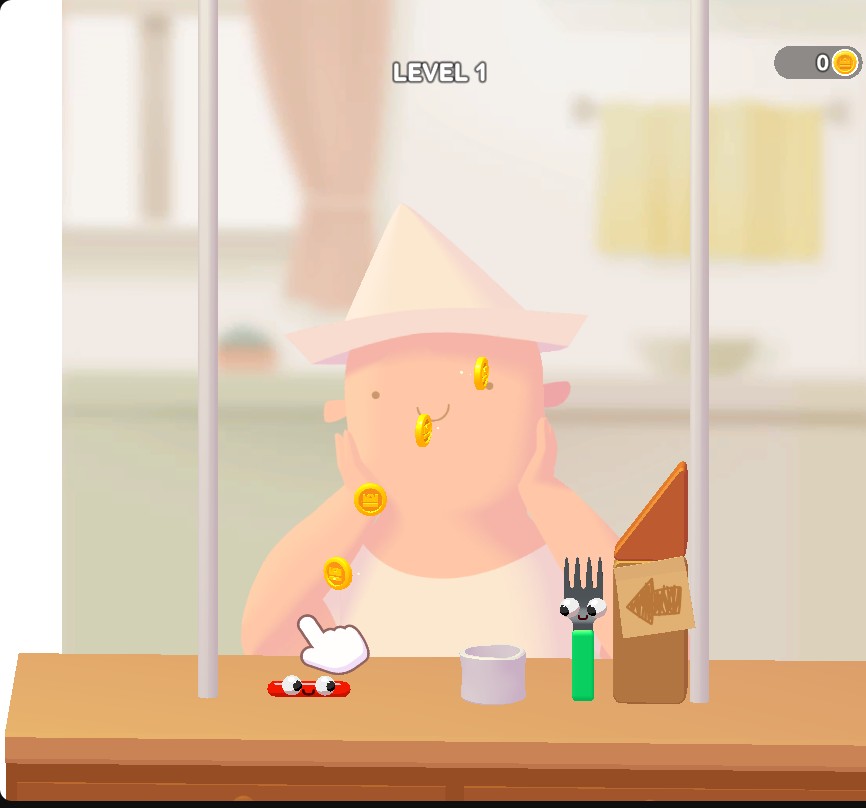
Fork N Sausage puzzle gameplay
Launch the sausage through physics puzzles and land it on the fork.
Choose a puzzle from levels 1 to 50 and solve it yourself.
View customisation options →Move on once to the next puzzle, then keep playing normally.
View game actions →Download the Windows app and follow the setup prompts.
Set up the browser extension in Chrome or Edge, then open the supported YouTube Playable. Follow the connection guide if the game is already running.
Review the available options in the app and choose the ones that suit how you play.