
Unlock shop choices or skip a puzzle
Unlock a vehicle or trail tile so you can choose it in the shop, or use Skip Level to load the next bridge puzzle. Unlocking a tile leaves your current car or trail selected until you equip another.
Requires the Windows app and the Bytonian Mods browser extension for Chrome or Edge. Browser setup guide
Vehicle and trail slots
Each current collection has seven positions, numbered 0 to 6. Slot 0 is the starting choice; slot 1 is the next tile. Choose a slot in the matching mod and press Unlock. Changing the selection alone does not unlock anything.
The red sports car in vehicle slot 1 and the smoke effect in trail slot 1 became available in the shop. Unlocking a slot does not automatically equip a choice.
Move to the next puzzle
Press Skip Level from the puzzle screen to load the next stage. It can move you past a bridge you do not want to solve; draw a path instead when you want to complete the current puzzle.
Available game actions
Skip LevelFree
Skip the current bridge puzzle and load the next stage.
Press Skip Level from the puzzle screen.
Moves to the next bridge puzzle rather than building a bridge for you.
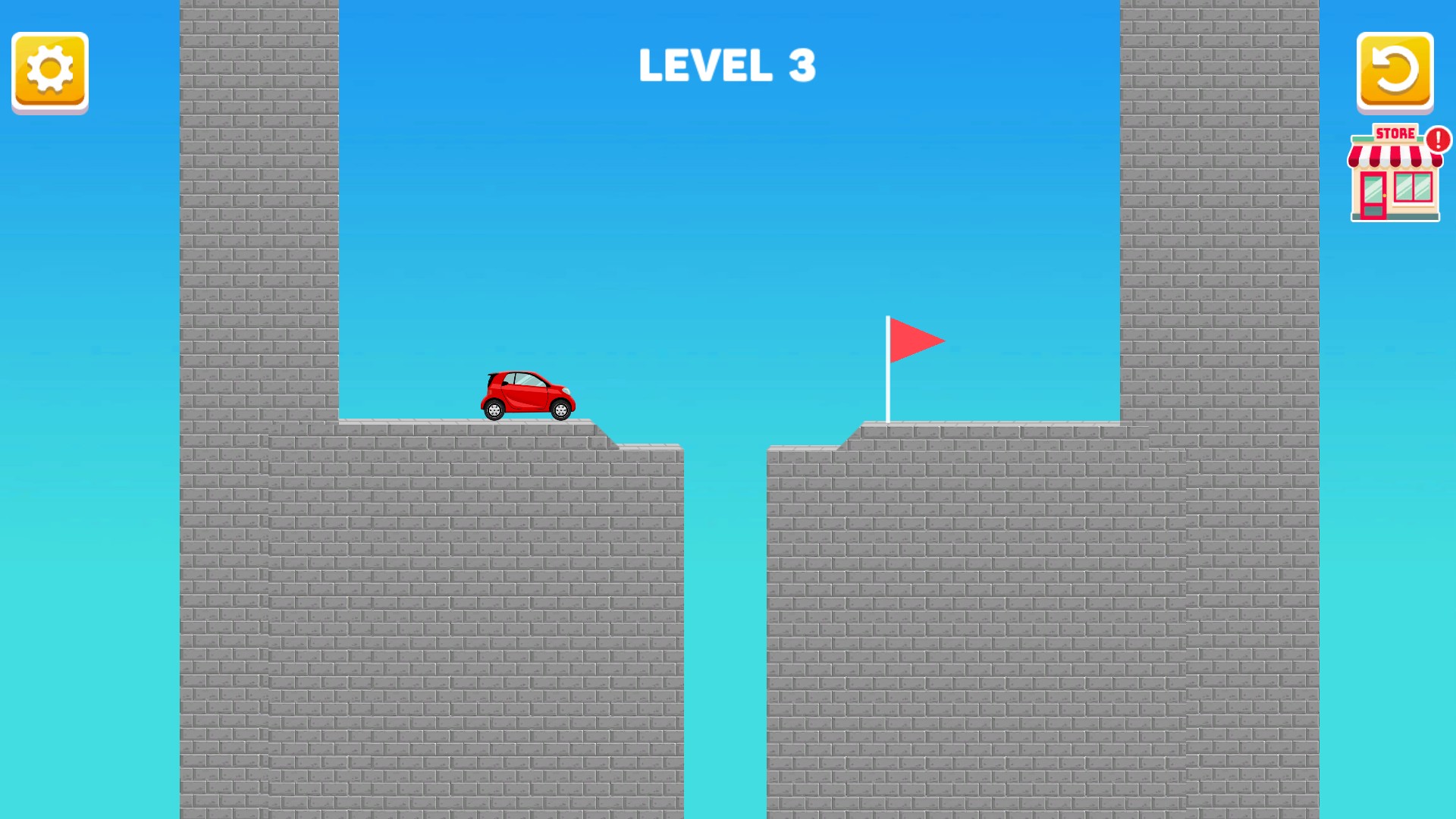
Move on to the next bridge puzzle
Skip Level moved from Level 2 to this Level 3 gap puzzle without solving the previous bridge.
Unlock TrailPremium
Unlock the selected trail shop slot.
Choose a slot from 0 to 6 and press Unlock Trail. Open the trail tab to see it; slot 1 contains the smoke effect.
This does not equip a trail automatically.
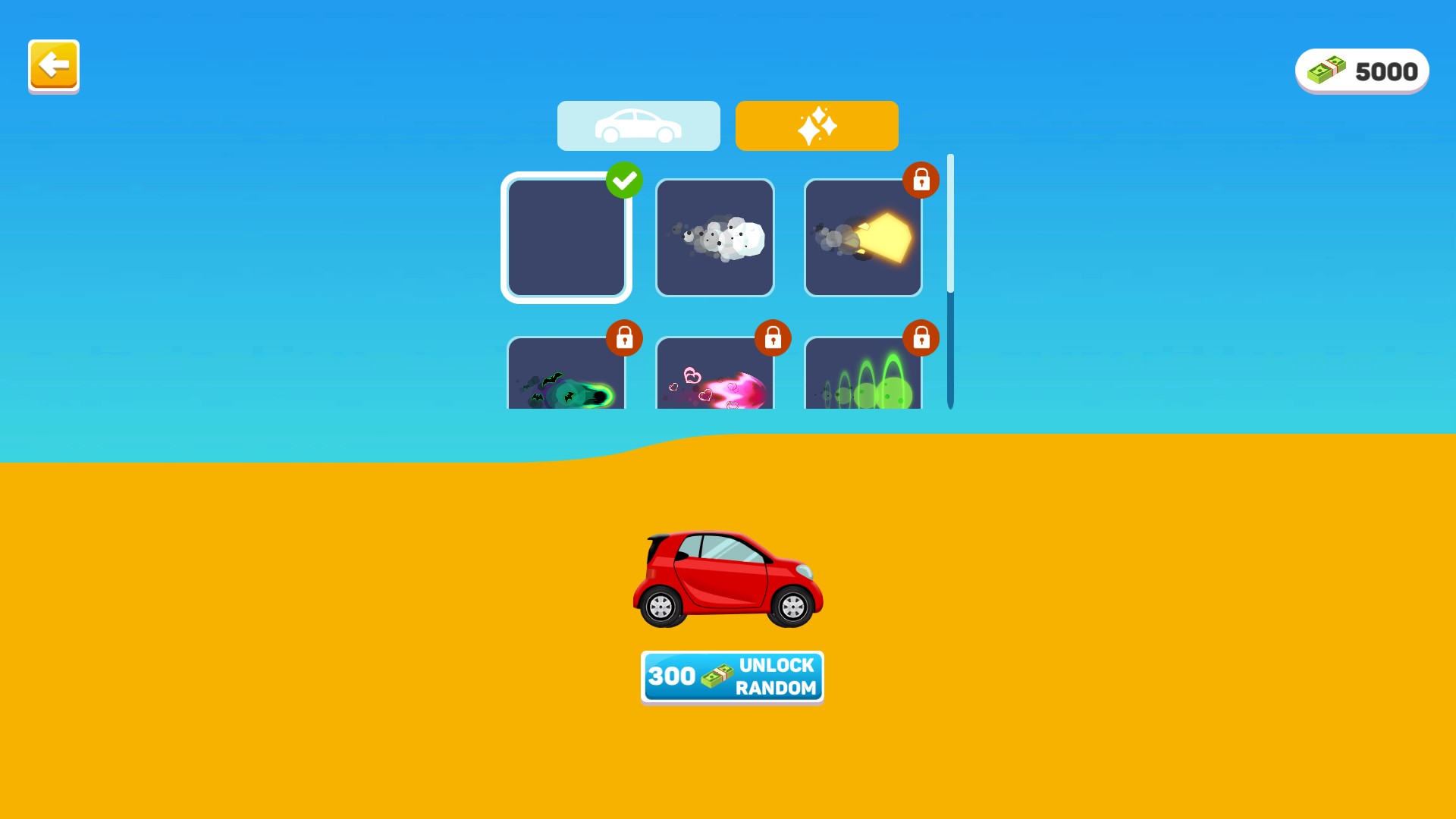
Unlock a smoke trail slot
The second trail tile is unlocked after using Unlock Trail. Unlocking a slot does not equip it automatically.
Unlock VehiclePremium
Unlock the selected vehicle shop slot.
Choose a slot from 0 to 6 and press Unlock Vehicle. Slot 1 is the second tile, which contains a red sports car.
This does not equip a vehicle automatically.
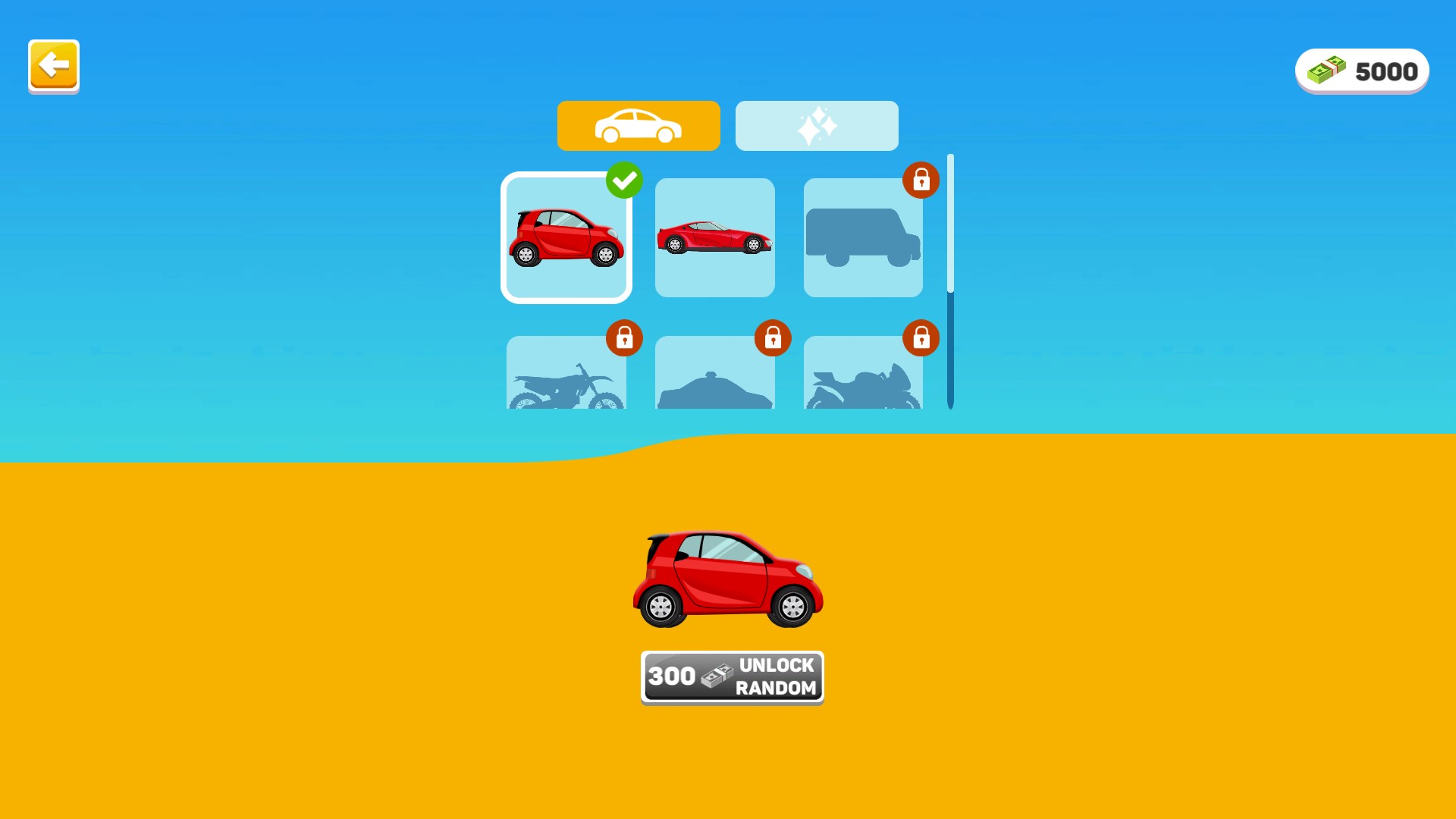
Unlock the red sports car slot
Unlock Vehicle removes the lock from the selected slot. The second shop tile now shows a red sports car; the starting car is still selected.
More ways to customise Draw Bridge - Brain Game
- Draw Bridge - Brain Game resources
Change the current shop balance within the supported range.
Using these features
Choose the feature in the Windows app after connecting your game. Check its requirements before making a change.
Setup for Draw Bridge - Brain Game →