
Resources
1 optionChoose the current painting's history-limit setting from 1 to 30.
View resources →Set a mixing history limit from 1 to 30 for the Color Match canvas you have open while you blend paint toward the target object's shade.
Requires the Windows app and the Bytonian Mods browser extension for Chrome or Edge. Browser setup guide
Start with free mods
Download Bytonian Mods for Windows and try these free features. Choose one to see how it works and any requirements.
Choose a mixing history limit from 1 to 30 for the painting you have open.
Wait for the painting scene to load, enter a whole value on the card, and apply it to the current canvas.
Applies to the canvas currently open.
Blend paint to match the target
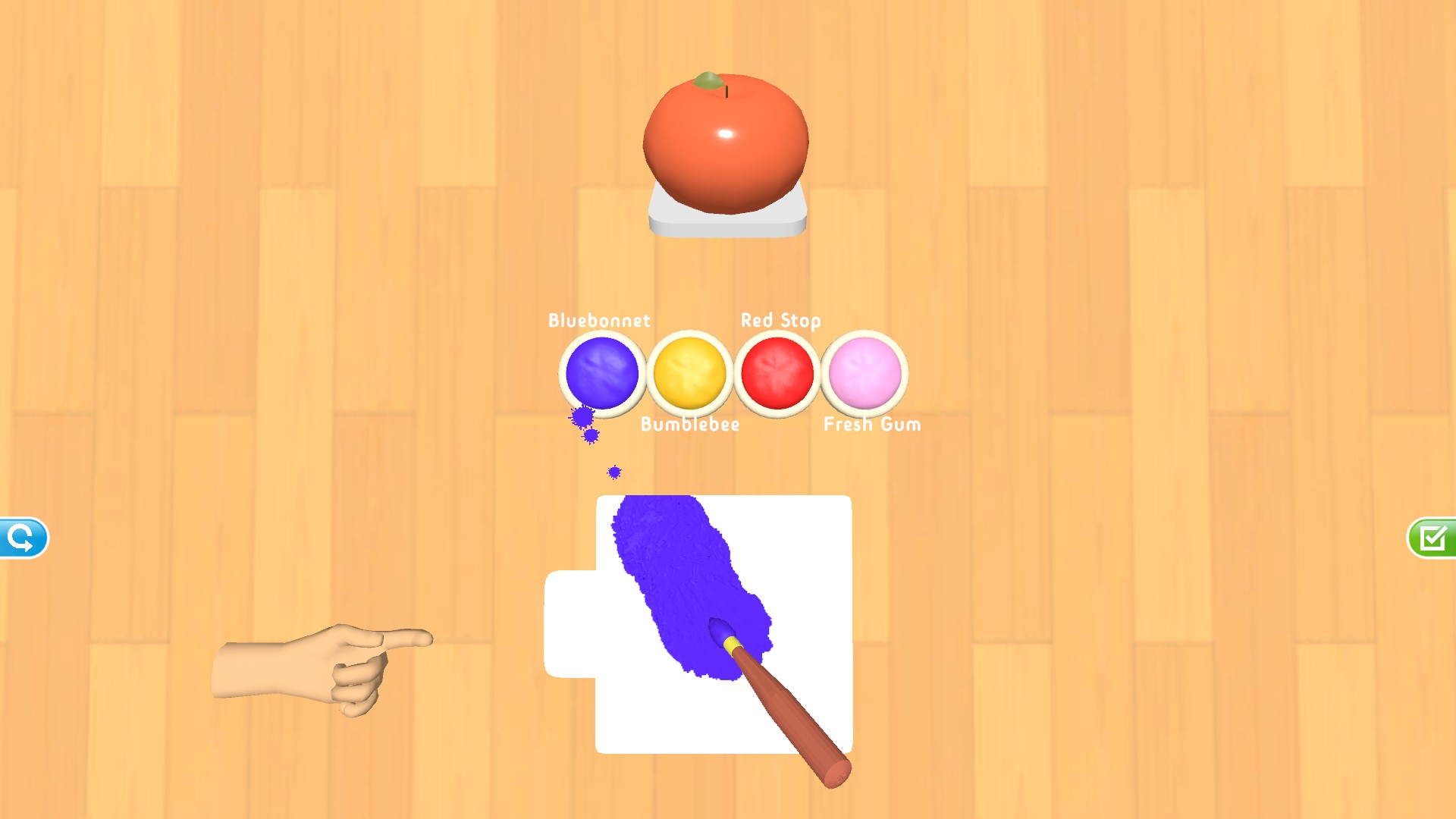
A blue brushstroke on the mixing paper, four named paints, and an orange target show the opening Color Match painting scene.
Open Resources to choose the current painting's history-limit setting, from 1 to 30.
Open Color Match, wait for its painting scene, then choose a value in the Mixing history limit card.
Choose the current painting's history-limit setting from 1 to 30.
View resources →Download the Windows app and follow the setup prompts.
Set up the browser extension in Chrome or Edge, then open the supported YouTube Playable. Follow the connection guide if the game is already running.
Review the available options in the app and choose the ones that suit how you play.