
Set Voyager's Badges for normal merging
Choose a Level 1 badge count, apply it and open Merge from the lobby. Place badges from your stock and combine matching levels on the board.
Requires the Windows app and the Bytonian Mods browser extension for Chrome or Edge. Browser setup guide
Merge badges for a higher Coin bonus
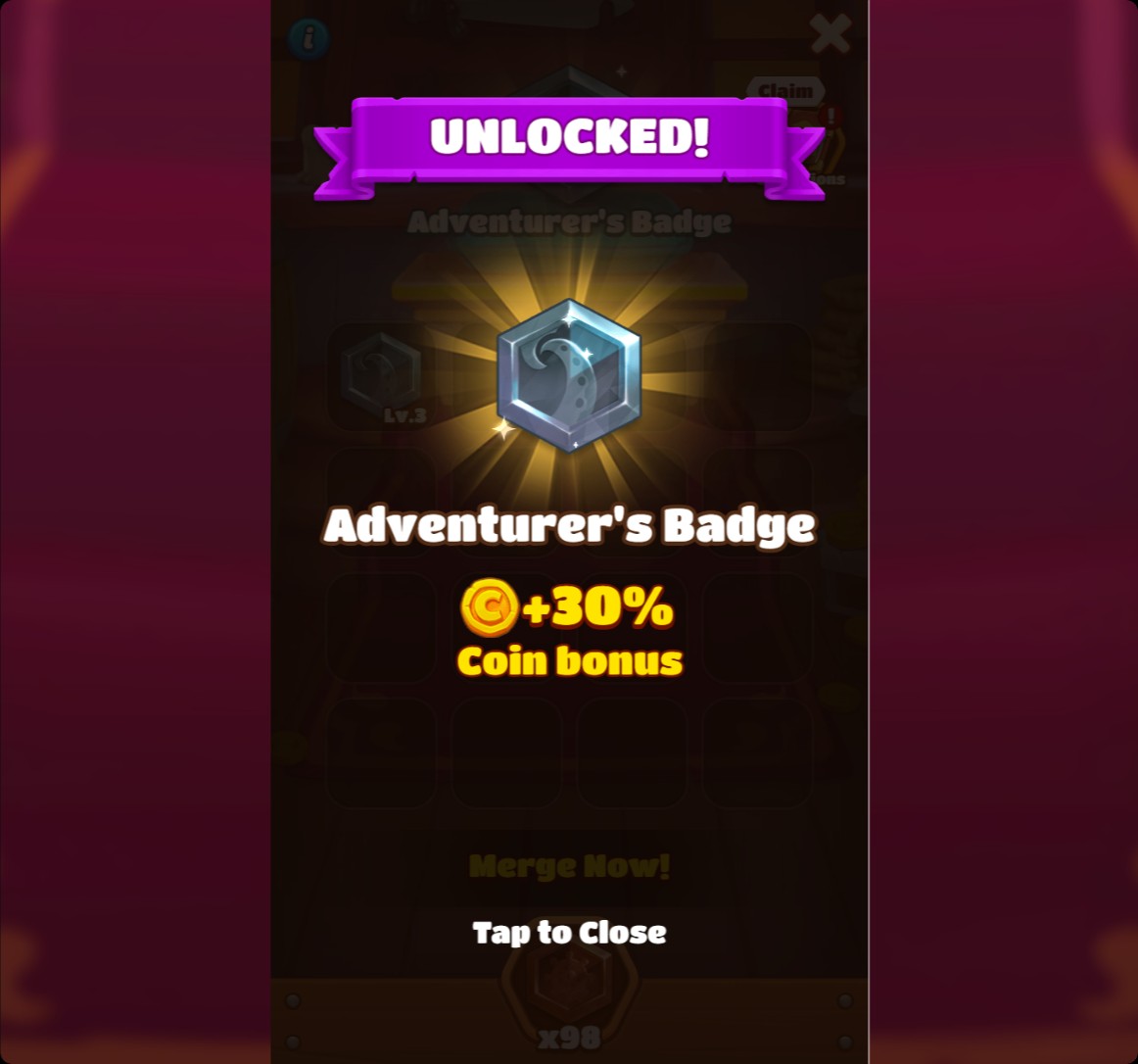
Normal merges using Voyager's Badges produced the Adventurer's Badge, which displays a 30% Coin bonus.
From Voyager's Badge to higher levels
The control sets a total Level 1 badge count from 0 to 10,000. Two Level 1 badges merge into a Captain's Emblem. Merge matching higher badges to keep building the collection and its displayed Coin bonus.
Available customisation options
Voyager's BadgesFree
Set your total Level 1 Voyager's Badge count for normal collection merging.
Apply your chosen count, open Merge from the lobby, place matching badges and drag one onto another to combine them.
Questions about customisation options
- Does the control directly unlock the highest badge?
- No. It changes Level 1 badge stock. You obtain higher badges by placing and merging matching pairs.
Using these features
Connect your game, then open Customise in the Windows app. Choose an option, check its available values and follow its instructions. Each option lists its own requirements and limits.
Setup for Coin Match →