

Choose Your Circus Words Hints
Keep more letter help available for the words that leave you stuck.
Requires the Windows app and the Bytonian Mods browser extension for Chrome or Edge. Browser setup guide

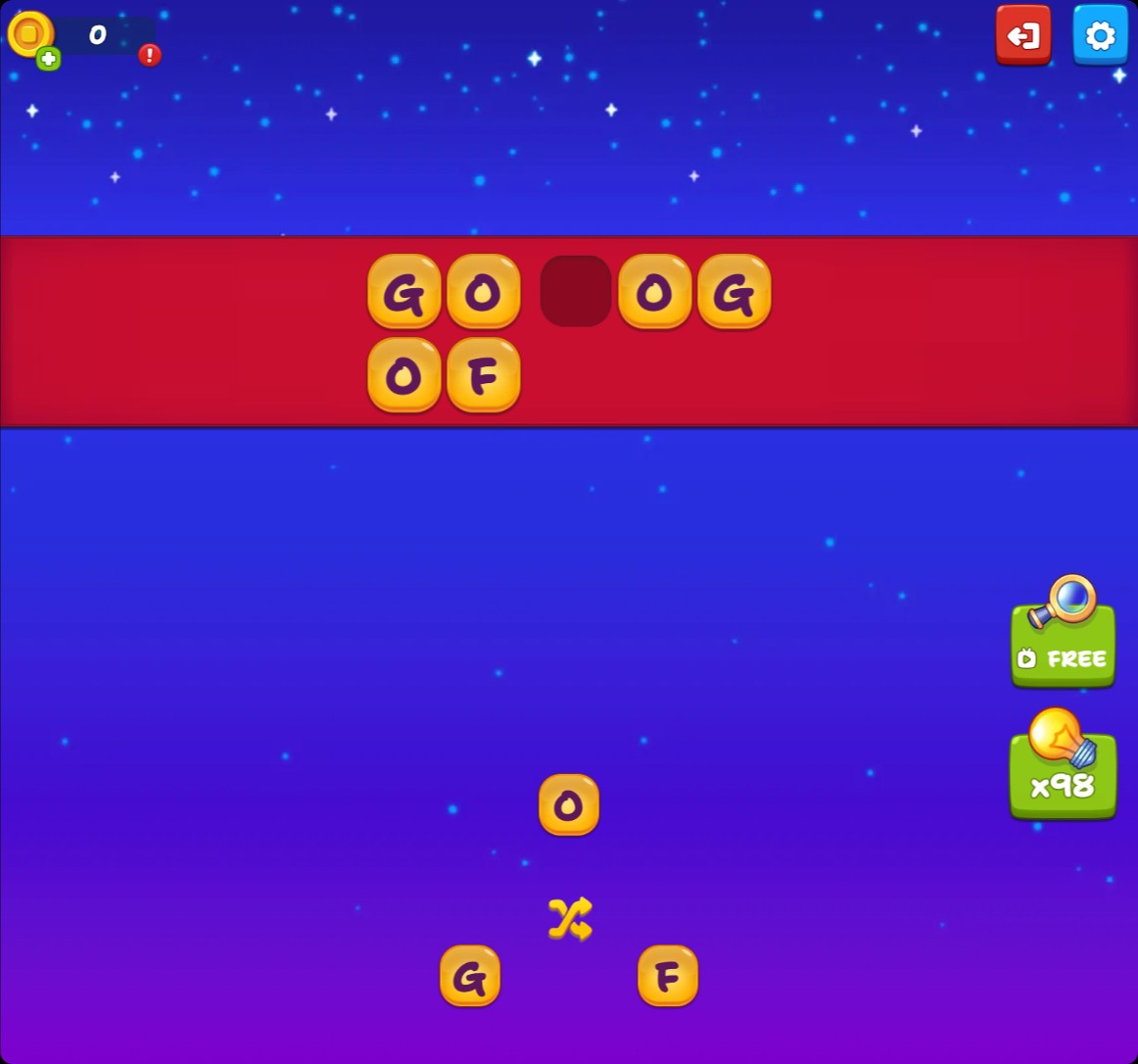
A Hint When You Need One
Choose your hint stock, then use the lightbulb to reveal a missing letter.
Set your hint stock
Choose how many hints you want and apply the change. Enter your current puzzle to use them through the normal lightbulb button.
Reveal a missing letter
A hint opens a missing letter on the board and uses one hint from your stock. Keep forming words with the letter keypad to finish the puzzle.
Available customisation options
HintsFree
Choose how many hints you have for revealing missing letters.
Set your stock, apply the change, then tap the lightbulb in a puzzle.
Questions about customisation options
- Is choosing hints free?
- Yes. The Circus Words Hints control is free.
- Does a hint finish the whole puzzle?
- A hint reveals a missing letter. Continue forming words to fill the rest of the board.
Using these features
Connect your game, then open Customise in the Windows app. Choose an option, check its available values and follow its instructions. Each option lists its own requirements and limits.
Setup for Circus Words →