

Set Coins for your next garage purchase
Choose the Coins balance you want, apply the change and return to the garage. Browse to a car and use Unlock to purchase it normally.
Requires the Windows app and the Bytonian Mods browser extension for Chrome or Edge. Browser setup guide

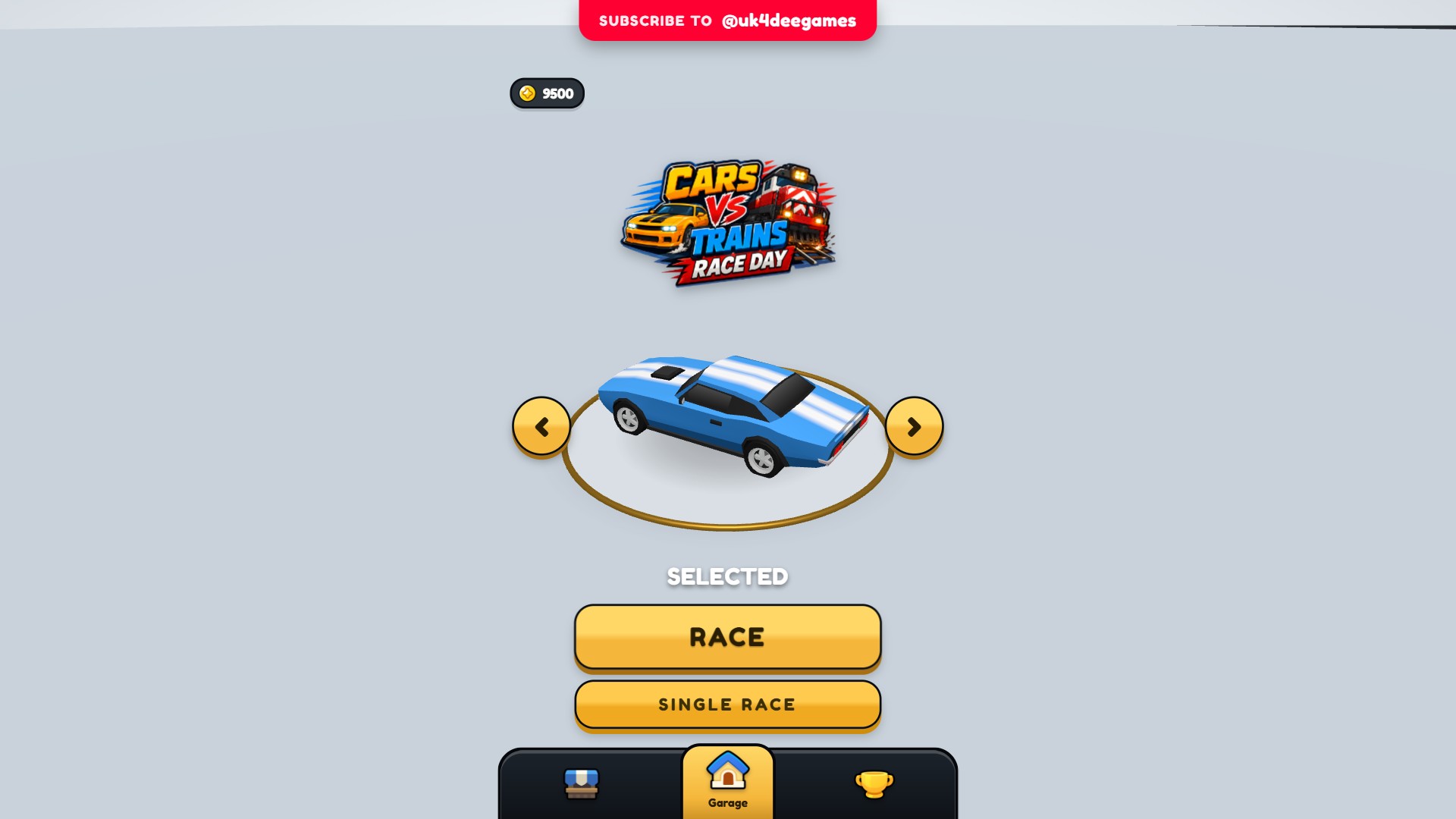
Buy another car with Coins
The blue car is selected after a normal500coin garage purchase, with9500coins remaining.
Use Coins in the garage
The Coins control lets you choose a balance from 0 to 1,000,000. After applying it, use the garage arrows to browse cars and the normal purchase button to unlock your choice.
Available customisation options
CoinsFree
Set your Coins balance for car purchases in the garage.
Choose a balance, apply it and return to the garage. Browse to a car and use Unlock to buy it normally.
Questions about customisation options
- Does setting Coins automatically unlock every car?
- No. You select a car and purchase it in the garage with your Coins.
Using these features
Connect your game, then open Customise in the Windows app. Choose an option, check its available values and follow its instructions. Each option lists its own requirements and limits.
Setup for Cars Vs Trains Race Day By @uk4deegames →