

Perspective Modifiers
1 optionChoose a wider or closer level view from 75% to 150%.
View perspective modifiers →Take in more of the action or bring your character closer in Bully Beatdown. The free Camera Zoom control adjusts the view of this comic-style brawler while keeping the HUD at its normal size.

Start with free mods
Download Bytonian Mods for Windows and try these free features. Choose one to see how it works and any requirements.
Choose a wider or closer view of the scene while keeping the HUD at its normal size.
Turn on Camera zoom during a level, then choose a percentage. Switch it off to restore the captured view.
The control waits in menus and while paused. Switch it off and on if another camera change stops it.
Zoom out for a wider look at the level, or zoom in to follow your character more closely. Health, energy and skill displays stay at their normal size.
Install Bytonian Mods for Windows, launch Bully Beatdown and connect to it in the app. Enter a level, then turn on Camera zoom and choose a percentage.
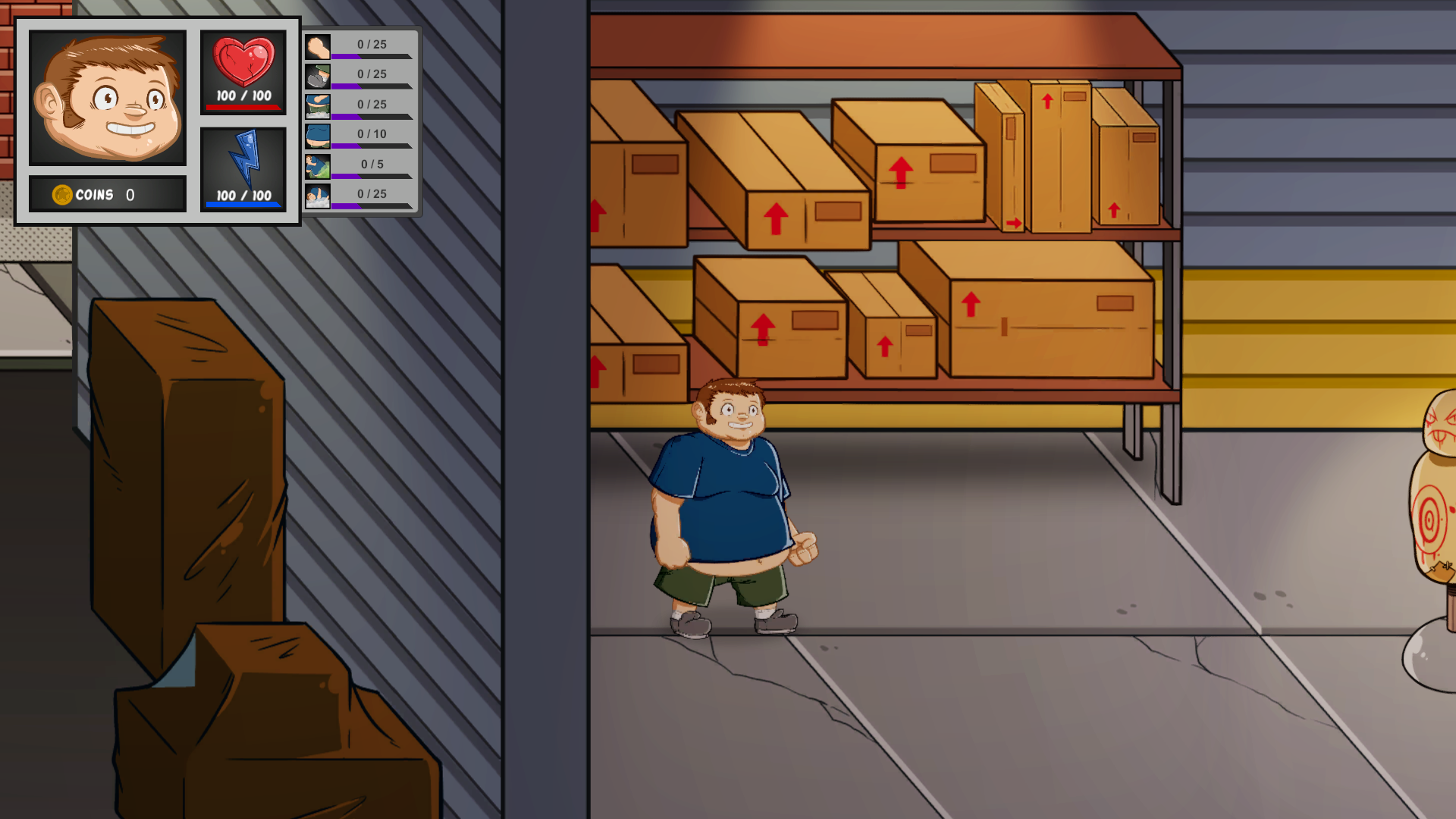
Pick a view that suits you
Adjust how closely you view the scene in Bully Beatdown with Camera zoom.
Choose a wider or closer level view from 75% to 150%.
View perspective modifiers →Browse the Steam achievement names and descriptions for Bully Beatdown. Choose and unlock achievements for free with Bytonian Mods in the Windows app.
View all achievements →Download the Windows app and follow the setup prompts.
Open Bully Beatdown and select it in Bytonian Mods. Follow the app’s connection prompts.
Review the available options in the app and choose the ones that suit how you play.