

Choose your green Cash balance
The Cash control lets you set the green banknote balance at the top of Bee Factory Lite. Choose a whole-number amount and apply it when you are ready to reload the game.
Requires the Windows app and the Bytonian Mods browser extension for Chrome or Edge. Browser setup guide

Using the Cash control
Enter the amount you want, then apply your change. Bee Factory Lite reloads and displays the chosen Cash balance at the top of the factory screen.
Find the green banknote counter
Cash appears beside the plus button at the top of the screen. The factory also displays separate counters for gold coins and stored honey.
Available customisation options
CashFree
Choose the green Cash balance shown at the top of your factory.
Enter a whole-number amount and apply it. The game reloads with your chosen Cash balance.
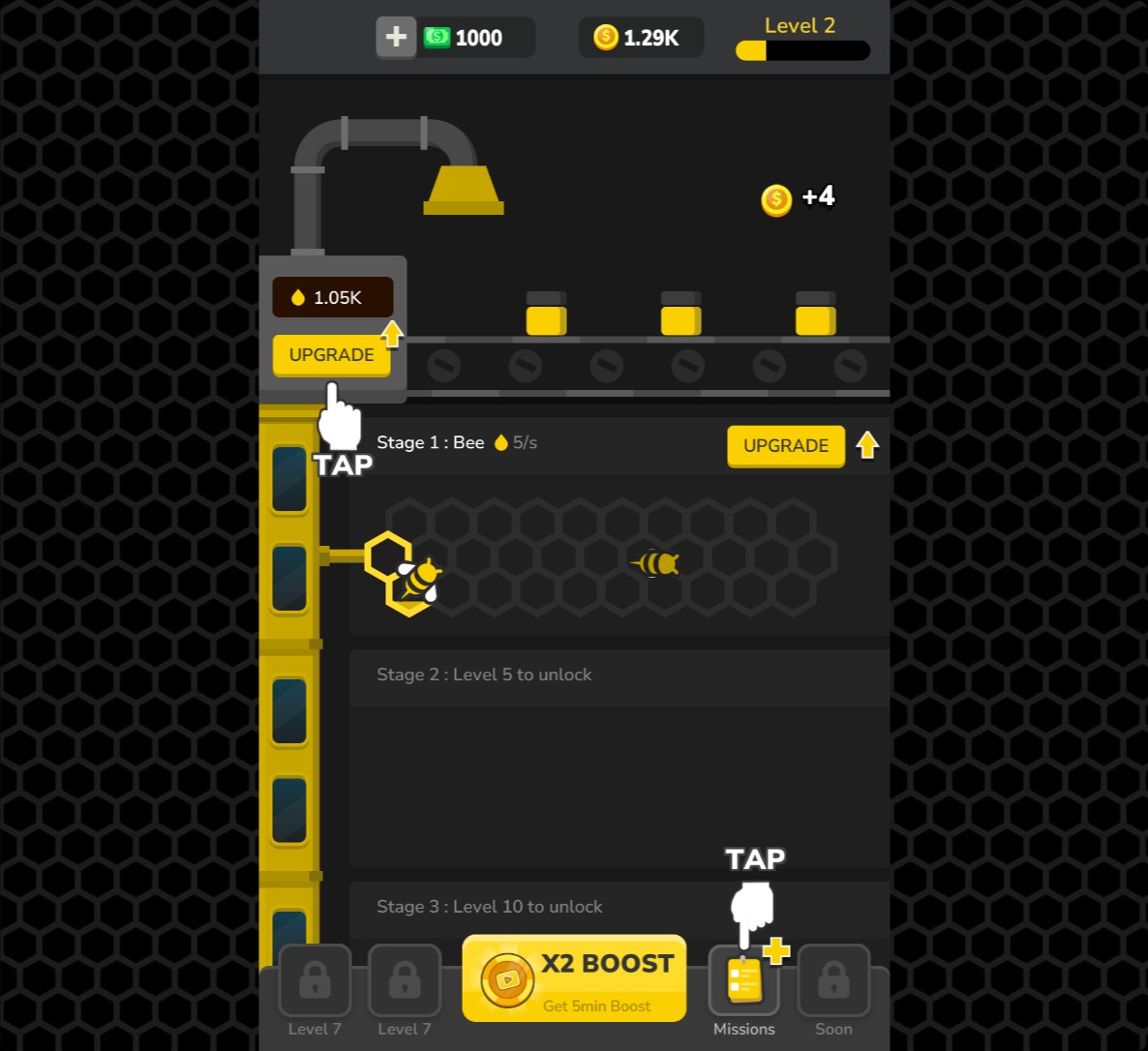
Choose your Cash balance
The green Cash counter shows 1,000 while the honey factory continues producing jars.
Questions about customisation options
- Does applying Cash reload the game?
- Yes. Applying the control reloads Bee Factory Lite with your chosen Cash balance.
Using these features
Connect your game, then open Customise in the Windows app. Choose an option, check its available values and follow its instructions. Each option lists its own requirements and limits.
Setup for Bee Factory Lite →