

Resources
5 optionsAdjust four overworld resources or set free upgrade rerolls. Wood is free; Gold, Stone, Wheat and Free Rerolls are Premium controls.
View all resources →Adjust base resources, movement and attacks, or try extra upgrades for your next BALL x PIT run. Fight bouncing-ball battles and rebuild New Ballbylon between expeditions.
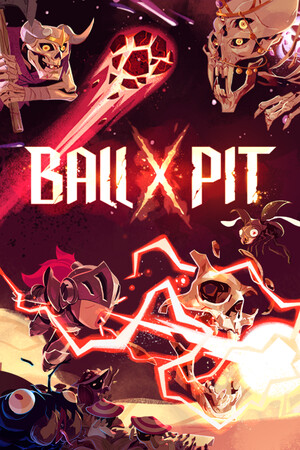
Playing the demo? View BALL x PIT Demo mods.
Start with free mods
Download Bytonian Mods for Windows and try these free features. Choose one to see how it works and any requirements.
Adjust overworld Wood for building and upgrade costs without changing your other resource balances.
Explore this free feature →Adjust movement speed to reposition more quickly or slow the pace.
Enable the control and choose a movement multiplier. Use 1 for the normal setting.
After this control affects a run, leaderboard submissions are blocked until you restart the game. Begin a fresh unmodified run before playing for scores.
Adjust how fast balls launch into the arena.
Enable the control and choose a launch-speed multiplier. Use 1 for the normal setting.
After this control affects a run, leaderboard submissions are blocked until you restart the game. Begin a fresh unmodified run before playing for scores.
Prevent hit and ball-firing knockback to hold your position.
Enable the rule during your run.
Does not prevent health damage. After this control affects a run, leaderboard submissions are blocked until you restart the game. Begin a fresh unmodified run before playing for scores.
Resources contains Gold, Stone, Wheat, Wood and Free Rerolls. Use the first four for base-building balances, or set free rerolls for upgrade choices during a run.
Stats Modifiers covers damage, firing rate, reload time and ball launch speed. Abilities covers movement speed and knockback prevention. Game Actions offers Level Up, Random Ball and Random Passive. Rule Modifiers covers enemy damage prevention and health recovery.
Wood, Movement Speed, Ball Speed and No Knockback are free. The other listed controls are Premium options. Choose the changes that suit your build rather than enabling everything at once.
Install Bytonian Mods, open BALL x PIT and select the game in the Windows app. Follow the connection prompts, then choose the controls you want. This listing covers the full game.
Adjust four overworld resources or set free upgrade rerolls. Wood is free; Gold, Stone, Wheat and Free Rerolls are Premium controls.
View all resources →Tune damage and attack pace, or try the free ball launch speed control.
View all stat modifiers →Compare Premium enemy-damage prevention with health recovery, including the lethal-hit limitation.
View rule modifiers →Free movement speed adjustment and knockback prevention for your runs.
View ability modifiers →Take another upgrade choice or try random balls and passives during your run.
View game actions →Browse the Steam achievement names and descriptions for BALL x PIT. Choose and unlock achievements for free with Bytonian Mods in the Windows app.
View all achievements →Download the Windows app and follow the setup prompts.
Open BALL x PIT and select it in Bytonian Mods. Follow the app’s connection prompts.
Review the available options in the app and choose the ones that suit how you play.