
Stars for recruits and equipment
Pick the stars balance you want, then decide how to spend it. Recruitment upgrades grow your starting crowd, while the shop offers equipment you can buy and select.
Requires the Windows app and the Bytonian Mods browser extension for Chrome or Edge. Browser setup guide
Spend stars your way
Use the green recruitment button to improve your crowd, or open the shop to buy an available item. Your balance goes down as you make purchases.
Items with a level requirement still need that level. Stars customization gives you buying power while you continue through the game.
Available customisation options
StarsFree
Choose your stars balance to recruit more ants and buy available equipment.
Apply your chosen amount, then use the game's recruitment button or equipment shop.
Equipment level requirements still apply.
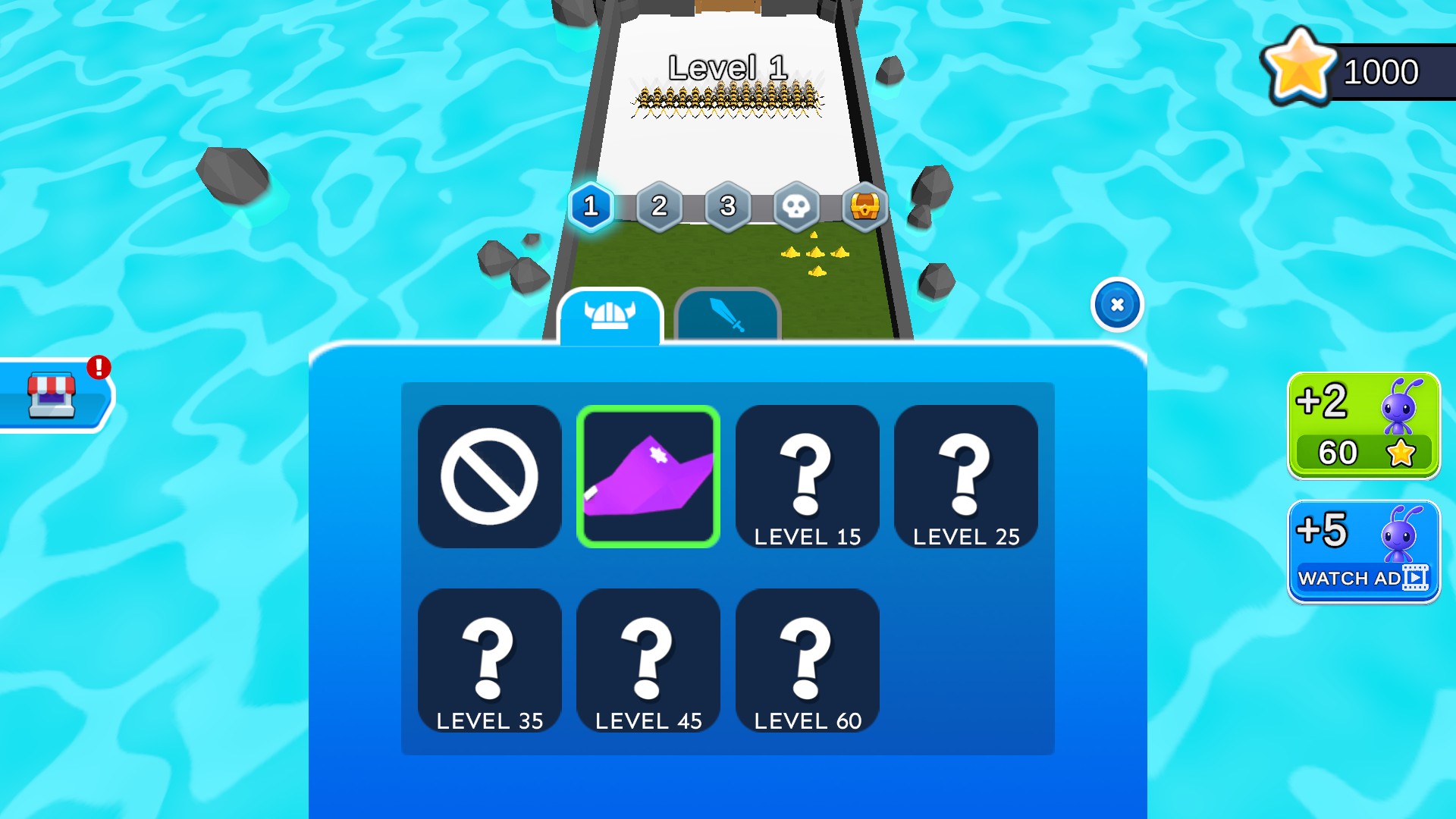
Stars for your next upgrade
Use stars to grow your ant crowd and buy equipment available in the shop.
Using these features
Connect your game, then open Customise in the Windows app. Choose an option, check its available values and follow its instructions. Each option lists its own requirements and limits.
Setup for Ant Kingdom Rush - Ant Game →