

Unlocks
1 optionEnable mission access and reopen the accidents folder.
View unlocks →Investigate car crash cases in Accident by helping victims, gathering evidence and reconstructing events. Choose a mission or explore a scene from beyond the normal walking route.

Start with free mods
Download Bytonian Mods for Windows and try these free features. Choose one to see how it works and any requirements.
Open mission choices so you can choose which case to investigate.
Enable Unlock all missions, then close and reopen the accidents folder.
Changes mission access while enabled; it does not perform the case's tasks.
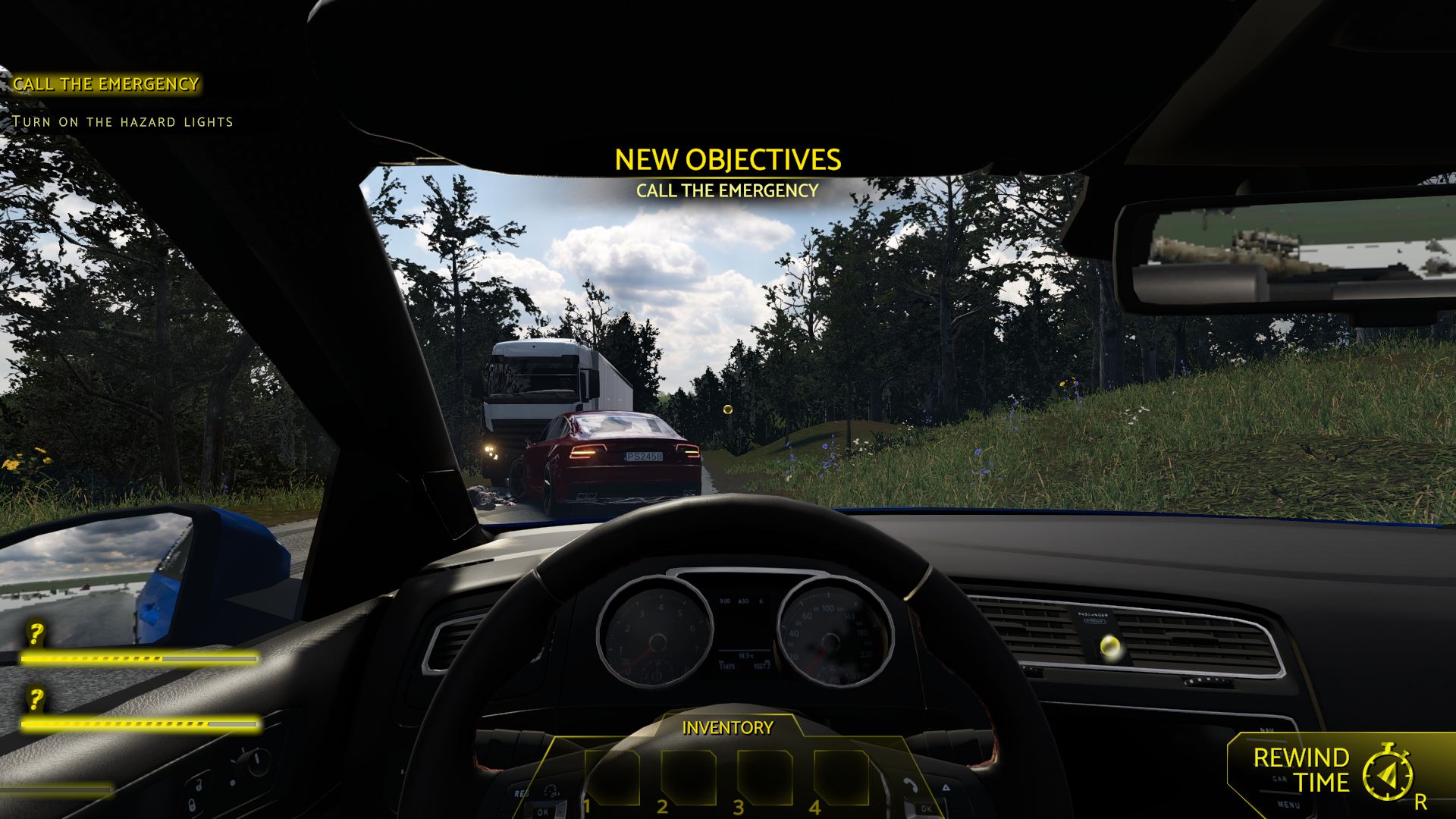
Arrive at an accident scene
Assess the road ahead and begin the case by securing the area and calling for help.
Open the mission choices to select a case, or use Fly to explore above roads and through scenery. Continue the rescue and investigation using the game's ordinary interactions.
Install Bytonian Mods, launch Accident and select it in the app. Follow the connection prompts, then choose a control. For mission unlocking, close the accidents folder and reopen it after enabling the option.
Enable mission access and reopen the accidents folder.
View unlocks →Configurable flight changes your movement around a scene.
View ability modifiers →Download the Windows app and follow the setup prompts.
Open Accident and select it in Bytonian Mods. Follow the app’s connection prompts.
Review the available options in the app and choose the ones that suit how you play.