

Resources
2 optionsTwo one-click refills for Action points and unlocked Destiny.
View resources →Refill Action points or unlocked Destiny to their current maximum when you need them. Continue making choices and progressing through the story in Your Chronicle's idle RPG.

Start with free mods
Download Bytonian Mods for Windows and try these free features. Choose one to see how it works and any requirements.
Restore Action points to their current maximum.
Load your game and keep the Action counter visible, then press Refill Action.
Does not raise your Action maximum.
Action and Destiny have separate refill controls. Open the resource category to choose the one you need.
Open Your Chronicle in Bytonian Mods and load your game. Unlock the resource, keep its counter visible, then press its refill control.
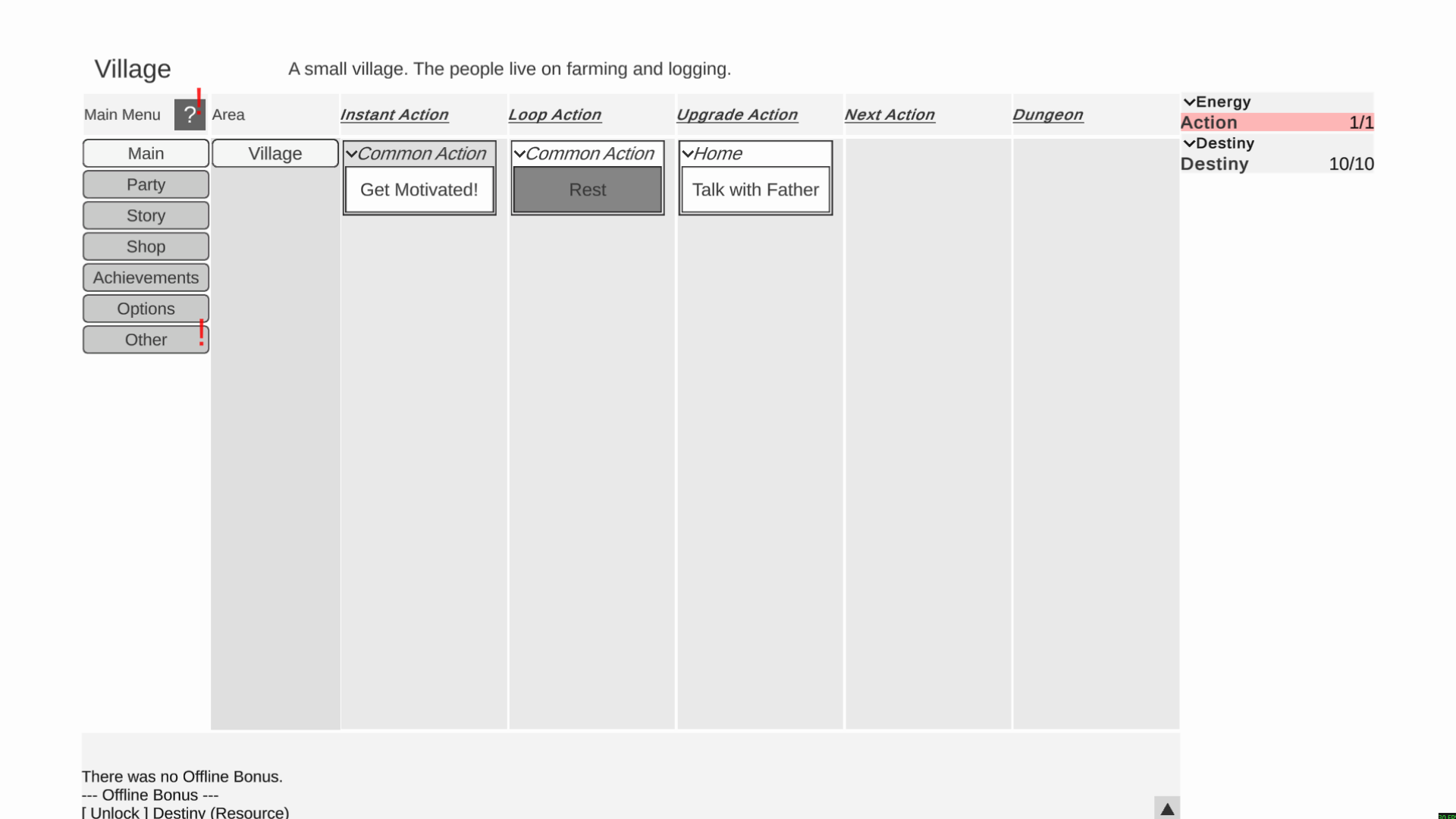
Your Chronicle resource refills
Restore Action points or unlocked Destiny to their current maximum.
Two one-click refills for Action points and unlocked Destiny.
View resources →Browse the Steam achievement names and descriptions for Your Chronicle. Choose and unlock achievements for free with Bytonian Mods in the Windows app.
View all achievements →Download the Windows app and follow the setup prompts.
Open Your Chronicle and select it in Bytonian Mods. Follow the app’s connection prompts.
Review the available options in the app and choose the ones that suit how you play.