

WAY HOME Camera Mods
Widen the camera to see more of the ground and trees around you, or choose a narrower view. The control takes effect while you play.
Works with the Steam version of the game.

Available perspective modifiers
Field of viewFree
Adjust the width of your first-person view while exploring in WAY HOME.
Switch on Field of view and choose a vertical angle from 55° to 100°. Switch it off to restore the game’s camera setting.
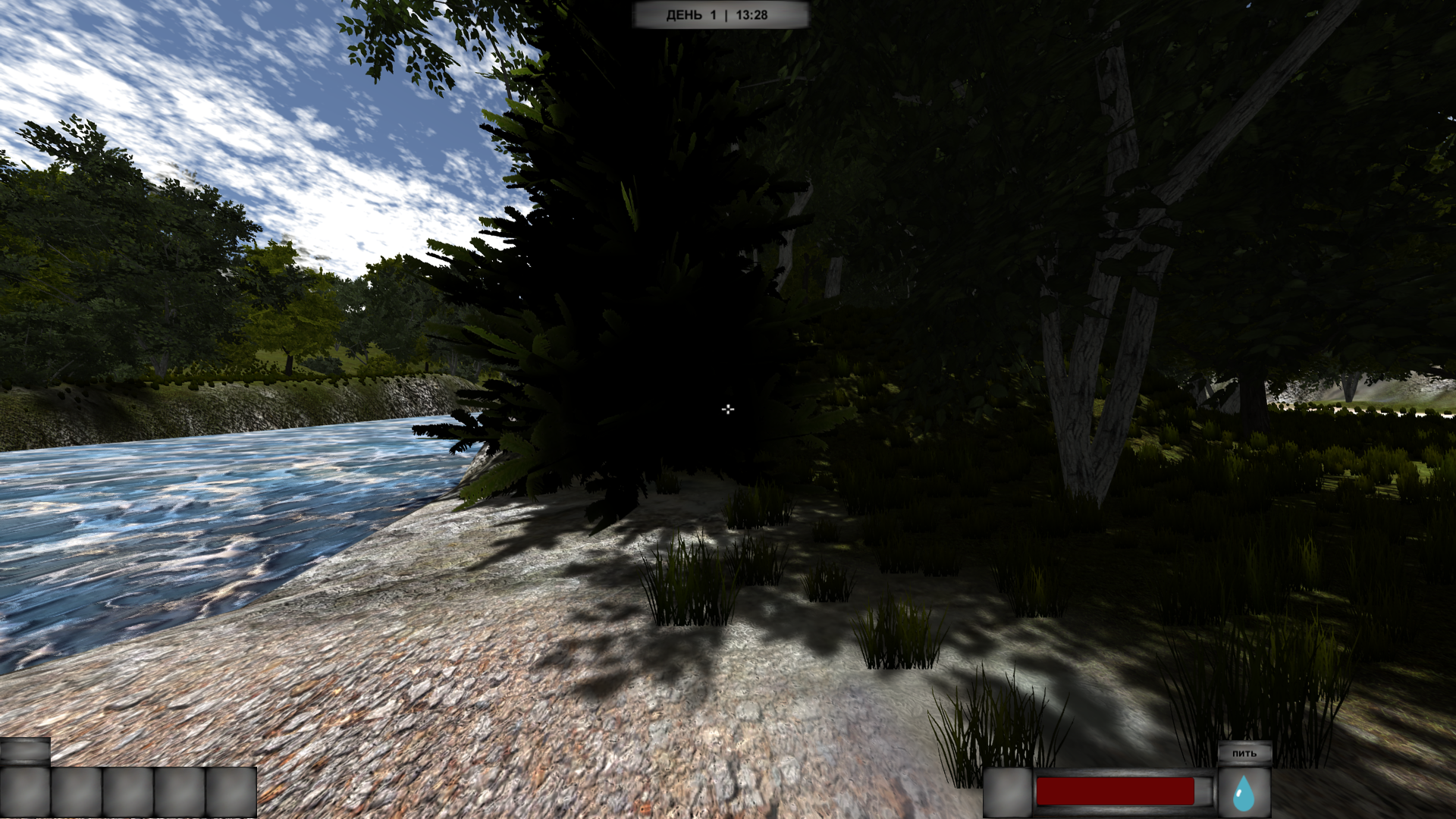
Wider riverbank view at 95°
At 95°, more of the river and the forest edge fit in the first-person view.
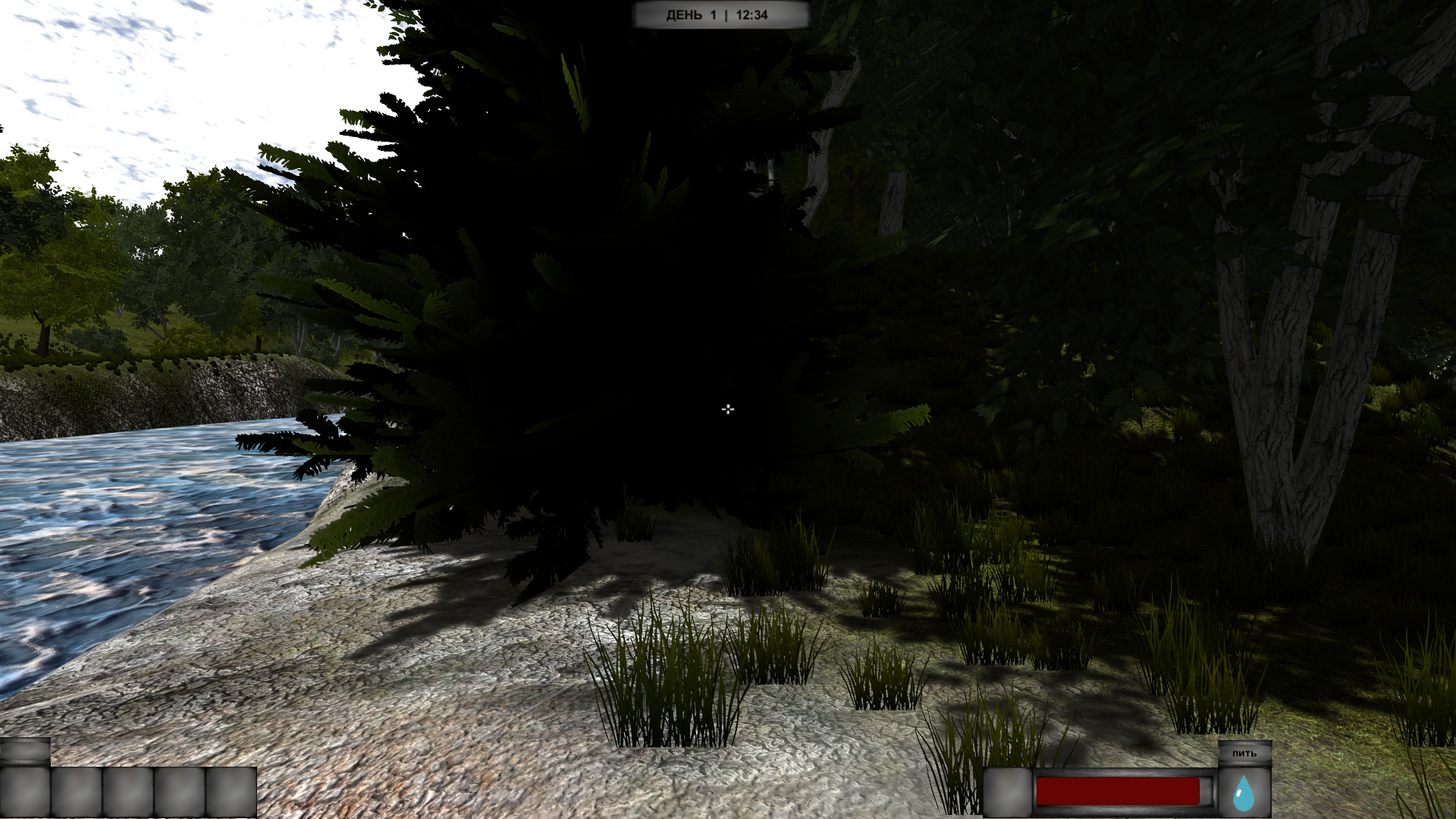
Stock riverbank view at 70°
The game’s original 70° camera framing, with the same riverbank and central tree in view.
1 / 2
Using these features
Choose the feature in the Windows app after connecting your game. Check its requirements before making a change.
Setup for WAY HOME →