
Resources
1 optionSet, add or subtract spendable wood on the forest board.
View resources →Set, add or subtract wood to give your next forest expansion a head start in Trees Inc. Choose the balance you need for trees and workers as you build your production loop.
Start with free mods
Download Bytonian Mods for Windows and try these free features. Choose one to see how it works and any requirements.
Choose how much wood you can spend on trees and workers. Set a balance or add and subtract wood as you expand your forest.
Refresh the card, enter an amount and choose the change you want. Use it on the active forest board with dialogs and menus closed.
Normal purchase costs still apply. This changes spendable wood without adding to cumulative wood earned.
Plant more trees, bring in workers and build up production as your forest grows. Upgrades, prestige and XP perks offer more ways to develop your operation.
Open Resources for the Wood card, then adjust your balance before buying trees or workers through the game's usual purchase buttons. You still choose how to spend the wood.
Install the Bytonian Mods Windows app and launch Trees Inc with mod support. Open your forest, finish any introductory dialog and use the Wood card when you are ready to make purchases.
Build your forest with wood to spend
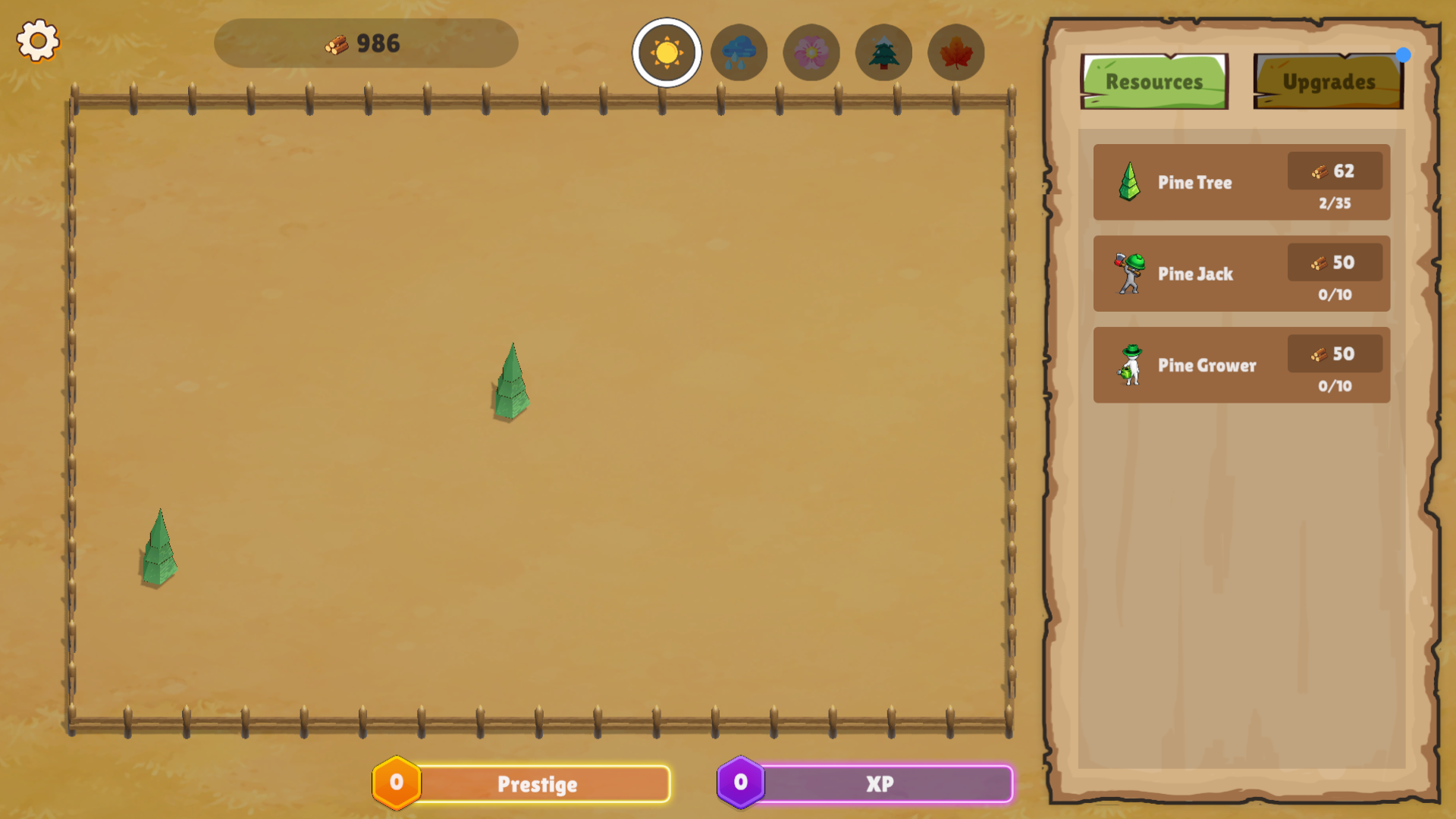
The forest board shows available wood alongside pine-tree and worker purchases.
Set, add or subtract spendable wood on the forest board.
View resources →Browse the Steam achievement names and descriptions for Trees Inc. Choose and unlock achievements for free with Bytonian Mods in the Windows app.
View all achievements →Download the Windows app and follow the setup prompts.
Open Trees Inc and select it in Bytonian Mods. Follow the app’s connection prompts.
Review the available options in the app and choose the ones that suit how you play.