
Game Actions
1 optionChoose an ingredient and pour one measure into the current drink.
View game actions →Pour a chosen ingredient one measure at a time in Tavern Talk without dragging bottles. Use the free action at the mixing counter as you prepare drinks for your visitors.

Start with free mods
Download Bytonian Mods for Windows and try these free features. Choose one to see how it works and any requirements.
Add one measure of your chosen ingredient to the current drink without dragging a bottle.
Choose an Ingredient, then press Pour a measure. Each press adds one fifth of the cup. Wait for it to settle before the next pour.
Use at the drink-mixing counter after the tutorial. Close the pause menu and put down any bottle before pouring.
The drink-mixing action lets you choose an ingredient and add one fifth of a cup at a time. Open Game Actions for the ingredient choices and pouring control.
Open Tavern Talk on Windows with Bytonian Mods connected, enable Pour a measure, and reach the drink-mixing counter. Finish the mixing tutorial before using the action.
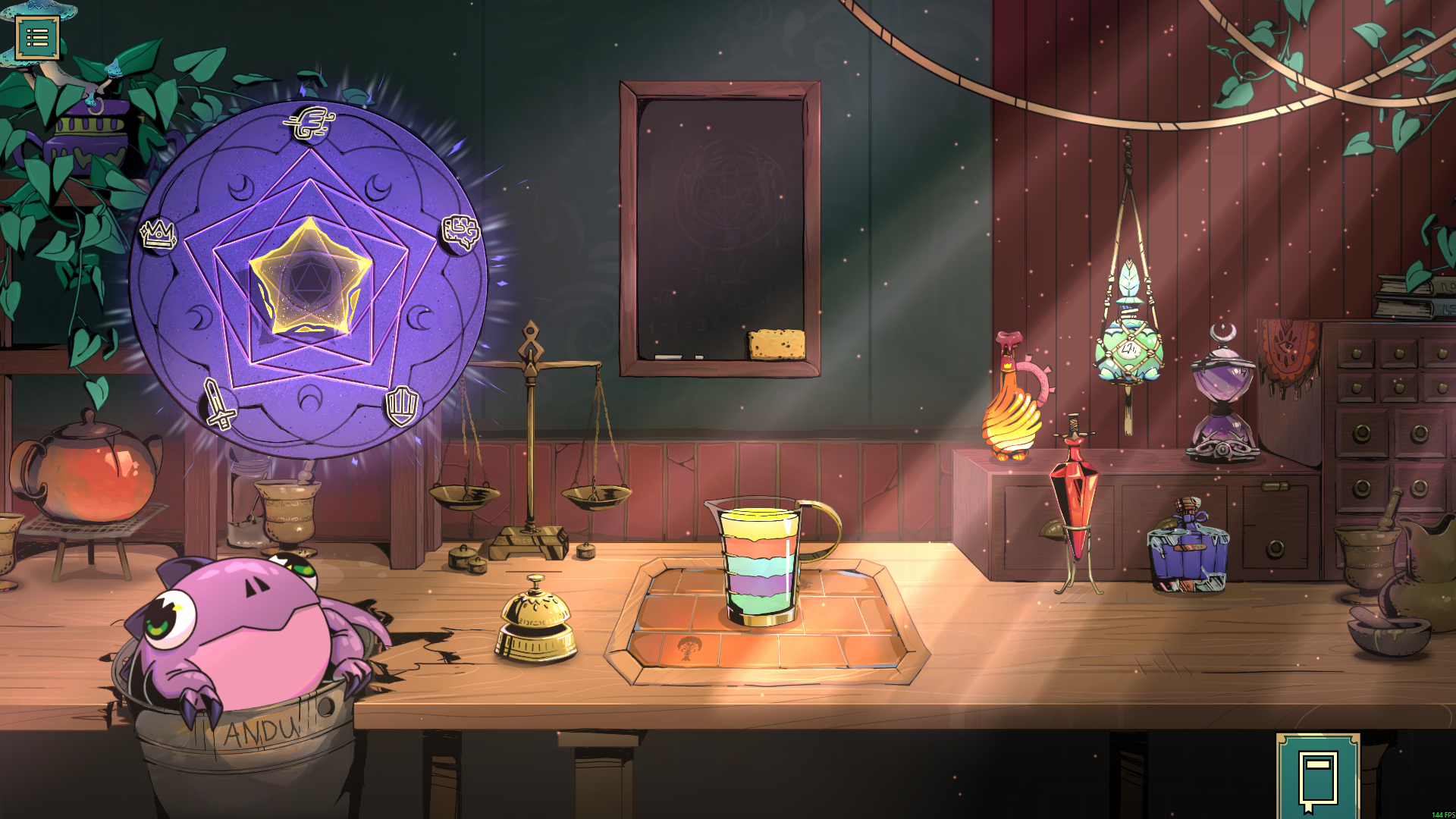
Build a drink one measure at a time
Choose from five ingredients and add a measure at a time while mixing drinks in Tavern Talk.
Choose an ingredient and pour one measure into the current drink.
View game actions →Browse the Steam achievement names and descriptions for Tavern Talk - A Cozy Visual Novel. Choose and unlock achievements for free with Bytonian Mods in the Windows app.
View all achievements →Download the Windows app and follow the setup prompts.
Open Tavern Talk - A Cozy Visual Novel and select it in Bytonian Mods. Follow the app’s connection prompts.
Review the available options in the app and choose the ones that suit how you play.