

Find the next object for your map
Browse terrain blocks, props, objectives, special objects, effects, explosives and nature with an image for each entry. Search by name or choose a category, then add one object at the centre of your offline editor view.

Keep arranging with the original editor
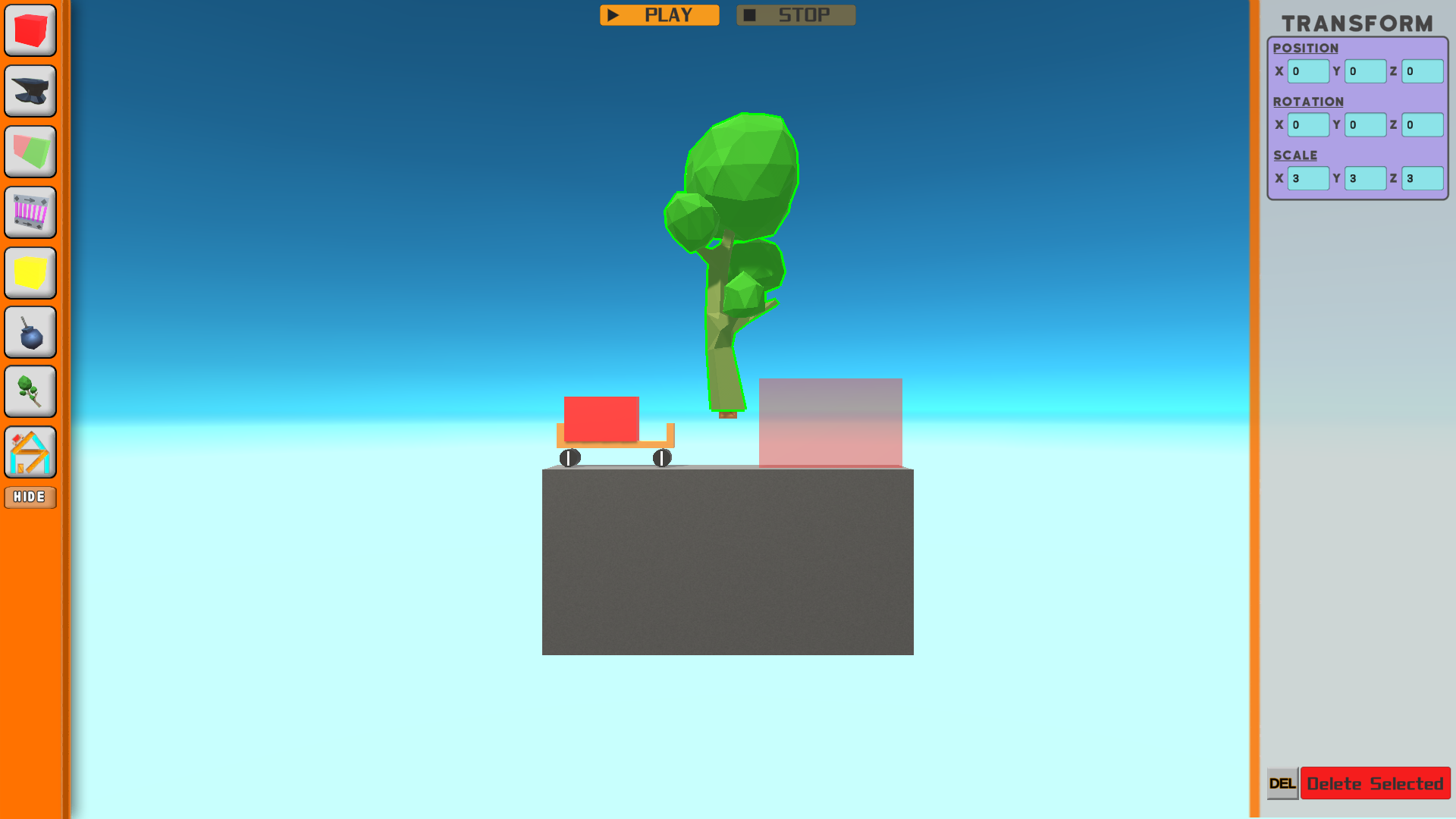
A new object is selected when it appears. Use the game's Transform controls to position, rotate or resize it, then use Play to try your arrangement.
Add objects while editing
Stop the map and finish typing or dragging before adding another object. Add one at a time so you can place each where you want it.
Available world modifiers
Spawn editor objectsFree
Find an editor object by name or category and add it to your offline map.
Open Spawn, select an object and spawn one at a time. It appears selected at the centre of the editor view, ready to arrange with the original controls.
Use the offline level editor in edit mode. Stop the map, close menus and finish typing or dragging before adding an object.
What you can spawn
- Basic (9)
- Including Dirt, Stone, Grass (Ground Static Grass), Ice, Bounce Pad.
- Prefabs (9)
- Including Crate, Plank, Anvil, Barrel, Glass.
- Objective (2)
- Including Transfer Object, Transfer Finish.
- Special (7)
- Including Cart, Thruster, Piston, Railgun, Spinner (Spinning Hitter).
- Effects (3)
- Including Light, Moving Particles, Static Particles.
- Explosives (6)
- Including Bomb, Gas Pump, Dynamite, Dynamite Stick, Dynamite Barrel.
- Nature (5)
- Including Tree 1, Tree 2, Small Rock, Large Rock, Grass (01).
Add native objects to your next map
A newly added tree is selected in the level editor, ready to position with the game's original Transform controls.
More ways to customise Sandbox Anything
- Sandbox Anything resources
Set, add or remove cash in your current offline Zombie Survival round.
Questions about world modifiers
- Can I add these objects during a survival round?
- This catalog is for the offline level editor. Open that mode and return to editing before using Spawn.
- Can I still use the original editor controls?
- New objects use the normal editor selection and controls. You can arrange them alongside the other objects in your map.
Using these features
Choose the feature in the Windows app after connecting your game. Check its requirements before making a change.
Setup for Sandbox Anything →