

Restore Randy's health
Top up Randy's health before tackling the next stretch of a 3D level. The free Restore health action fills his current health allowance in one press.

Use a refill when health is low
Resume the level while Randy is alive, then press Restore health. If his health is already full, there is nothing more to add.
Keep your current health allowance
A refill uses Randy's current maximum health. It does not increase that maximum or bring him back after defeat.
Available game actions
Restore healthFree
Refill Randy's current health so you can keep exploring.
While Randy is alive and ready in a 3D level, press Restore health.
This fills his current health allowance; it does not raise the maximum or revive him.
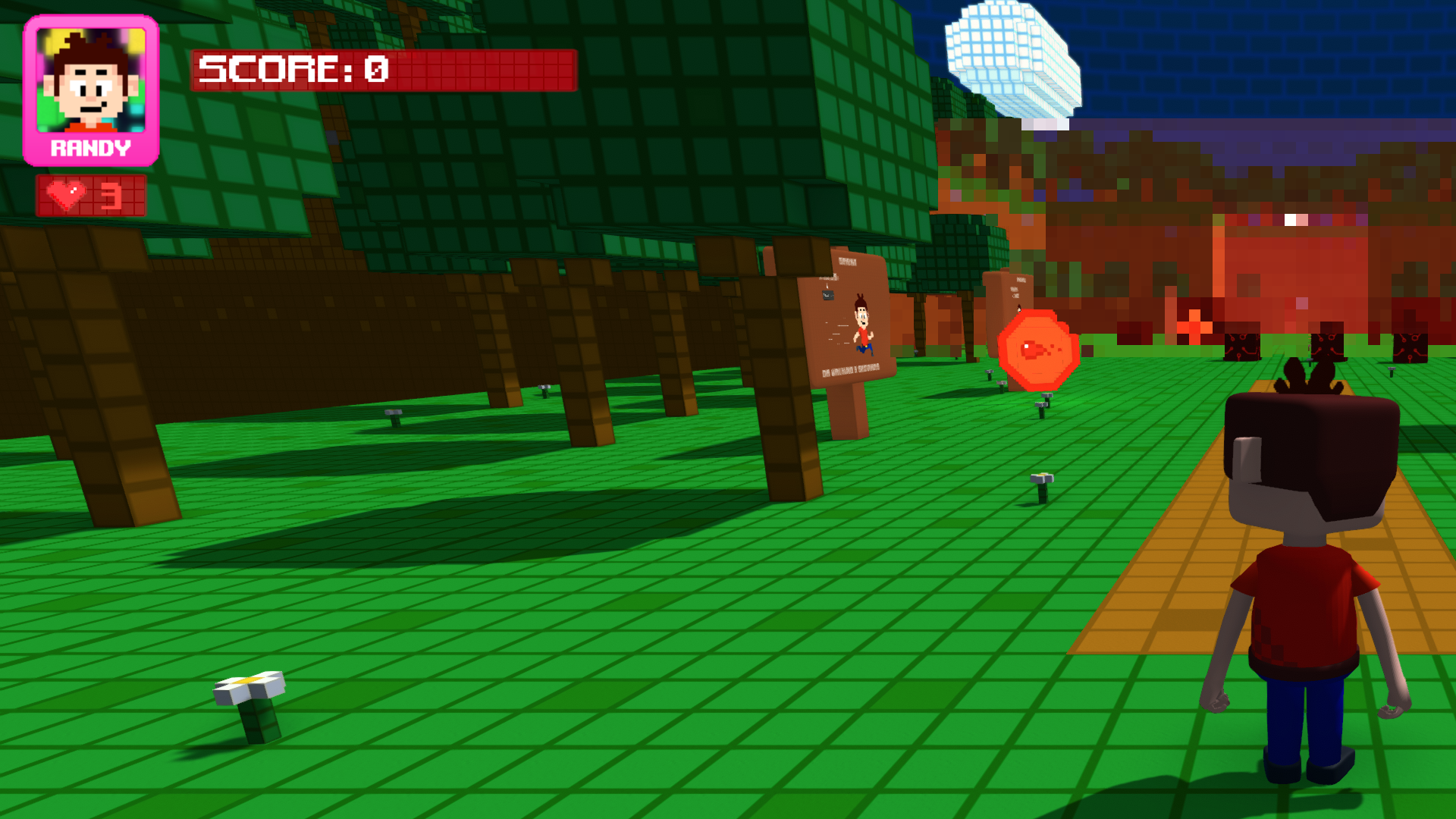
Randy at full health
Randy at full health in the Terra-Qubit tutorial after using Restore health.
More ways to customise Randy & Manilla
- Randy & Manilla stat modifiers
Adjust Randy's ground movement speed between 50% and 300%.
Questions about game actions
- Why does the action ask me to resume normal gameplay?
- Randy needs to be alive and ready to move in a 3D level. Close a pause screen or finish the current conversation, then use the action again.
Using these features
Choose the feature in the Windows app after connecting your game. Check its requirements before making a change.
Setup for Randy & Manilla →