
Cash, rent and shop resource controls
Choose the value you want to change, from cash, rent and loan terms to shop condition, markups and luck.
Playing the demo? View Probably Stolen Demo mods.
Read a value before changing it
Refresh a card to see the current value, then set a new number or add an amount. Work with the shop you have loaded, and check the card again after applying your change.
Check the shop display
The rent sign can keep its previous countdown after you change Days until rent. For attractiveness changes, reopen the Status screen to see the score; base attractiveness and the garbage penalty contribute separately.
Adjust loans and markups
Use the loan cards to choose the amount and days remaining. Trading cards let you adjust retail and individual tiered markups separately.
Adjust faction reputation
Choose separate reputation values for the Lower Levels, Upper Levels, Security, Black Market and Revolution. Refresh a group's card before changing its value.
Available resources
Appraisal customer waitFree
Adjust the days since your last appraisal customer to influence the chance of another visit.
Refresh the card and choose the number of days.
Appraisal progressFree
Adjust your progress toward the next appraisal promotion as a percentage.
Refresh the card and choose a percentage from 0 to 100.
Black MarketFree
Adjust your shop's reputation with Black Market.
Refresh the card, then set a value or add an amount.
CashPremium
Choose the cash balance for the shop you have loaded.
Refresh the Cash card, then set a new balance or add an amount.
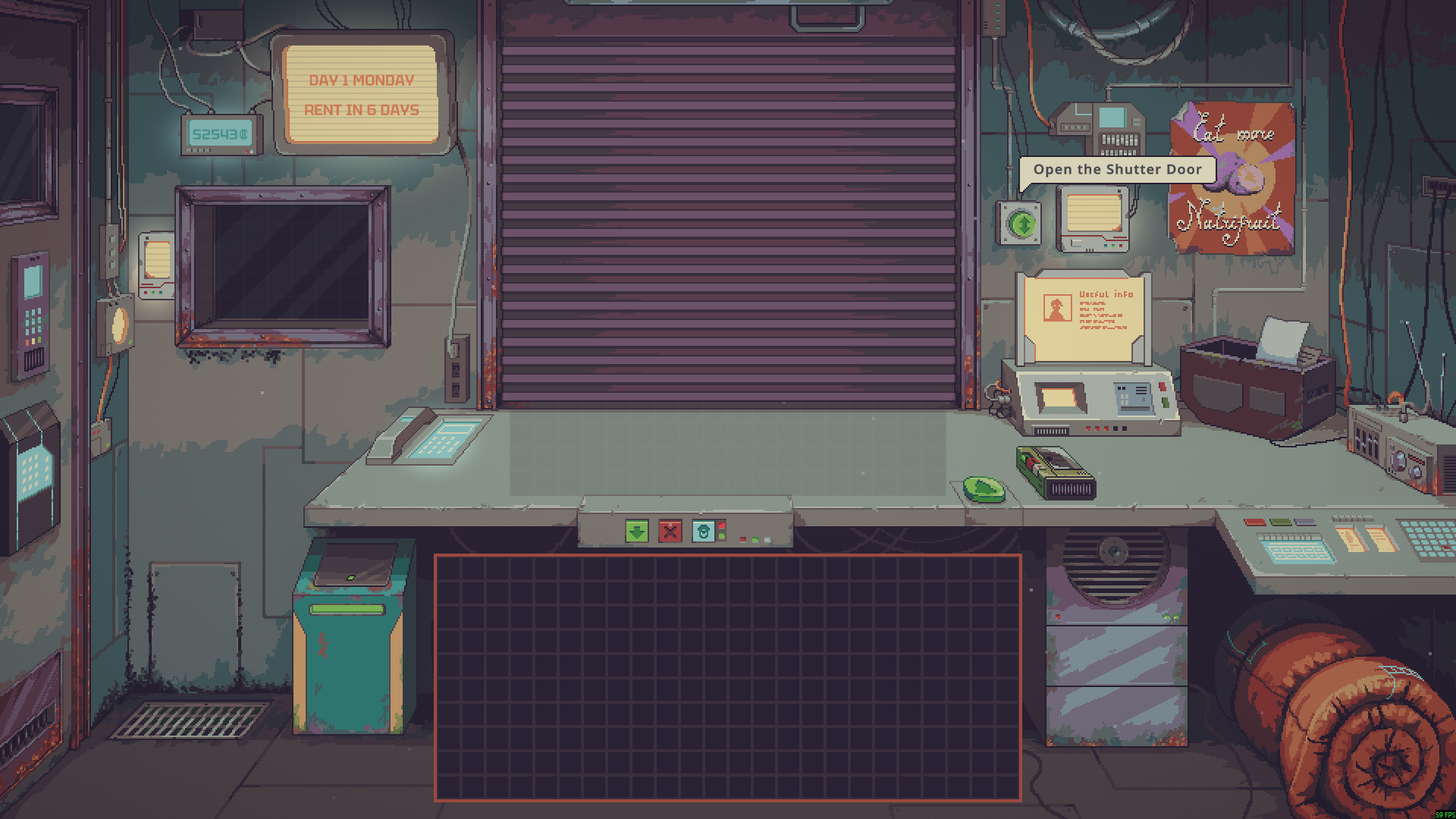
Choose your cash balance
Set the cash balance in your current shop. The cash display here shows 52,543¢.
Critical markupFree
Adjust the critical-tier markup in your shop.
Refresh the card, then set a value or add an amount.
Current customer negotiation bonusFree
Adjust your negotiation bonus for the current customer.
Wait for a customer, refresh the card and choose a bonus from 0 to 100.
The bonus resets when the customer leaves. Some customers refuse certain offers regardless of the bonus.
Days until loanFree
Adjust the number of days before the loan is due.
Refresh the card, then set a value or add an amount.
Days until rentFree
Adjust the days-until-rent counter for your current shop.
Read the current count before choosing a new number of days.
The shop sign can keep showing the previous count after a change.
Garbage levelPremium
Clear the garbage penalty from your shop's attractiveness by setting Garbage level to zero.
Refresh the card to read the level, then set it to zero to clear the penalty.
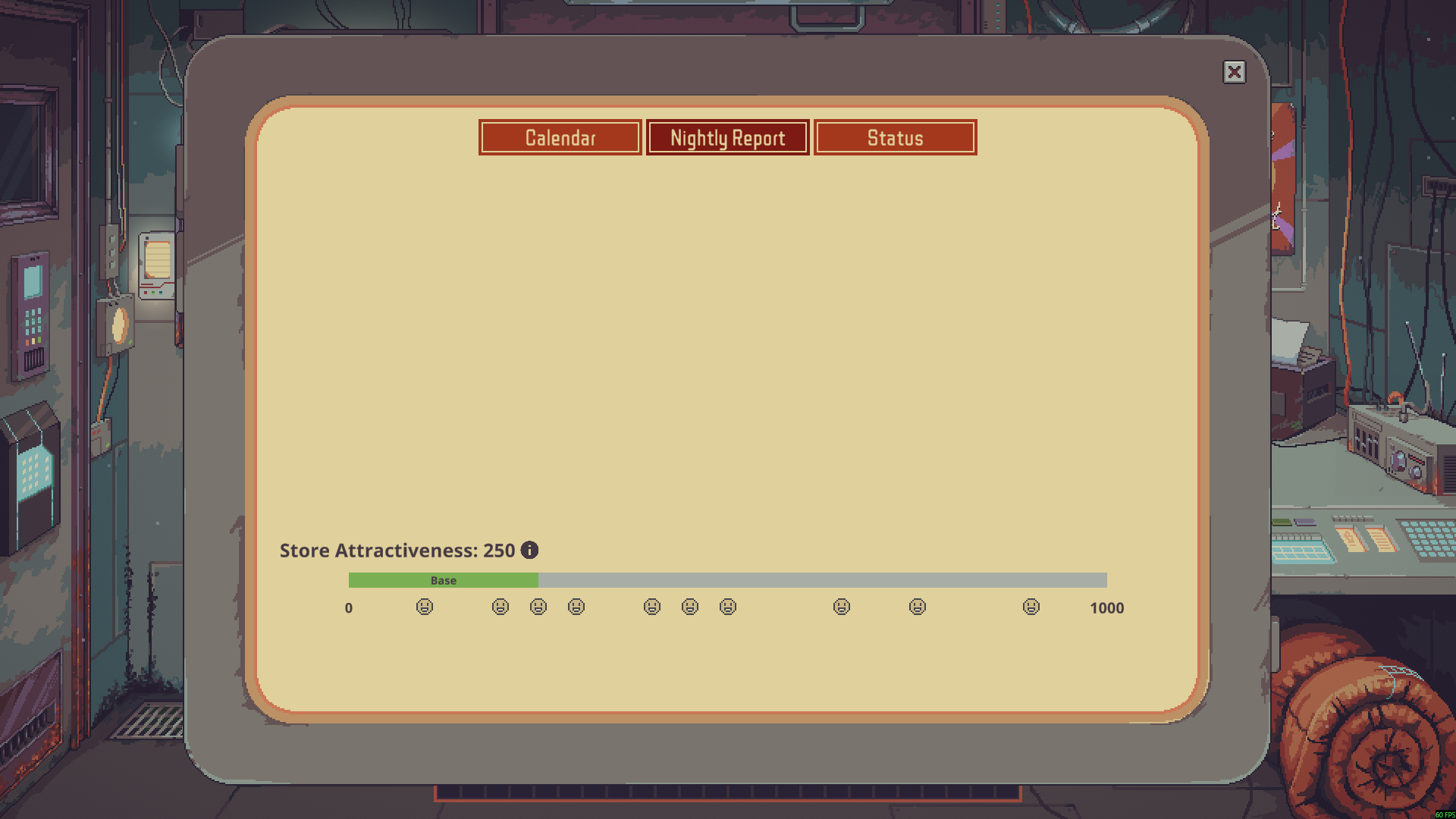
Remove the garbage penalty
Reset your shop's garbage level to zero. The Status screen shows 250 attractiveness with no Trash penalty on the bar.
High markupFree
Adjust the high-tier markup in your shop.
Refresh the card, then set a value or add an amount.
Loan amountFree
Adjust the loan amount for your current shop.
Refresh the card, then set a value or add an amount.
Low markupFree
Adjust the low-tier markup in your shop.
Refresh the card, then set a value or add an amount.
Lower LevelsFree
Adjust your shop's reputation with Lower Levels.
Refresh the card, then set a value or add an amount.
LuckFree
Adjust your current luck value.
Refresh the card, then set a value or add an amount.
Luck effect daysFree
Adjust the remaining days on the luck effect.
Refresh the card, then set a value or add an amount.
Medium markupFree
Adjust the medium-tier markup in your shop.
Refresh the card, then set a value or add an amount.
Rent amountPremium
Choose the rent amount for your current shop.
Refresh the card, then set a new rent amount or add to it.
The amount is not displayed in the ordinary shop view.
Retail markupFree
Adjust the current shop's retail markup.
Refresh the card, then set a value or add an amount.
RevolutionFree
Adjust your shop's reputation with Revolution.
Refresh the card, then set a value or add an amount.
SecurityFree
Adjust your shop's reputation with Security.
Refresh the card, then set a value or add an amount.
Store attractivenessPremium
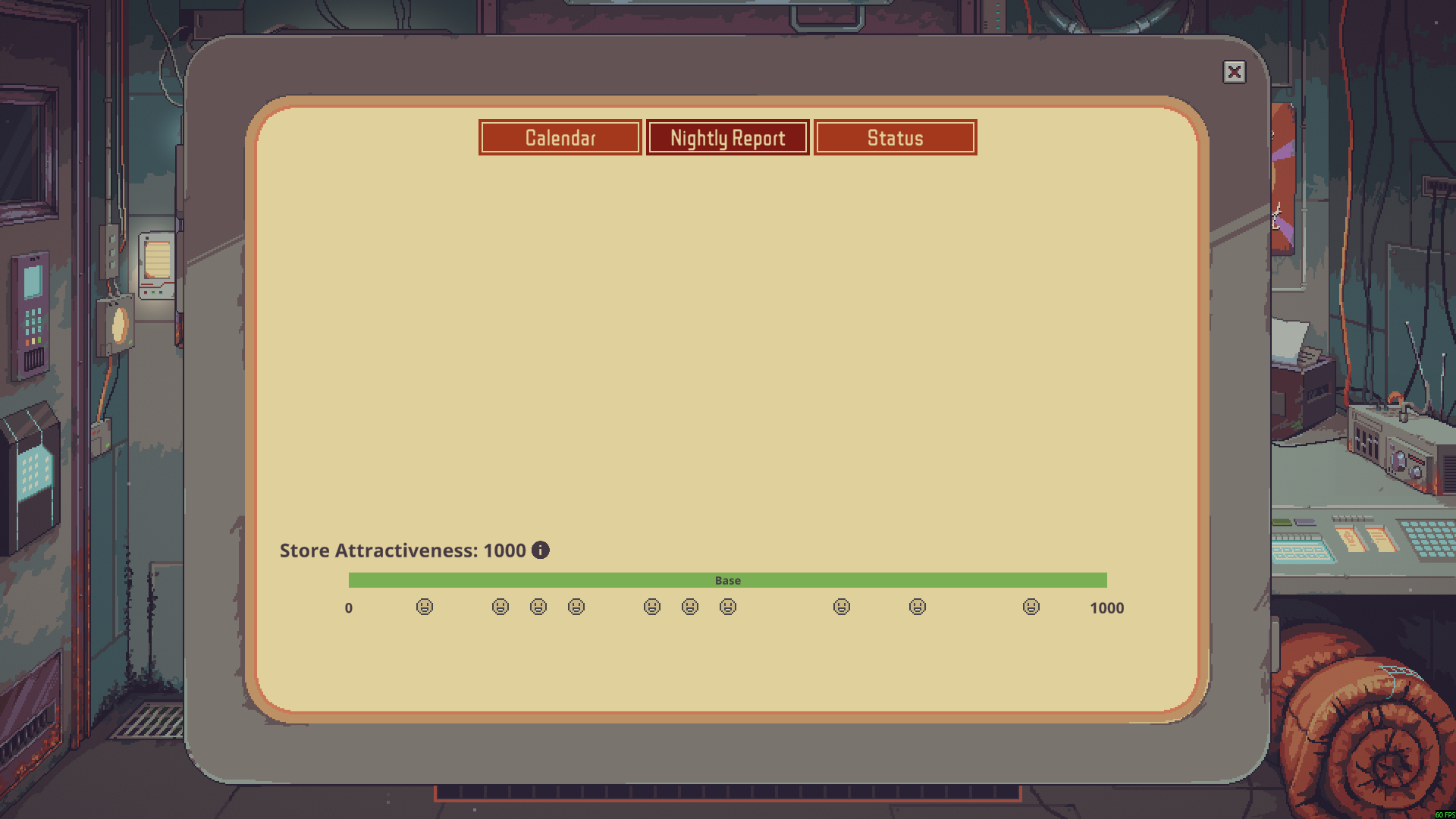
Choose your shop's base attractiveness and check the score on the Status screen.
Set a base value, then reopen the Status screen to see the result.
Other shop conditions, including garbage, can still affect the final attractiveness score.
Boost your shop's attractiveness
Choose your shop's base attractiveness. The Status screen here shows 1,000 with the base bar filled.
Upper LevelsFree
Adjust your shop's reputation with Upper Levels.
Refresh the card, then set a value or add an amount.
Wild favorFree
Adjust the wild favor value for your current shop.
Refresh the card, then set a value or add an amount.
More ways to customise Probably Stolen - Cyberpunk Shopkeeper Sim
- Probably Stolen - Cyberpunk Shopkeeper Sim rule modifiers
Adjust how much progress each hydroponic growth cycle makes.
Questions about resources
- Does base attractiveness remove the garbage penalty?
- No. Base attractiveness and Garbage level have separate controls. Set Garbage level to zero to remove that penalty, and choose your base attractiveness independently.
Using these features
Choose the feature in the Windows app after connecting your game. Check its requirements before making a change.
Setup for Probably Stolen - Cyberpunk Shopkeeper Sim →